solaris8x86
macrumors regular
As per the diagram, it's correct (hard to follow the wire colors as the bend around, but it looks right in terms of location as well as color). 🙂
What you're asking about (backplane cable that splits into two separate connectors with 4 wires for power) do exist (here). It's not as clean IMO, but functional, and at least from this link, is more expensive (would have expected it to be cheaper, as they're used more often in PC's). If you look, I suspect you'll be able to locate it cheaper (just make sure you've more than 2 wires on the power connector - only get it if it has 4 power wires).
As per soldering, it's not hard, particularly soldering 2 wires together (buying a stick soldering iron, heat shrink tubing and solder won't be that expensive; should be able to manage it for under $20USD <example>, and it's handy for other projects). You can get a pack of heatshrink tubing from Walmart for under $5USD, and stay around the $20USD mark (as I assume you don't have any of the equipment or supplies to do it based on your aversion to soldering).
If you go with wire nuts or crimp connectors, stagger them if you can (won't get "pregnant snake syndrome" when you bundle the wiring up if you do this).
- You don't have to solder, but it is the cleanest way to go about it (solid connections, and stays thin when bundled up together).
This actually isn't an issue on any other system (have access to the firmware during the boot process to access settings such as to set the boot location). But is on the MP since Apple doesn't grant this form of access to firmware settings.
I've not gone and taken a look at the OWC forums, but I'm wondering if it was for a 2009 system (where modification of the firmware would be necessary for any B1 stepped part).
It actually has been done with special equipment on a 2009 (involves soldering equipment for SMT parts, the Flash ROM that contains the firmware to be specific, and a Universal Programmer). I described the process some time back, and someone either followed it or already knew the process, and did it themselves. Works, but is a lot of effort to do something any other system can do with a free firmware upgrade 🙂mad: at Apple for doing this).
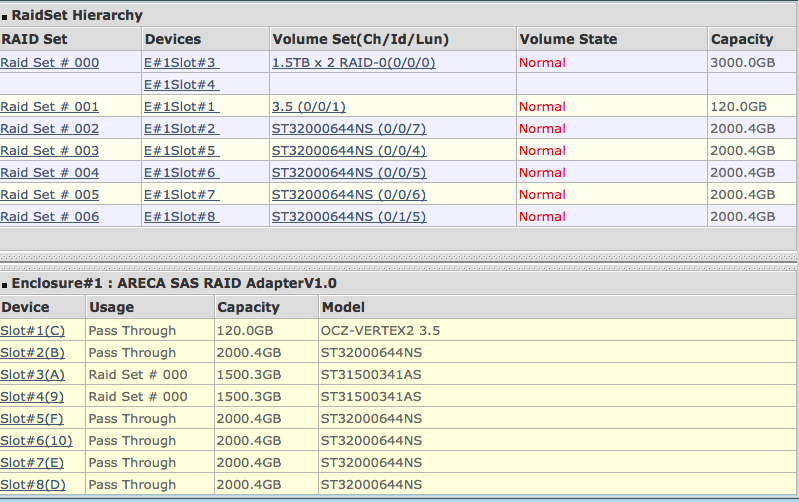
Thank you! Your suggestions are awesome. I have just adjusted the Stripe size to 128k and found the performance of those 30MB digital camera RAW files (by copying them in/out the volume) is now better.😀 For the unexpected of resetting the Pass-Through Disks matter. I will try later tonight in non-office hours.
However, I wonder a hardware RAID card is reasonable to buy after I have it. Because the build-in software RAID function in Snow Leopard is even perform better measured by AJA Testing Software. May be it is due to my Mac equips with a lot of CPU cores and RAMs? (12 cores westmere with 32GB RAM, I got). Is that the reason of why the RAID card is not seem so outperform comparing to the OS software-based RAID-0 (the original processing power of my Mac itself is too powerful even without a hardware RAID card)?
Last edited:
As an Amazon Associate, MacRumors earns a commission from qualifying purchases made through links in this post.