Become a MacRumors Supporter for $50/year with no ads, ability to filter front page stories, and private forums.
I use specifically (a WD-40 company) 3-1 PTFE oil blend drip, commonly available at all major retailers, ie: True Value, Samons, Lowes, Home Depot, etc. It is a PTFE & oil blend designed for use on both metals and plastics, reducing friction & extending operational life. Works very well on the fans in my powermac G4s. As stated above, for hard to reach fans, an appropriate viscosity oil may be a better choice for longevity between servicing, but if 3-1 PTFE is all I had, I'd not hesitate to use it.


Here's the products MSDS.


I have not used a dry PTFE lube on cpu fans - I use it all day long on my road bike chains but that's a different animal. I can speak to the PTFE oil Blend working and playing well with the electronic fan PET plastics. FYI, this blend can damage polycarbonate & styrene plastics so be aware of that.
 
Last edited:
I recently repaired another one of these, so I did a before/after test with Temperature Monitor and using TenFourFox. This one was not even all that bad, but you can clearly see that the CPU gets hot quickly compared to the GPU:

Picture 258.png
 
As someone who's kept his old college 12" PowerBook chugging for years now, there's a few kind things you can do for it.

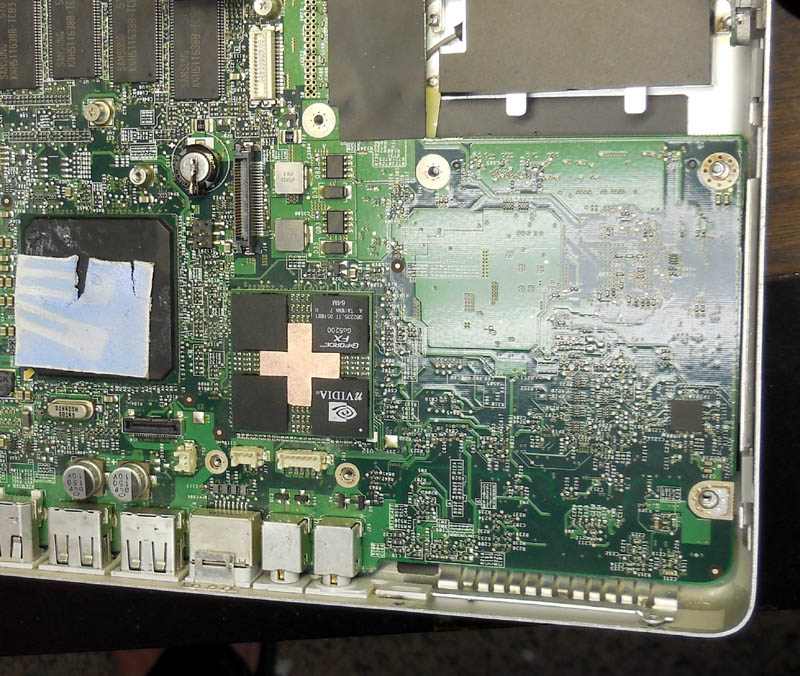
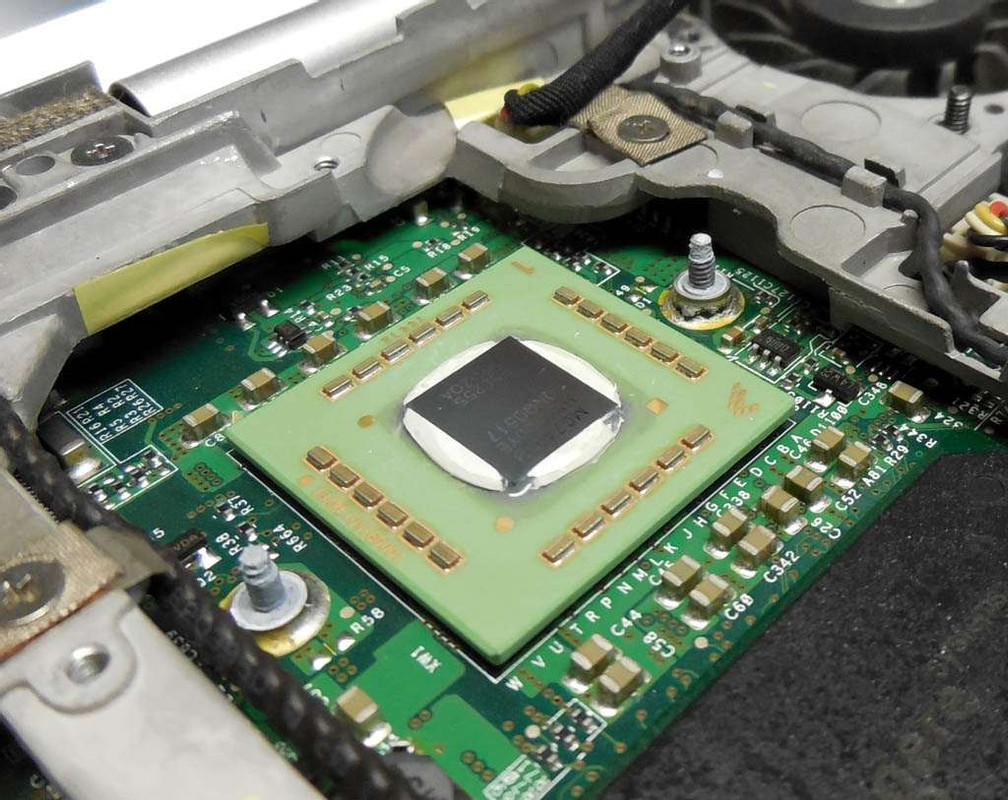
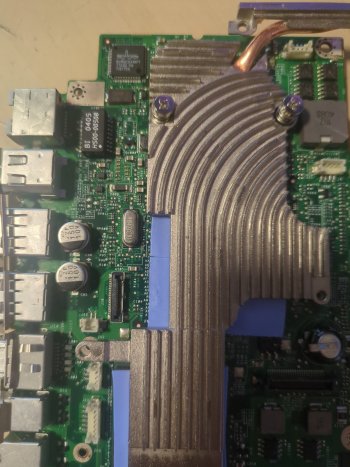
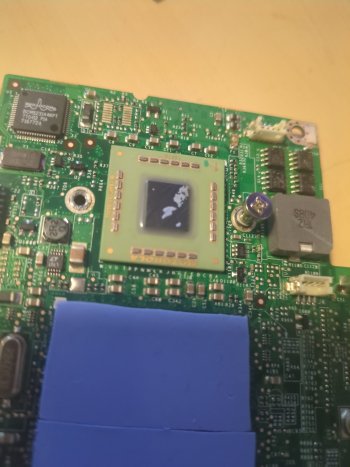
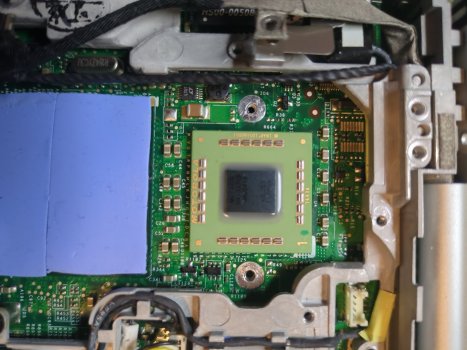
1. Repaste/repad. The 12" PowerBooks use three pads, two soft ones on the GPU and Bridge, then a hard one on the CPU. The soft ones need to be replaced with similar pads (they're cheap online in large sheets that you cut to fit), but I've found that the CPU one can be replaced with paste. The GPU and Bridge are designed to have space for a pad, while the CPU nestles snugly against the heatsink. Double-check on yours before committing to it by putting a little dab of paste on the CPU, screwing down the heatsink, and seeing how well it spreads.

2. Cleaning. A teardown and thorough cleaning with a bunch of paper towels, Q-tips, and alcohol can make your PowerBook look and feel like new! Great chance to bang out any dents or warps that may be in the aluminum too.

3. As for your keyboard lifting in the middle, pop off the RAM door on the bottom and check the long black screw that goes up into the bottom of the keyboard. I've seen that work its way loose over time. Tightening it may drag the middle of your keyboard back down. If not, your keyboard may be bent somehow. Pop it off (take out the long black screw and two others on the top between F1/F2 and F11/F12 and see if you can straighten it out on a table.

If you have any specific questions, I'm happy to help. I love the little 12" and love helping people keep them running!
Arctic MX-5 worked great in my G5 and my G4 tower.
 
  • Like
Reactions: AphoticD
Hi there,
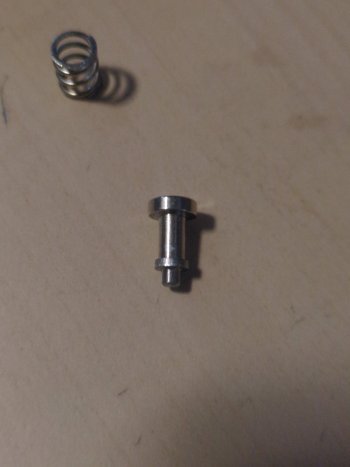
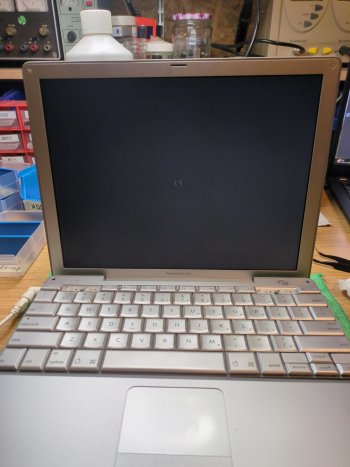
my PowerBook 12" hat the same problem with the heatsink "screws". More bolts than screws actually and I do not understand how it should hold to the PCB. Any suggestions?

Best regards
mcmotton
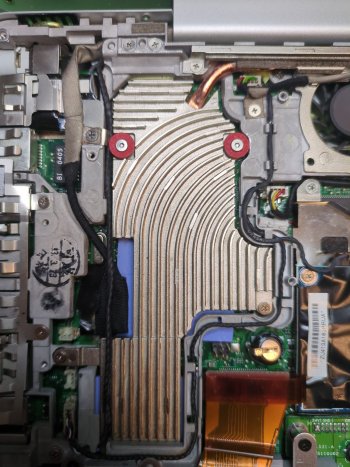
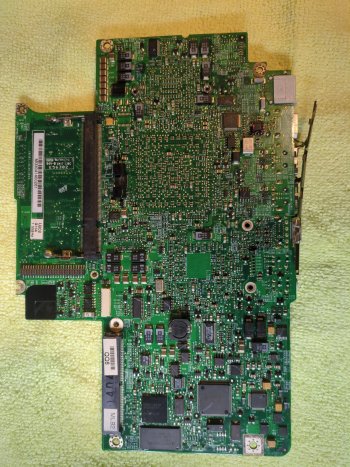
This seemed like a good thread to collect some info on the known heat sink issue with this model:

powerbook12.jpg

club12-07-brokenheatsinkfix-jpeg.943910

img_3698-jpg.1591786
 

Attachments

  • IMG_20251121_190949_082.jpg
    IMG_20251121_190949_082.jpg
    474.2 KB · Views: 6
  • IMG_20251121_191015_558.jpg
    IMG_20251121_191015_558.jpg
    275.5 KB · Views: 9
  • IMG_20251121_191118_477.jpg
    IMG_20251121_191118_477.jpg
    235 KB · Views: 6
Hi there,
my PowerBook 12" hat the same problem with the heatsink "screws". More bolts than screws actually and I do not understand how it should hold to the PCB. Any suggestions?

Best regards
mcmotton
They were originally glued into place. I've also used an epoxy glue to repair some units, but I found it easy and long-term effective to just use a blob of solder on the rear of the board to lock those standoffs back into place so they never come loose again.
 
Thanks for your reply. How did you do it? The problem, that I have with that method is, that I have to install the inner frame after installing the logic board and then as 3rd part the heat-sink.
Right now I try to glue two nuts on the backside of the logic board and then use screws with washers to push on the springs. One nut got loose two times now. So the third attempt it is today.
 
It's a long process, but you do need to dismantle it again to get the logic board out completely to get to the underside, then you'll want to solder the standoffs on from the rear. A small soldering iron and generous blob of solder should hold it in place.

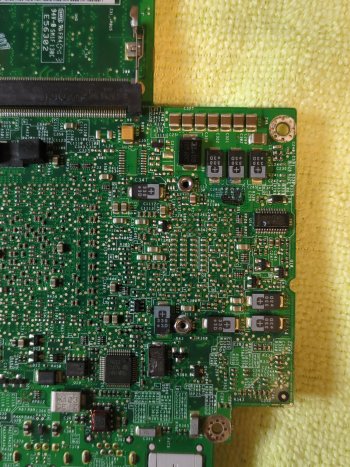
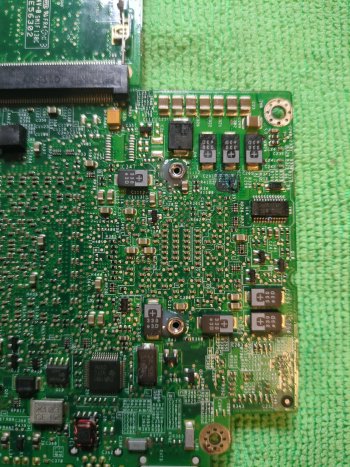
In those photos you shared from @ervus, you'll see there are two male threaded standoffs shown in the first photo, which are only for the CPU, and the two taller standoffs are for the GPU.

I would recommend to follow along with ifixit guides (if you're not already):

And take a look through the Apple Service Manual for your specific model:

Share some photos of your progress if you like.

Edit: I had an old thread from 2017 which might have some useful information: https://forums.macrumors.com/thread...ll-tear-down-ssd-upgrade-and-cpu-fan.2059980/
 
  • Like
Reactions: mcmotton
They were originally glued into place.

I have never seen this. All of the boards that I've personally repaired, and all of the pictures I've seen were broken solder joints. Lead/tin solder has a few weird properties, like tin whiskers and creep/cold flow. A solder joint under enough stress will move over time, even at low temperature.

As mentioned before, just re-solder the joint. I do it from the top with the board still in the frame, though the soldering task itself may be easier from the back side. It will probably be fine for another 10 years, when you may want to open it again anyway to clean out and oil the fan again, check the thermal paste, etc.

Or you could re-engineer the mechanism however you want. The main idea is to have the finned metal heatpipe assembly in good contact with the silicon, to extract the heat it generates.
 
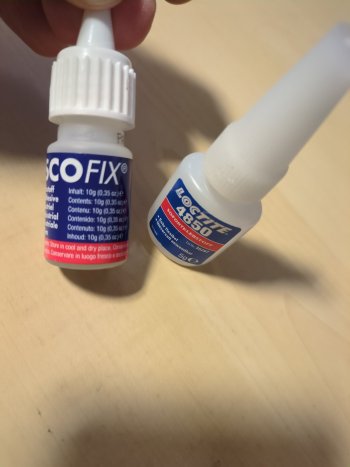
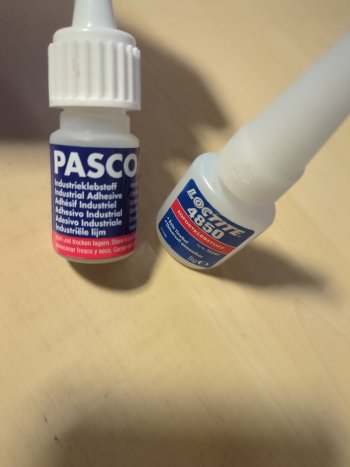
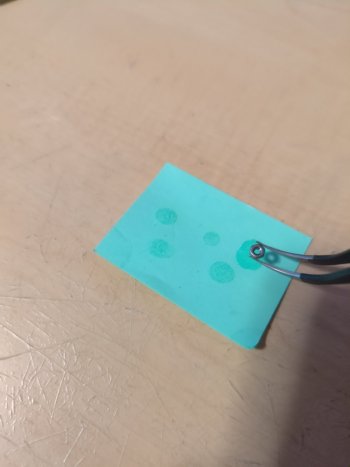
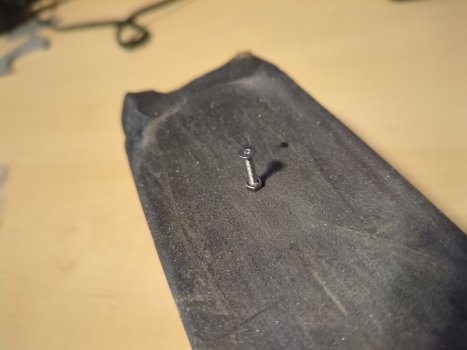
That required quite some patience. It took me around five attempts until the heat-sink got screwed in. Every time before I broke one nut loose. It's really easy to push the nut out of the glued connections, because of a lack of control. You have to push against the spring, but not that hard that you push out the nut. That's why I used 12mm screws in the end, while 10mm is the more fitting length. I also sanded the nut on the last try, so it has more surface area for the glue. As glue I tried first the loctite 4850, but it took long for hardening and did not stick that well. The PascoFix on the other hand has a better grip. But be fast. It takes only a few seconds to dry. I dipped the nut into the glue, which I put first on a piece of paper, like shown on one picture. After putting the nut on the PCB you have to blow some air through the hole/thread, so the glue does not cover the hole.
Everything together and the system starts..

Maybe this will be of any help for somebody else. Thanks to you for helping me with that.
 

Attachments

  • IMG_20251123_022634_548.jpg
    IMG_20251123_022634_548.jpg
    263.7 KB · Views: 7
  • IMG_20251123_024312_745.jpg
    IMG_20251123_024312_745.jpg
    182.5 KB · Views: 8
  • IMG_20251123_024302_306.jpg
    IMG_20251123_024302_306.jpg
    186.2 KB · Views: 7
  • IMG_20251123_024430_774.jpg
    IMG_20251123_024430_774.jpg
    159.8 KB · Views: 11
  • IMG_20251123_024557_553.jpg
    IMG_20251123_024557_553.jpg
    221.3 KB · Views: 6
  • IMG_20251123_023418_143.jpg
    IMG_20251123_023418_143.jpg
    600.8 KB · Views: 4
  • IMG_20251122_215936_143.jpg
    IMG_20251122_215936_143.jpg
    378.2 KB · Views: 7
  • IMG_20251122_215257_577.jpg
    IMG_20251122_215257_577.jpg
    809.9 KB · Views: 8
  • IMG_20251122_215320_304.jpg
    IMG_20251122_215320_304.jpg
    686.5 KB · Views: 8
  • Love
Reactions: AphoticD
That required quite some patience. It took me around five attempts until the heat-sink got screwed in. Every time before I broke one nut loose. It's really easy to push the nut out of the glued connections, because of a lack of control. You have to push against the spring, but not that hard that you push out the nut. That's why I used 12mm screws in the end, while 10mm is the more fitting length. I also sanded the nut on the last try, so it has more surface area for the glue. As glue I tried first the loctite 4850, but it took long for hardening and did not stick that well. The PascoFix on the other hand has a better grip. But be fast. It takes only a few seconds to dry. I dipped the nut into the glue, which I put first on a piece of paper, like shown on one picture. After putting the nut on the PCB you have to blow some air through the hole/thread, so the glue does not cover the hole.
Everything together and the system starts..

Maybe this will be of any help for somebody else. Thanks to you for helping me with that.
Great fix! And patience! Well done maintaining this good old Mac. Thanks for sharing photos and contributing toward keeping these Macs alive.

I still have a PowerBook G4 12-inch happily running on my desk. It's one of my all time favorites.
 
  • Like
Reactions: mcmotton
These are great machines. Perfect size, perfect looks. My goal is to make it a multiboot system with 9.22, OSX 10.4.11 and NetBSD for more modern usage. So it got a 128GB SSD inside now. Pretty much like in that post (https://forums.macrumors.com/thread...ll-tear-down-ssd-upgrade-and-cpu-fan.2059980/).

The next time I have to get the heat-sink out again, I will only fixate the nuts with super glue and then enforce it with epoxy. I think, that way the screwing in will be more easy.
 
  • Like
Reactions: Matias_
Small update. One nut fell off again. So finally I glued them on and reinforced them with 3D print resign and cured it with UV-light.
 

Attachments

  • IMG_20251124_015927_115.jpg
    IMG_20251124_015927_115.jpg
    719.5 KB · Views: 7
Register on MacRumors! This sidebar will go away, and you'll see fewer ads.