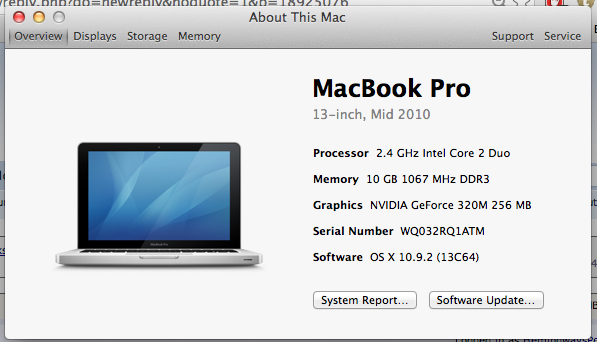
After seeing all the literature on how it's possible to upgrade from 4GB to 16 for a mid-2010 MacBook Pro, and going a bit of research, I went ahead and purchased this:
http://www.amazon.com/gp/product/B008LTBJFW/ref=oh_details_o02_s00_i00?ie=UTF8&psc=1
Crucial 16GB Kit (8GBx2) DDR3 1600 MHz (PC3-12800) CL11 SODIMM 204-Pin 1.35V/1.5V Notebook Memory for Mac CT2C8G3S160BM
...but it's not working. I either get a black screen with no response, or a black screen with the three beeps.
I don't think I have the wrong RAM. I've looked through countless MacRumors and Apple forum posts for an answer, so I'm not just being lazy and posting here.
I've installed and re-installed multiple times, switching the slots time and again. Also, just using one stick of 8GB isn't working either.
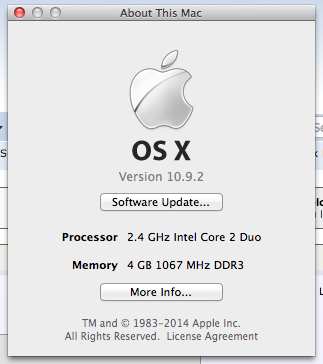
http://www.amazon.com/gp/product/B008LTBJFW/ref=oh_details_o02_s00_i00?ie=UTF8&psc=1
Crucial 16GB Kit (8GBx2) DDR3 1600 MHz (PC3-12800) CL11 SODIMM 204-Pin 1.35V/1.5V Notebook Memory for Mac CT2C8G3S160BM
...but it's not working. I either get a black screen with no response, or a black screen with the three beeps.
I don't think I have the wrong RAM. I've looked through countless MacRumors and Apple forum posts for an answer, so I'm not just being lazy and posting here.
I've installed and re-installed multiple times, switching the slots time and again. Also, just using one stick of 8GB isn't working either.
As an Amazon Associate, MacRumors earns a commission from qualifying purchases made through links in this post.