


Become a MacRumors Supporter for $50/year with no ads, ability to filter front page stories, and private forums.

MacRumors

macrumors bot
Original poster
Apr 12, 2001
70,334
41,939


After installing iOS 26.2, if you're just tapping through screens, you could miss the update turning on automatic software updates.
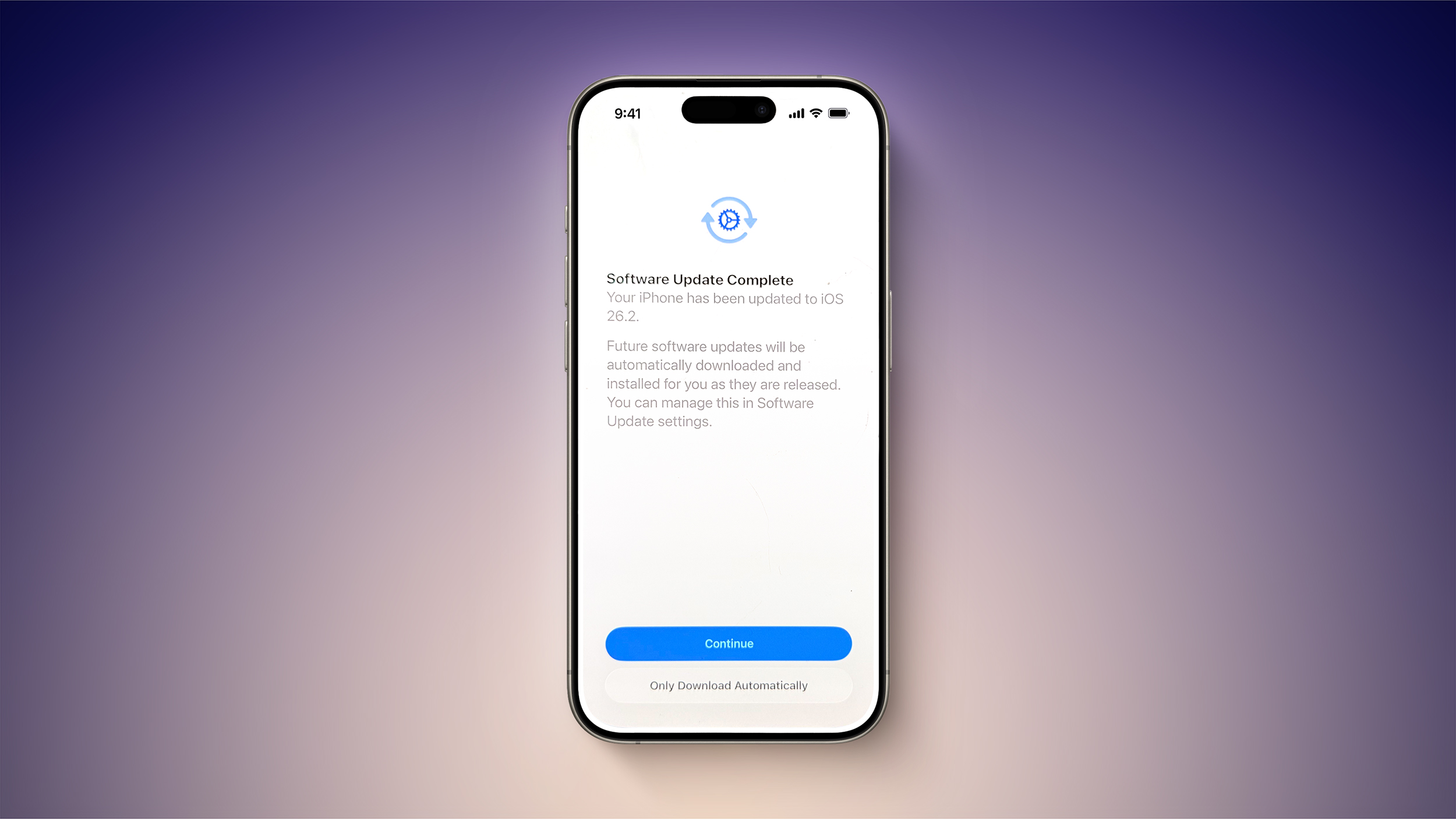
iOS-26.2-Automatic-Downloads-Feature.jpg

At the "Software Update Complete" stage where you normally tap on continue to get to the Home Screen, there might be an extra little bit of information. Some users are seeing a warning that future updates will be automatically downloaded and installed, with the option toggled on automatically if the Continue button is tapped. There's a subtle "Only Download Automatically" option that does not opt you into automatic updates if you're paying attention, but it's easy to miss.

You won't see iOS 26.2 turn on automatic software updates if you already have them on, and it doesn't even seem to be showing up for all users that have automatic update installation turned off. You might want to double check your settings just in case, and even if iOS 26.2 didn't turn on automatic software updates, it's worth knowing about the possibility because it's an option that Apple can sneak into any update. If you've ever had an update mysteriously install on your device when you didn't manually do it, it's probably because automatic software updates was quietly turned back on.

If you did install iOS 26.2 and accidentally turned on automatic updates, you can undo it by going to General > Software Update > Automatic Updates and toggling the option off. From there, you can choose to allow updates to automatically download, and toggle off the automatic installation of system files.

Article Link: PSA: iOS 26.2 Turns on Automatic Software Updates for Some Users
 
Eh? You guys got prompts after the reboot? I didn't on either my iPhone 15 and iPad Air M3.

Is this by chance only happening to people that upgraded finally from iOS 18? Because that would make more sense.
 
Apple OSes already turns radio buttons on without my consent. Why would this be any different?
 
I didn't notice any new prompts when I rebooted, but I had Automatic Updates on anyway. By the way, isn't that a good thing (excluding the LG hate)?
 
  • Disagree
Reactions: ranphi
didn't notice any prompts, and just now checking in Settings and automatic install is still turned off
 
26.1 the marathon release did it for my iPad mini 6th gen. Finally lost my Twitter app with the bird (still worked up to then).
 
Apple pushes this way too much in my opinion

Whenever you switch devices, we all know, everything (& every setting) carries over

But THIS is the ONE setting that seems to be exempt from that rule

I personally hate auto-anything. I actually JUST updated my iOS 2 weeks ago because I typically wait at least 3 weeks AFTER any iOS is released to update (and then updat all devices simultaneously) so as to NOT become subjected to any potential iOS that causes unwanted software problems

I figure, if it hasn’t been pulled within that timeframe (3 weeks) then it’s probably pretty stable of an OS

So basically each time you buy a new iPhone, even if you had it set to both NOT download AND NOT install the iOS, THOSE 2 settings become deleted and re-vert to ‘Apple’s choice’ settings of auto-download & auto-install, how convenient
How nice of them to fix that for me 😅🙃
 
  • Like
Reactions: ranphi
Some people, such as myself, prefer to wait a bit before doing an update. Lots of businesses don’t want to jump on day one for obvious reasons.
One business that I can think of that learned their lesson on this fundamental rule the hard way actually happened just last year - CrowdStrike at a mere cost of $5.4B

 
I thought it always tried to force you after an iOS update to make it automatic updates. Even with my new phone after setting up iOS 26.1 I had to go into settings and toggle off automatic updates and automatic software download
 
I didn't notice any new prompts when I rebooted, but I had Automatic Updates on anyway. By the way, isn't that a good thing (excluding the LG hate)?
Not if you have a just barely good enough 9th generation iPad and Apple pushes it up to 26 and there is no way back.

They may get 26 optimized enough to run well on the A13 iPads, but I have not heard that yet. It does work pretty well on the A16 model.
 
Register on MacRumors! This sidebar will go away, and you'll see fewer ads.