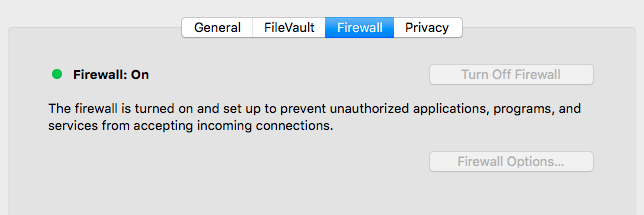
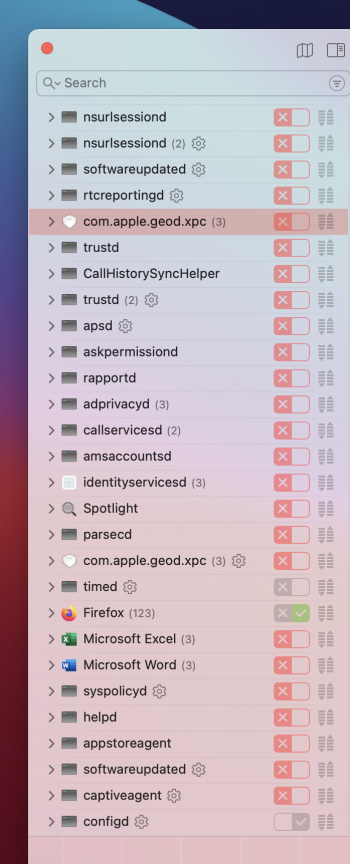
So I just looked this up further and it seems that Little Snitch stops incoming connections as well as outgoing (Version 5 of Little Snitch for Big Sur)I run Little Snitch and Mac OSX firewall, my understanding is the Mac firewall stops **** coming in, Little Snitch focuses on **** going out.
Perhaps, but on the developer's What's new in Little Snitch 5 page it doesn't mention that as a change from version 4. Do you have a source for version 5 blocking incoming connections?So I just looked this up further and it seems that Little Snitch stops incoming connections as well as outgoing (Version 5 of Little Snitch for Big Sur)
I purchased version 5 of little snitch last night and it allows the filtering of both incoming as well as outgoing connections in the main Rules panel, I went ahead and disabled the built in firewall in MacOS as it is no longer needed, I cannot however find the equivalent of “Stealth Mode” which is available in the built in MacOS firewall, Do you know if Little Snitch offers that feature and if so, How did you enable/disable it?I'm running Little Snitch 4.5.2 (on Mojave) and I'm quite sure it doesn't block incoming connections at all.
Perhaps, but on the developer's What's new in Little Snitch 5 page it doesn't mention that as a change from version 4. Do you have a source for version 5 blocking incoming connections?
Interesting! I'm still on Mojave, but when I move to Big Sur this will be good to know. Thanks.I purchased version 5 of little snitch last night and it allows the filtering of both incoming as well as outgoing connections in the main Rules panel
It might be worth try to enable the macOS firewall, enable Stealth Mode, but have it allow all other connections. Set any blocking rules you wanted in Little Snitch only.I cannot however find the equivalent of “Stealth Mode” which is available in the built in MacOS firewall, Do you know if Little Snitch offers that feature and if so, How did you enable/disable it?
I gotta tell ya, Little Snitch 5 is absolutely brilliant piece of software that is worth every penny. Can’t believe how I used a Mac without it to this dayInteresting! I'm still on Mojave, but when I move to Big Sur this will be good to know. Thanks.
It might be worth try to enable the macOS firewall, enable Stealth Mode, but have it allow all other connections. Set any blocking rules you wanted in Little Snitch only.
My guess (and it's only a guess) is that macOS firewall and Little Snitch as firewall would work ok together -- it seems to me that both sets of rules would be checked for each connection attempt, and if either one said to block the connection it would be blocked. That is, for a connection to succeed, both firewalls would have to allow it. It just seems logical... don't know if it really works that way though.