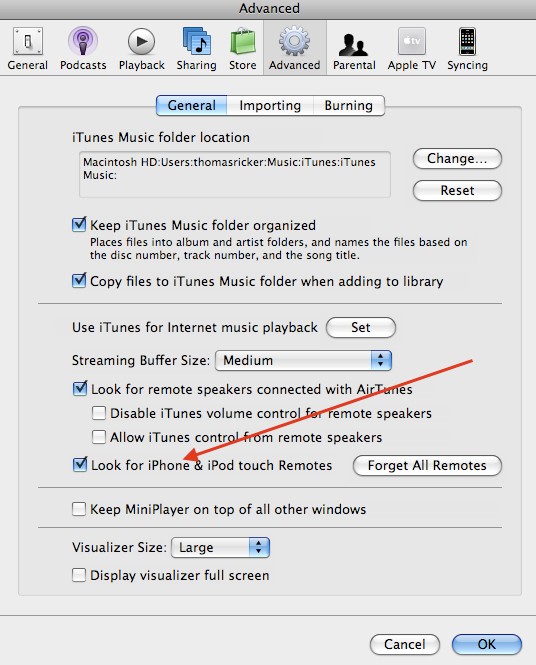
I can get the Remote app to give me the 4-digit passcode. I can hook my iPhone up to the computer, select the divice in iTunes, but where do I enter the passcode? There is no prompt, no entry box, etc....
Are you saying the phone is connected via USB? If so unplug it and try again. When you select add in the remote app, the phone should appear in the left hand column of itunes. click on it and enter the 4 digit code.
Good thought. Unfortunately that box was already checked.
Technically, my desktop is directly connected to our router/modem, rather than WiFi. But it and my iPhone are both connecting to the same LAN. Could this be the issue?
Good thought. Unfortunately that box was already checked.
Technically, my desktop is directly connected to our router/modem, rather than WiFi. But it and my iPhone are both connecting to the same LAN. Could this be the issue?
My roomates can play games with me over our LAN despite them being WiFi.
Why would the iPhone not be able to recognize a directly connected computer over the LAN?
If this is true, Apple definately needs to make a note off it somewhere. There must be an enormous percentage of people trying to get Remote to work with a computer as I am. If a laptop is wirelessly connected over WiFi, what's the point of a Remote in the first place? You can move the laptop around.
They dont have to use wifi. I'v got all of my Macs and an ATV connected dirrectly to switches via Cat 6 and have problem setting up ipod touch & iphone remotes.
Never seen a remote not show up as soon as I tapped "add library"