Become a MacRumors Supporter for $50/year with no ads, ability to filter front page stories, and private forums.

snakemajestic

macrumors member
Original poster
I just got a new MBP 13", and I am trying control the itunes with my phone, as I was able to do with the other MBP 2010 13" just a couple days ago. I have the Remote App on my iPhone 4 16GB, I put the passcode in on itunes and it tells me I can use it, but then when I try to access the itunes library on the phone, it wont connect. Tells me to check network settings. Both are on the same wireless network, firewall isnt blocking it.

Any suggestions? Help? Please?

Thanks!
 
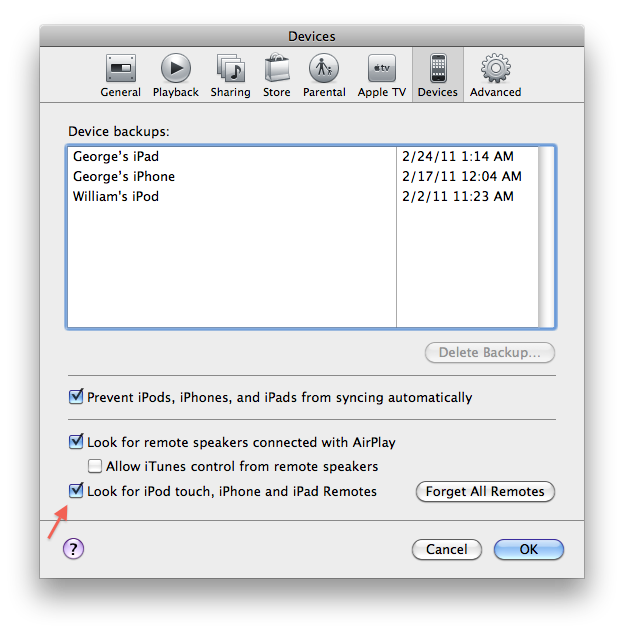
in an effort to troubleshoot the issue, can you check to see if this setting has been turned on in iTunes.

Go to Preferences (cmd+,), then go to the Devices tab and check "Look for remotes"

screenshot20110226at234.png
 
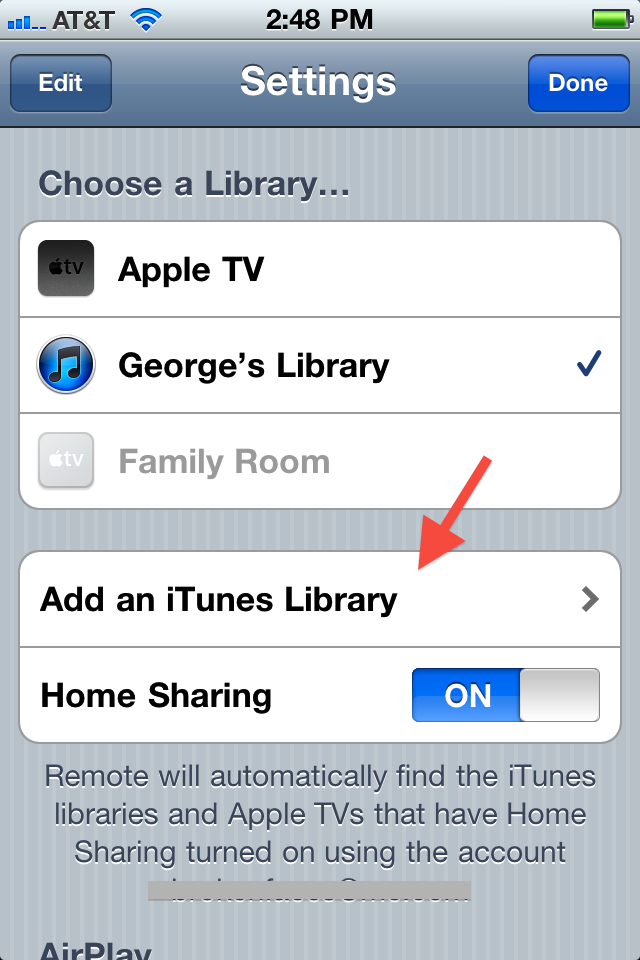
Then from that same screenshot from above, click Forget All Remotes and then from your iPhone Remote.app, try and re-add it.

img0275y.png
screenshot20110226at253.png
 
Register on MacRumors! This sidebar will go away, and you'll see fewer ads.