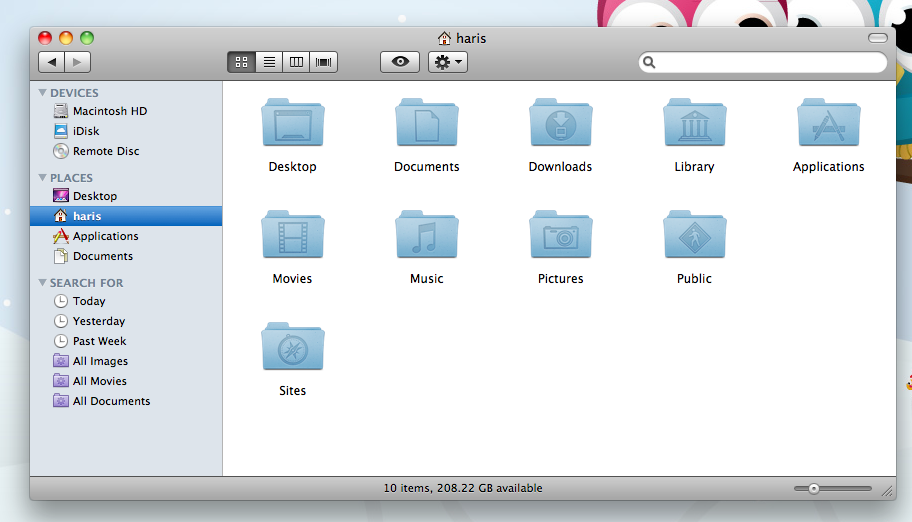
Changing the User short name is complicated with many steps. If your Mac is new and you haven't done a whole lot of configuring of the account, the easiest way is to just create a new account. You can do this in the Accounts preference pane in System Preferences.
Hello Haris, UGH, I think that's the first thing I noticed...oh how I hate lower case on names....I did a lot of researching and if I remember correctly...it can't be done....something about it being an old unix thing.
If that's not the case anymore I hope someone will tell us how to do it 😕
One good thing: since you're running 10.6 (it appears), you can follow the relatively simple 10 step process, not the 45 step nightmare in 10.4 and earlier.
But, seriously, if you just can't live with it, you're probably better off creating a new user account with the short name spelled the way you want, migrating user data into that new account (via the Users/Shared folder), then deleting the old account.
The OP wants to change the short name to start with a capital letter. The shortname must be all lowercase. The referenced Apple support document even says so:
4. Select the Home folder with the short name you want to change, and rename it just like you would rename any folder. Keep in mind that the shortname must be all lowercase, with no spaces, and only contain letters.
The OP wants to change the short name to start with a capital letter. The shortname must be all lowercase. The referenced Apple support document even says so:
Yeah, realized that as soon as I posted it. There can be no spaces or capital letters in a short username.
Besides, just look at this article and you'll see the "bag of hurt" (to use a phrase someone used, can't remember who) renaming the short name gets you into. You're dealing with very low-level Unix permissions here.