Become a MacRumors Supporter for $50/year with no ads, ability to filter front page stories, and private forums.

dadders6

macrumors regular
Original poster
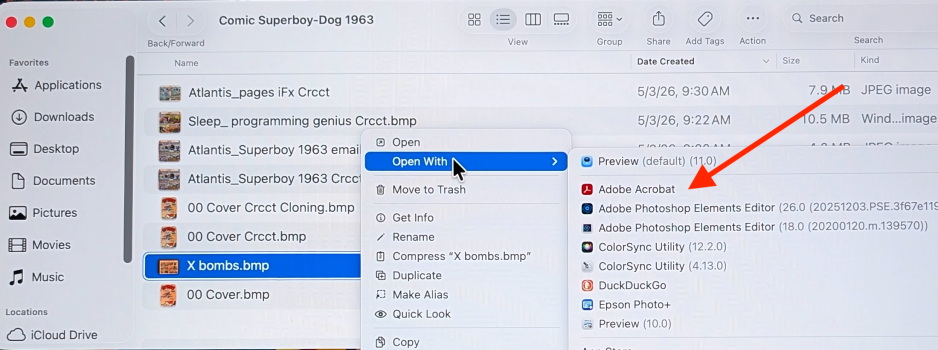
When I right click, I'd like to remove Adobe Acrobat (and Color Sync) from the list that pops up. How does one do that? I use Adobe Elements a Lot, but adobe Acrobat never, and frequently cursor / open Acrobat by mistake.
 

Attachments

  • How to remove_right click.png
    How to remove_right click.png
    2.2 MB · Views: 18
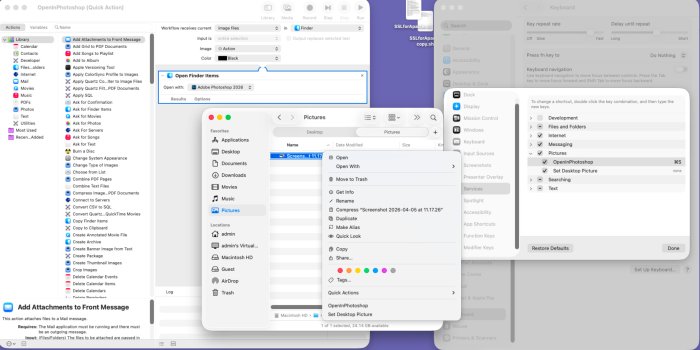
The macOS way is to uninstall Photoshop. But if you occasionally need it and don’t want it in the menu try:

You need to delete the Photoshop Droplets if you don't want them to show in the OpenWith choices (much simpler than editing the Info.plist for each one.

If CS2 is like CS, they will be in
/Applications/Adobe Photoshop CS/Samples/Droplets/Photoshop Droplets

Source
 
Register on MacRumors! This sidebar will go away, and you'll see fewer ads.