

In case someone looking for an info on this monitor...
I just got my (4 days) Dell U3415W with Macbook 12" 1.2GHz El Capitan connect to the monitor via HDMI and using Apple's USB-C Digital AV Multiport Adapter.
I will be talking about which most reviews on the internet won't mention so you have would have better info.
- Volume up/down won't work right off from your keyboard. My work around is to hook up a speakers with an external volume button. And the volume adjusts on the monitor is a soft button which somewhat difficult to access when suddenly the video sound is very loud.
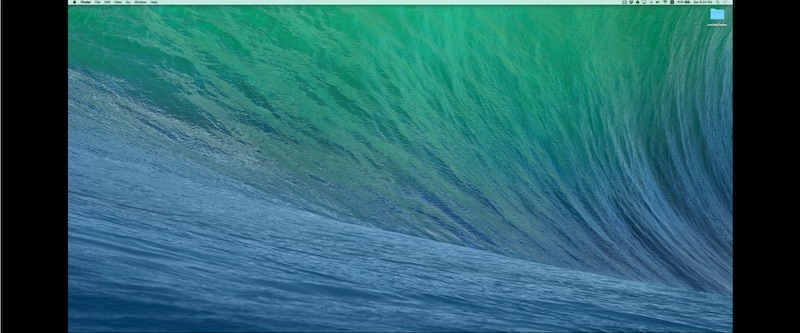
- Mirroring display can't display full 3440x1440 on the monitor. It will have black margin on the left and right side of the screen. See picture below
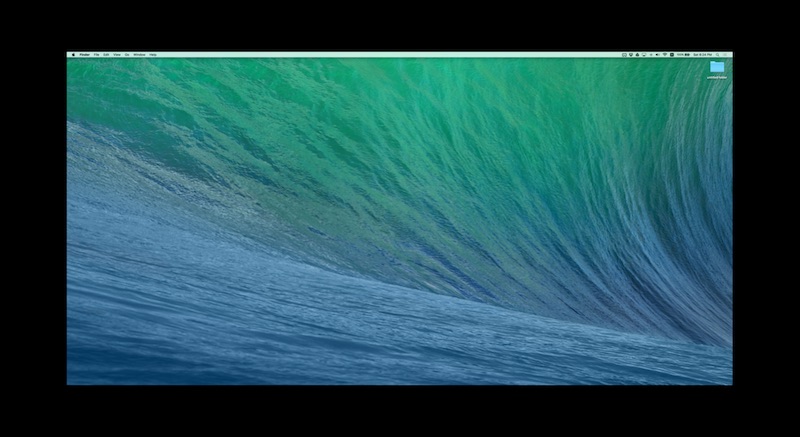
- After awake from sleep, the resolution is still set at 3440x1440. However, it will be shrunken down and you can see black margin on 4 sides like picture below. The work around is the refresh the resolution to whatever and choose 3440x1440 again!
- Monitor stand is highly adjustable considering most OEM monitor stand won't be this flexible. The highest point of the lowest adjustment would be 15 3/4" and the highest point for the highest adjustment is 20". This is good for your neck.
- Find a good windows management utility.. I'm currently trying out Moom and BetterSnapTool. They are pretty good. However, sometime it would have a hick up like it won't do resizing properly then i had to restart the computer.
Anyway, these are my 4 days observation. Generally are very happy with the monitor. Great color, minimal back lights bleed (provided that you are not in a dark dark room).
I just got my (4 days) Dell U3415W with Macbook 12" 1.2GHz El Capitan connect to the monitor via HDMI and using Apple's USB-C Digital AV Multiport Adapter.
I will be talking about which most reviews on the internet won't mention so you have would have better info.
- Volume up/down won't work right off from your keyboard. My work around is to hook up a speakers with an external volume button. And the volume adjusts on the monitor is a soft button which somewhat difficult to access when suddenly the video sound is very loud.
- Mirroring display can't display full 3440x1440 on the monitor. It will have black margin on the left and right side of the screen. See picture below
- After awake from sleep, the resolution is still set at 3440x1440. However, it will be shrunken down and you can see black margin on 4 sides like picture below. The work around is the refresh the resolution to whatever and choose 3440x1440 again!
- Monitor stand is highly adjustable considering most OEM monitor stand won't be this flexible. The highest point of the lowest adjustment would be 15 3/4" and the highest point for the highest adjustment is 20". This is good for your neck.
- Find a good windows management utility.. I'm currently trying out Moom and BetterSnapTool. They are pretty good. However, sometime it would have a hick up like it won't do resizing properly then i had to restart the computer.
Anyway, these are my 4 days observation. Generally are very happy with the monitor. Great color, minimal back lights bleed (provided that you are not in a dark dark room).
