Become a MacRumors Supporter for $50/year with no ads, ability to filter front page stories, and private forums.

NutsNGum

macrumors 68030
Original poster
Jul 30, 2010
2,856
367
Glasgow, Scotland
Just to make anyone with the above combination aware, though I'm sure it applies for any monitor using displayport.

Last night, upgraded my RMBP to Mavericks. Previously I'd been able to use my U3011 over Displayport using an EDID override file which forced the display to use RGB mode and get the MacBook to recognise the monitor as a computer display and not as a TV.

Mavericks seems to break this, and my machine is now reporting the monitor as a television again. The colour and text is all fairly whacky-looking.

I'm hoping someone smarter than me can provide a solution.
 
Last edited:
I also had this issue initially after upgrading to 10.9, but it appears that the update merely wiped my custom display entry out of /System/Library/Displays/Overrides. After replacing the custom entry and rebooting, my external display went back to behaving like an RGB monitor again.
 
I'll try my 2913wm after work through displayport but I never needed any override to get it to work properly before so I imagine it will be fine.
 
I'll try my 2913wm after work through displayport but I never needed any override to get it to work properly before so I imagine it will be fine.

Same monitor here, no problems at all, before or after Mavericks, on DisplayPort.
 
Same monitor here, no problems at all, before or after Mavericks, on DisplayPort.

Just testing mine now and it works the same as before mavericks, my custom calibration also carried over. For a second I thought it wasn't working at all but I had connected it to the DP out meant for daisy chaining :p
 
Just to make anyone with the above combination aware, though I'm sure it applies for any monitor using displayport.

Last night, upgraded my RMBP to Mavericks. Previously I'd been able to use my U3011 over Displayport using an EDID override file which forced the display to use RGB mode and get the MacBook to recognise the monitor as a computer display and not as a TV.

Mavericks seems to break this, and my machine is now reporting the monitor as a television again. The colour and text is all fairly whacky-looking.

I'm hoping someone smarter than me can provide a solution.

I'm using a Dell U2711 and it lost the EDID file when upgrading to Mavericks and reverted to YPbPr. Just went back to http://embdev.net/topic/284710 ran the patch-edid.rb file, and put the resulting display override file back in the right folder and it worked.
 

Thanks all,

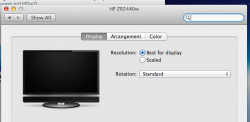
It was still working technically without creating a display override file, but it was reporting the monitor as a television and had noticeably reduced font legibility. I've recreated the display override profile and now the colour etc. is fine. I've noticed though, when i go into display preferences, it is showing the television image where a monitor icon should be. Is anyone else getting this?

I don't think it's affecting anything, it's just bloody irritating.

I've attached the image.
 

Attachments

  • Screen Shot 2013-10-30 at 12.51.17.png
    Screen Shot 2013-10-30 at 12.51.17.png
    72.9 KB · Views: 205
I've noticed though, when i go into display preferences, it is showing the television image where a monitor icon should be. Is anyone else getting this?

Yes, I get the same thing. So long as the monitor itself displays colours and text correctly, though, I think I can live with it. :)
 
Last edited:
Register on MacRumors! This sidebar will go away, and you'll see fewer ads.