With the advent of Lion, I've been trying to set up a working install of Tiger on a separate drive on my 2008 Mac Pro, to run some very old games I still enjoy. I was able to install and run the server version and update to 10.4.11, but the driver for my graphics card is clearly missing, as I am only able to view in one resolution, which buggers up the games when they try to change resolutions. I was wondering if anyone else had any experiences running Tiger on a 2008 Mac Pro, and whether they were able to drive an ATI Radeon HD 2600 successfully. I realize that there is an old thread on this, but it was terminated without resolution, and didn't really cover Tiger Server.

Got a tip for us?
Let us know
Become a MacRumors Supporter for $50/year with no ads, ability to filter front page stories, and private forums.
Running Tiger Server on 2008 Mac Pro
- Thread starter NoManIsland
- Start date
- Sort by reaction score
You are using an out of date browser. It may not display this or other websites correctly.
You should upgrade or use an alternative browser.
You should upgrade or use an alternative browser.

Velin
macrumors 68020
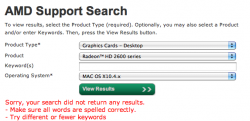
Um, this one is gonna take some work. No driver for the card available from AMD.
Maybe you can find a combo update that has the ATI driver from a Mac Pro or iMac and you can get it from the package? These should be available from Apple site. I suggest this because, plainly, something was driving the card back in the day.
Maybe you can find a combo update that has the ATI driver from a Mac Pro or iMac and you can get it from the package? These should be available from Apple site. I suggest this because, plainly, something was driving the card back in the day.
Attachments
Why Tiger? Leopard or Snow Leopard would be much more compatible, and the drivers for the GPU are far and away better.
Tiger has an advantage if you want Classic support, but Classic is a no go on an Intel anyway.
(Also, the 2008 Mac Pro is documented as supporting only 10.5.1 and higher. Tiger shouldn't even be able to boot on that machine.)
Tiger has an advantage if you want Classic support, but Classic is a no go on an Intel anyway.
(Also, the 2008 Mac Pro is documented as supporting only 10.5.1 and higher. Tiger shouldn't even be able to boot on that machine.)
Last edited:
Why Tiger? Leopard or Snow Leopard would be much more compatible, and the drivers for the GPU are far and away better.
Tiger has an advantage if you want Classic support, but Classic is a no go on an Intel anyway.
(Also, the 2008 Mac Pro is documented as supporting only 10.5.1 and higher. Tiger shouldn't even be able to boot on that machine.)
Well, Tiger Server does boot fine. As for the choice of Tiger, call it an experiment, but also a couple of these ancient games stopped working under Leopard when I first upgraded on my G4, so I was hoping to reverse that.
I stripped out the extensions and frameworks from the Apple graphics-related updates for the 2007 iMac (only machine to use Tiger and a 2600), and put them into my Tiger installation (I know nothing about how these things work, I was just poking around). As a result I now have full resolution on my 30", the first problem with the Tiger Server installation, but I still can't change the resolution at all, so the games still don't run properly.
Any suggestions from someone more wise on these things? Really, I'm totally lost on this 😱
Oh sorry I did one other thing to succeed in getting full resolution. When I had swapped in the extensions from the iMac update, it didn't work at first and I got an error message on boot that the extension was improperly installed, so I took the 2600 extension from my Snow Leopard install, renamed it to match the extension from the iMac release, and replaced that file. Now, I don't get an error message on boot, but I do get full resolution under Tiger - I just still can't change the resolution, so the games still freak out. Anybody have any more sophisticated suggestions?
Oh sorry I did one other thing to succeed in getting full resolution. When I had swapped in the extensions from the iMac update, it didn't work at first and I got an error message on boot that the extension was improperly installed, so I took the 2600 extension from my Snow Leopard install, renamed it to match the extension from the iMac release, and replaced that file. Now, I don't get an error message on boot, but I do get full resolution under Tiger - I just still can't change the resolution, so the games still freak out. Anybody have any more sophisticated suggestions?
Again, Tiger does not support the 2008 Mac Pro. The is straight from Apple. Getting it to boot does not mean it's going to fully work as it's unsupported.
The earliest OS to ship with, and support, the 2008 Mac Pro is 10.5.1. Driver architecture changes between OS versions, so you can't use newer graphics drivers (reliably) on 10.4.
Again, why 10.4? Your games should run the same in 10.5.
Again, Tiger does not support the 2008 Mac Pro. The is straight from Apple. Getting it to boot does not mean it's going to fully work as it's unsupported.
The earliest OS to ship with, and support, the 2008 Mac Pro is 10.5.1. Driver architecture changes between OS versions, so you can't use newer graphics drivers (reliably) on 10.4.
Again, why 10.4? Your games should run the same in 10.5.
Fair enough, I'm sure there will be problems down the line. As I said above, the games crash and have problems under Leopard.
I've actually changed tactics and given up on making Tiger work. Instead, I've gotten ahold of the PC versions of the games, and am trying my first Bootcamp install. I'm going for XP, as that is the era of the games, and I've created a bootcamp partition with the assistant. I've booted from the Windows install disk, but when it asks me to choose the partition to install into, it doesn't show the Bootcamp partition. It shows four disks, each with only one partition, but my set up is as below:
Bay 1 = 1 TB Seagate (RAID 1 Slice 1 for "Terra") - Snow Leopard Boot Disk
Bay 2 = 1 TB Seagate (RAID 1 Slice 2 for "Terra") - Snow Leopard Boot Disk
Bay 3 = 2 TB WD Caviar Black ("Luna") - Lion Boot Disk
Bay 4 = 3 TB Hitachi ("Jupiter") - Time Machine (under SL)
ODD Bay = 3 TB WD Caviar Green
Partition 1 - 2.95 TB ("Mars")
Partition 2 - 50 GB ("Bootcamp")
I can't even seem to match up the capacities, and when I try to install Windows on any of the four disks it sees, it says it cannot, and that it needs to erase and repartition first, which I obviously don't want to do until I know which disk it is affecting. It lists the disks as C:, E:, F:, and G: Anyone able to shed some light on this? 🙁
Okay, I wrote down what the XP installers sees:
953868 MB Disk 0 at Id 0 on bus 0 on atapi (MBR)
C: Partition 1 [Unknown]
1907727 MB Disk 0 at Id 1 on bus 0 on atapi (MBR)
E: Partition 1 [Unknown]
953868 MB Disk 0 at Id 0 on bus 0 on atapi (MBR)
F: Partition 1 [Unknown]
764429 MB Disk 0 at Id 1 on bus 0 on atapi (MBR)
G: Partition 1 [Unknown]
It lists all four volumes as having free space equal to (or lower by 1MB) the capacity listed. I really can't see how this corresponds to my drive set up 🙁
953868 MB Disk 0 at Id 0 on bus 0 on atapi (MBR)
C: Partition 1 [Unknown]
1907727 MB Disk 0 at Id 1 on bus 0 on atapi (MBR)
E: Partition 1 [Unknown]
953868 MB Disk 0 at Id 0 on bus 0 on atapi (MBR)
F: Partition 1 [Unknown]
764429 MB Disk 0 at Id 1 on bus 0 on atapi (MBR)
G: Partition 1 [Unknown]
It lists all four volumes as having free space equal to (or lower by 1MB) the capacity listed. I really can't see how this corresponds to my drive set up 🙁

PenguinMac
macrumors member
I've actually changed tactics and given up on making Tiger work. Instead, I've gotten ahold of the PC versions of the games, and am trying my first Bootcamp install. I'm going for XP, as that is the era of the games, and I've created a bootcamp partition with the assistant. I've booted from the Windows install disk, but when it asks me to choose the partition to install into, it doesn't show the Bootcamp partition. It shows four disks, each with only one partition, but my set up is as below:
Bay 1 = 1 TB Seagate (RAID 1 Slice 1 for "Terra") - Snow Leopard Boot Disk
Bay 2 = 1 TB Seagate (RAID 1 Slice 2 for "Terra") - Snow Leopard Boot Disk
Bay 3 = 2 TB WD Caviar Black ("Luna") - Lion Boot Disk
Bay 4 = 3 TB Hitachi ("Jupiter") - Time Machine (under SL)
ODD Bay = 3 TB WD Caviar Green
Partition 1 - 2.95 TB ("Mars")
Partition 2 - 50 GB ("Bootcamp")
I can't even seem to match up the capacities, and when I try to install Windows on any of the four disks it sees, it says it cannot, and that it needs to erase and repartition first, which I obviously don't want to do until I know which disk it is affecting. It lists the disks as C:, E:, F:, and G: Anyone able to shed some light on this? 🙁
Wow, that's quite a mess of operating systems! And I like the solar system names.
You cannot boot, and therefore install, any version of Windows on a 3TB drive, even on a small partition on a 3TB drive. Since any drive over 2.2TB can only be recognized under GUID, and Boot Camp only provides Windows with a BIOS bootloader, Windows will not install even if you reformat the partition as Windows is asking you to do. While Windows 7 64-bit can be made to boot from a 3TB drive on a machine with an EFI bootloader, Boot Camp does not provide that kind of interface. Move Boot Camp to a 2TB drive or less and you'll be fine.
Thanks guys! I moved the Bootcamp partition to the 2TB drive and was able to install XP with no problems. I am trying now to make a Windows 7 partition on the Bay 4 3TB drive - will the disk being 3TB cause me any problems under 7 as it did under XP?
Wow, that's quite a mess of operating systems! And I like the solar system names.
You cannot boot, and therefore install, any version of Windows on a 3TB drive, even on a small partition on a 3TB drive. Since any drive over 2.2TB can only be recognized under GUID, and Boot Camp only provides Windows with a BIOS bootloader, Windows will not install even if you reformat the partition as Windows is asking you to do. While Windows 7 64-bit can be made to boot from a 3TB drive on a machine with an EFI bootloader, Boot Camp does not provide that kind of interface. Move Boot Camp to a 2TB drive or less and you'll be fine.
Sorry, I apparently have to learn to read 😱 So there is no way to create a Bootcamp install of 7 on my 3TB Hitachi? Do you think that that will change?
PenguinMac
macrumors member
Sorry, I apparently have to learn to read 😱 So there is no way to create a Bootcamp install of 7 on my 3TB Hitachi? Do you think that that will change?
Boot Camp 4.0 (just released) works only with Windows 7, so may provide such support in the future. We'll just have to wait and see.