Become a MacRumors Supporter for $50/year with no ads, ability to filter front page stories, and private forums.

MacRumors

macrumors bot
Original poster


When ‌macOS Tahoe‌ and iPadOS 26 launched last September, Apple quietly removed Safari's Compact tab layout – the option that merged the address bar and the tab bar into a single, space-saving row. If you were a fan of it, you will have been out of luck for months.
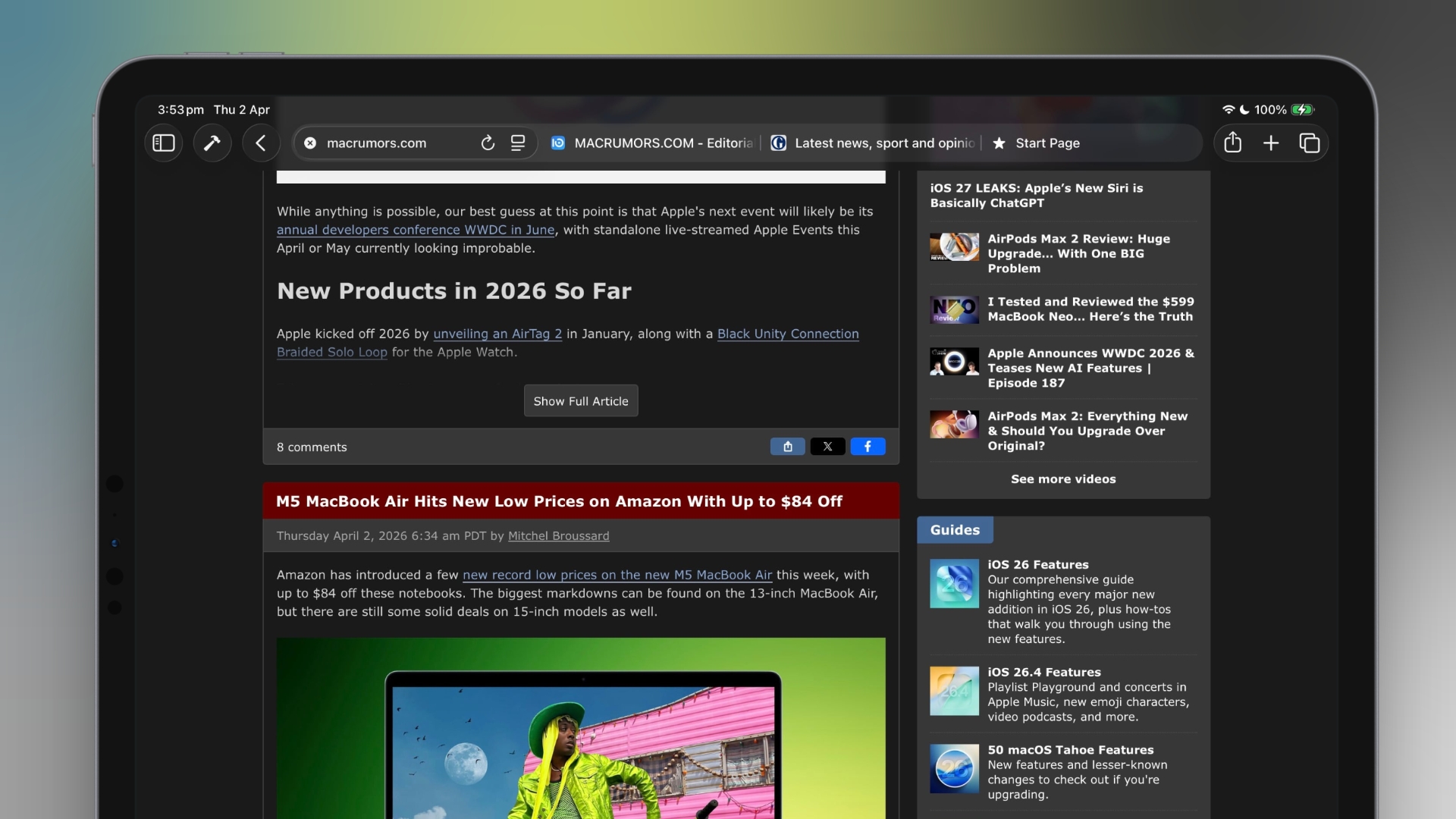
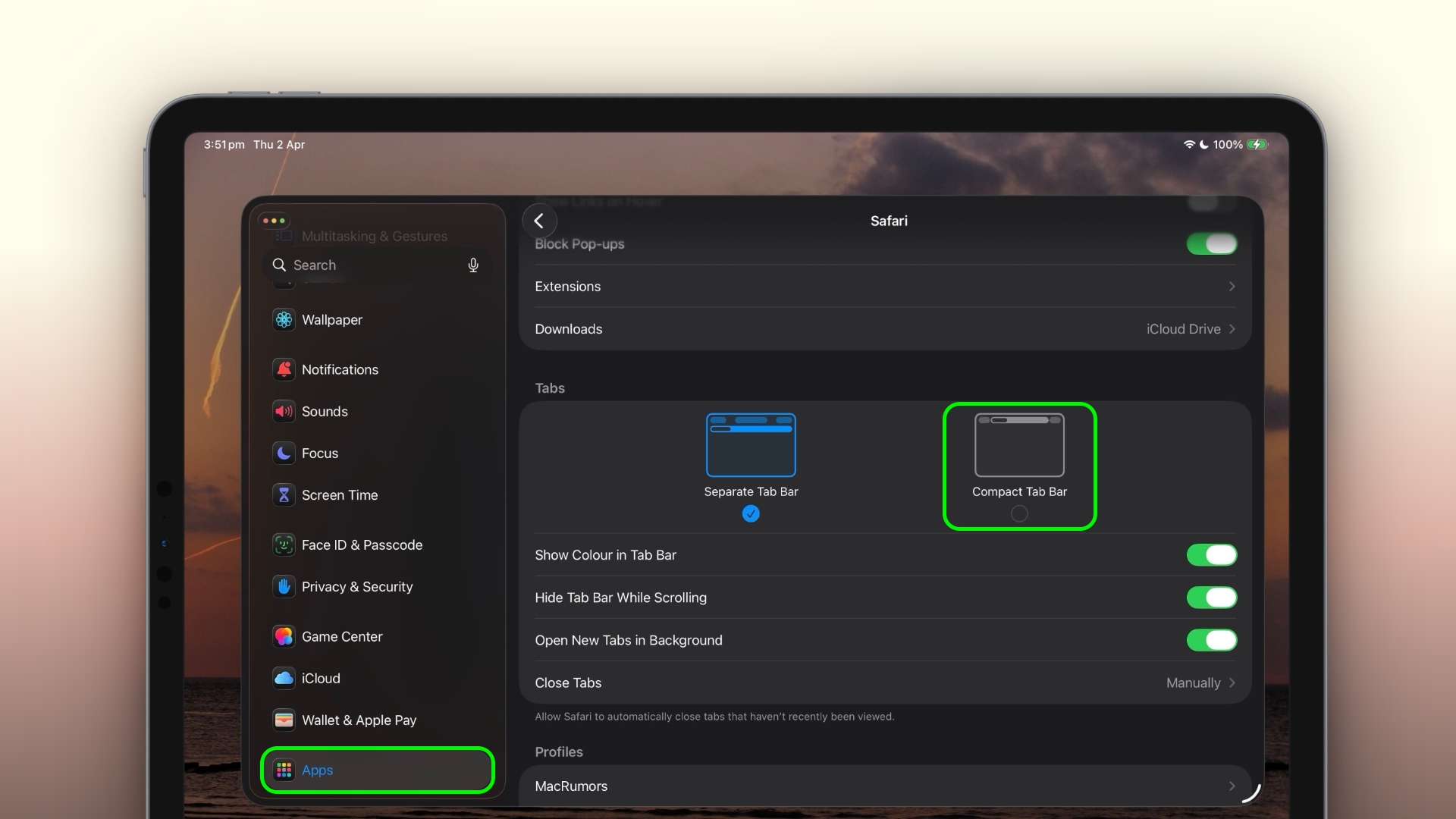
ipad-safari-compact-bar.jpeg

The good news is that Apple has brought it back. In macOS 26.4 and iPadOS 26.4, the Compact tab bar is once again available as an alternative to the default Separate layout. Here's how to enable it on both platforms.

On Mac

  1. Open Safari.
  2. In the menu bar, click SafariSettings....
  3. Click the Tabs pane.
  4. Next to "Tabs Layout," select Compact.
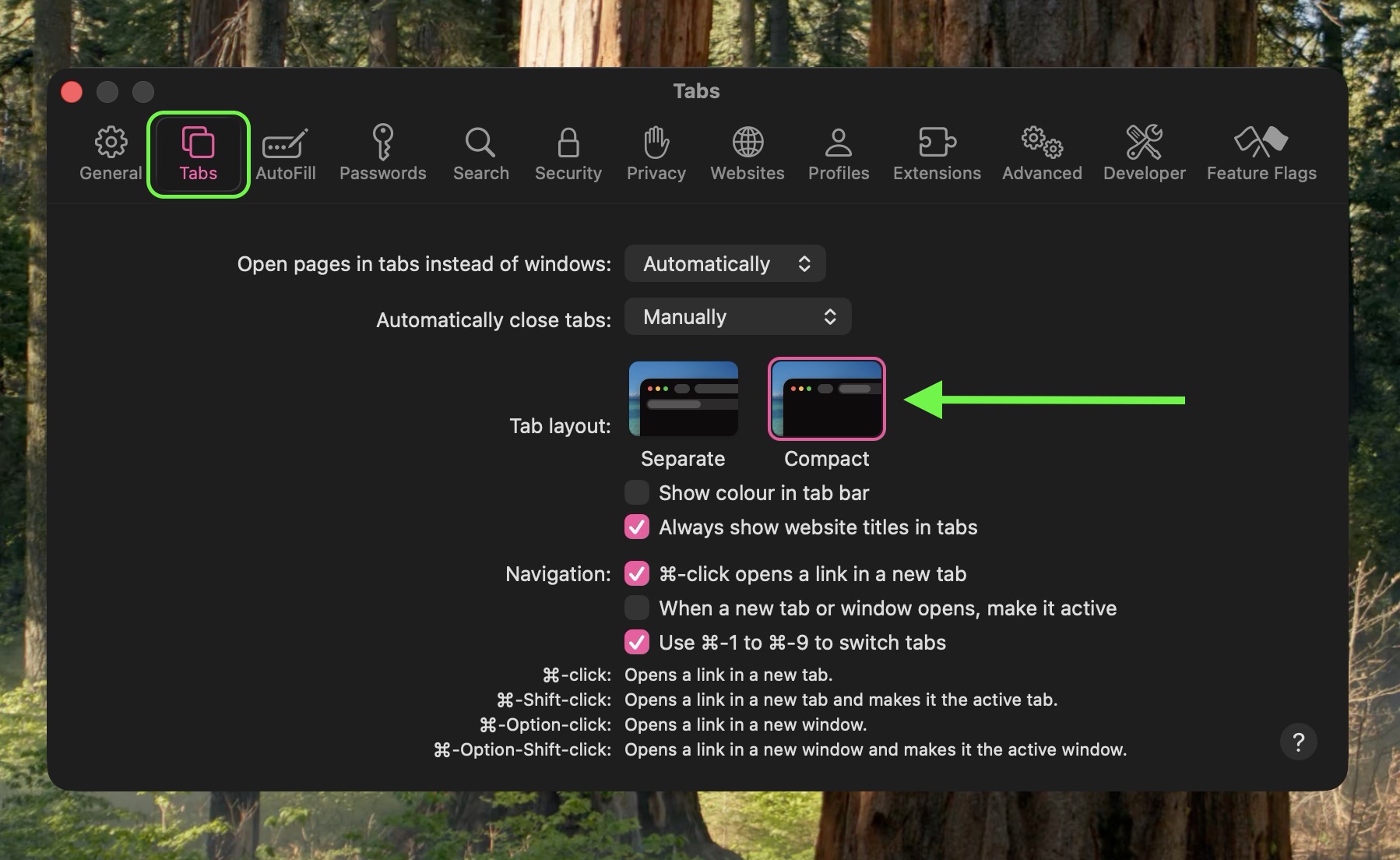
safari-settings.jpg


The address bar and tab bar will immediately merge into a single row, freeing up vertical screen space.

On iPad

  1. Open the Settings app.
  2. Scroll down and tap through to Apps ➝ Safari.
  3. Under "Tabs," tap Compact Tab Bar.
safari-ipad-settings.jpeg


That's all there is to it. If you decide you prefer the standard layout, simply retrace your steps and select Separate (on Mac) or Separate Tab Bar (on ‌iPad‌).

The Compact layout can be handy on the smaller screens of the MacBook Air or iPad mini, where every pixel of vertical space counts. It's worth trying if you've never used it, just be aware that tab titles are truncated more aggressively in this view, so when switching between many open tabs you'll have to rely more on favicons than on page names.

Article Link: Safari's Compact Tab Bar Is Back on Mac and iPad
 
It sure does.. and everything being in it's own little floating platform/button just looks stupid.
My current setup has a Sequoia-based iMac Pro above a Tahoe-based MacBook Air. I use Universal Control to trackpad/mouse between the two often with both using compact tabs in Safari. While they are distinguishable, it isn't to the point of annoyance as many on the MR forums believe. I don't know what else to tell you. 🤷‍♂️
 
  • Haha
Reactions: techfreak23
For me it is a non issue on the iPads because as soon as scrolling starts the site view gets compact. I just leave it on separate, works for my use. I have not tested it on Mac.
 
Last edited:
I like the compact bar, in particular on the iPad, because even with a lot of tabs you can scroll the bar left to right as the tabs have a minimal size they shrink to unlike the traditional tab bar, plus it saves space.
 
I like the compact bar, in particular on the iPad, because even with a lot of tabs you can scroll the bar left to right as the tabs have a minimal size they shrink to unlike the traditional tab bar, plus it saves space.
Great tip. Will have to test it further. Good with options.
 
I tried it, but this is not what I would like. I would like a narrower address bar, even if it becomes less smooth.
 
Whenever Apple has to bring stuff back it shows they have no clue what there customers want. Once is an outliers, but Apple is way past that.
 
  • Disagree
Reactions: Alfonson
If you have pinned tabs it inserts a vertical bar between the pinned and regular tabs, but with zero padding around the vertical bar and looks horrible.

I used to use this mode but got used to the non-compact tabs when it was removed, I'll stick with regular tabs.
 
  • Like
Reactions: profets
I didn’t like it on Monterey or Ventura or whenever they released it and don’t like it now.

I think because it seems to be elegant but then you have to use serif flying out menus to do anything.

I’m up for a minimal look. Just not a fan of sole’s implementation.
 
Finally yes.
I never understood the reasoning behind let’s make a MacBook 1.2” bigger, talk as it it was a revolution and then get safari to take more screen space for nothing.

Demented people!
 
Register on MacRumors! This sidebar will go away, and you'll see fewer ads.