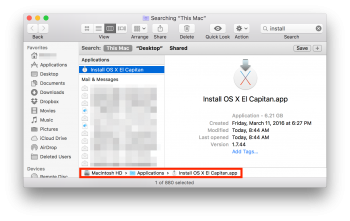
I upgraded my mac mini to el capitan, now i want to upgrade my 2009 mbp, which is compatible. the app store says i've already downloaded it to my mbp but i haven't. now what?
H
It will also show "Downloaded" if you have saved the installer even to an external drive you have attached. So make sure you check there as well as the /Applications folder others mentioned.
If you've ever downloaded the El Capitan installer from the App Store to your iTunes account, go to the App Store app, and then to the Purchases tab. Find the OS X El Capitan item and click on the DOWNLOAD button. If it's greyed out and says "DOWNLOADED", it's on your system somewhere.
Do a search in Finder (⌥⌘ SpaceBar) and look for INSTALL. The file is called "Install IS X El Capitan.app".