
Got a tip for us?
Let us know
Become a MacRumors Supporter for $50/year with no ads, ability to filter front page stories, and private forums.
Screen protectors - naysayers stay out
- Thread starter puckhead193
- Start date
- Sort by reaction score
You are using an out of date browser. It may not display this or other websites correctly.
You should upgrade or use an alternative browser.
You should upgrade or use an alternative browser.

I have the plastic snap on cover. You have to clean it once in a while but it's so unobtrusive I often look at my watch and think it's popped off!View attachment 591340
Where did you buy that plastic snap on cover? Currently looking for one but can't find anywhere.
dennisjr631
macrumors 6502
Amazon mate.
£1.99
🙂
We're did you get that band ? It's gorgeous.

thewiccaman
macrumors regular

Mlrollin91
macrumors G5
Tru Protection has recently released a flexible glass screen protector. Anyone have experience or reviews about it?
thewiccaman
macrumors regular
Snap-On cover: is it this one? Doesn't affect touch screen capabilities? In my Amazon wish list.
Actually, went out and bought it from Amazon anyway; only £2 after all ...

caligurl
macrumors 68040
Tru Protection has recently released a flexible glass screen protector. Anyone have experience or reviews about it?
looks like it leaves all the edges and corners exposed.
Mlrollin91
macrumors G5
Yeah, the one stock photo isn't very helpful. I don't care if it leads the corners exposed as long as it doesn't chip. Thats the biggest issue I have with glass screen protectors on the watch. Because the edges are exposed, any impact on the edge of the glass causes it to chip.looks like it leaves all the edges and corners exposed.
I just installed the Armor Shield and I really like it. Dried invisible. Only a slight orange peel or you wouldn't even be able to tell its installed. Install is a bit difficult due to the small size and curved edges. Little patience and plenty of liquid. Good price, full screen coverage and lifetime warranty. Hard to beat.
caligurl
macrumors 68040
I just installed the Armor Shield and I really like it. Dried invisible. Only a slight orange peel or you wouldn't even be able to tell its installed. Install is a bit difficult due to the small size and curved edges. Little patience and plenty of liquid. Good price, full screen coverage and lifetime warranty. Hard to beat.
give it a day or two.... the corners will start to lift... mine look great when first installed but they are NOT durable AT.ALL!
IphoneIssues
macrumors 65816
Ended up deciding that a screen protector is a must. Recently found out that some cases have been scratching the watches, and, the stainless steel model got mentioned several times. I have the black stainless steel. It sucks that you can have durability in mind, when using a case, but you can end up causing damage. I refuse to bring that thing to the gym without protection though.
Ordered the Skinomi Full Body protection. Will install that baby on Wednesday and post some shots.
Ordered the Skinomi Full Body protection. Will install that baby on Wednesday and post some shots.
IphoneIssues
macrumors 65816
Just got done applying the Skinomi Techskin Full-Body on my Space Black. On the body, you can already barely see it. Was initially thinking about just installing on the body, because of the sapphire screen, but I figured I'd be extra safe and fully lay it on. Especially since I heard about cases scratching up the regular SS and Space Gray Sport models.
Those cases are what really will allow you to get every look out of your watch, and that's why I did this. Even though the Space Black is the hardest to scratch, and I have Applecare, I'm doing all I can. The box says to wait 5, but I'm gonna put it away for about 12 hours and check it out in the morning. Feels like I can now get the most out of my watch. It's a jet black tank now.
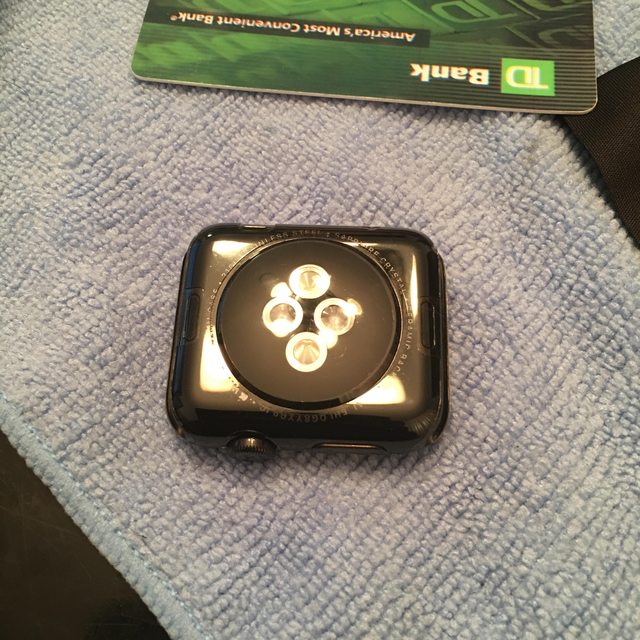
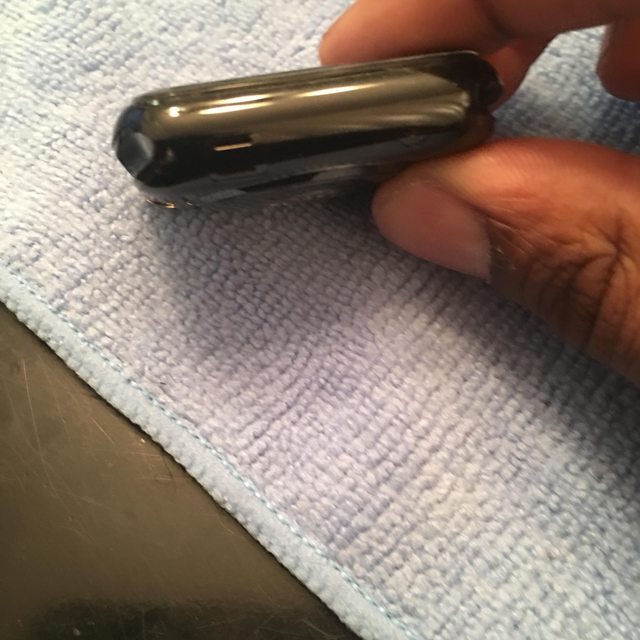
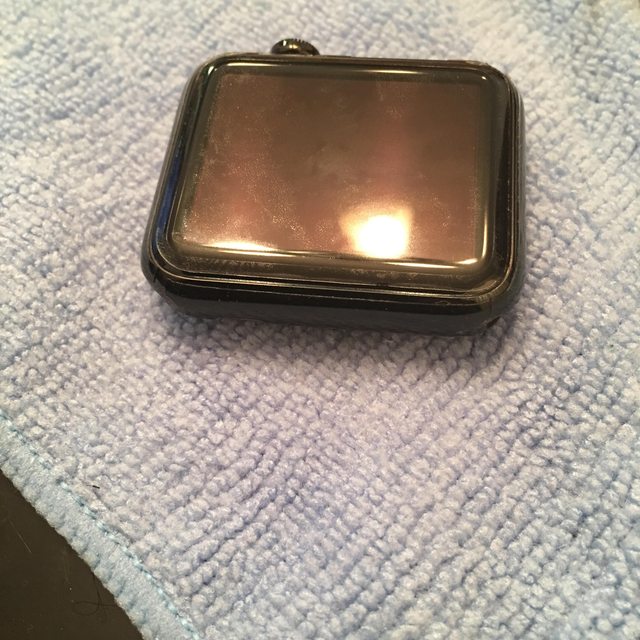
Those cases are what really will allow you to get every look out of your watch, and that's why I did this. Even though the Space Black is the hardest to scratch, and I have Applecare, I'm doing all I can. The box says to wait 5, but I'm gonna put it away for about 12 hours and check it out in the morning. Feels like I can now get the most out of my watch. It's a jet black tank now.
Last edited:
IphoneIssues
macrumors 65816
Briefly took a look, about 30 minutes ago. Screen pretty much completely clear. Most of the little moisture pockets around the watch have disappeared. Edges are still a bit white in some areas. Going to give it another day before I look at putting a case on there. It said everything should even out within 48 hours.
IphoneIssues
macrumors 65816
Screen cleared up. It has become invisible, for the most part, but one thing that's concerning me is one of the corners of the screen protector. It still seems a little white. When I look at it from a certain angle, it almost appears there might be a very small buildup of moisture in there. Looked back at the instructions and it says it could take 2-3 days for everything to clear, so I'll keep that in mind, and it will hopefully even out.
Besides that, it's the fact that the screen protector does not lay edge-to-edge with the body protection. There's a very small gap, and a little bit of dust can get in that area, though it is fairly easy to wipe out with a cloth.
Besides that, looking at the whole thing from 2-3 feet away, you can't even really see it at all. Just hope this clears up, but if it doesn't, I won't really be that bothered, because only the screen protector screwed up.
Besides that, it's the fact that the screen protector does not lay edge-to-edge with the body protection. There's a very small gap, and a little bit of dust can get in that area, though it is fairly easy to wipe out with a cloth.
Besides that, looking at the whole thing from 2-3 feet away, you can't even really see it at all. Just hope this clears up, but if it doesn't, I won't really be that bothered, because only the screen protector screwed up.

TheAppleFairy
Suspended

IphoneIssues
macrumors 65816
Pics of it cleared up? The ones you posted are horrendous, want to see how much it cleared up.
Horrendous? You just mean that last one or them all?? O:
TheAppleFairy
Suspended
Horrendous? You just mean that last one or them all?? O:
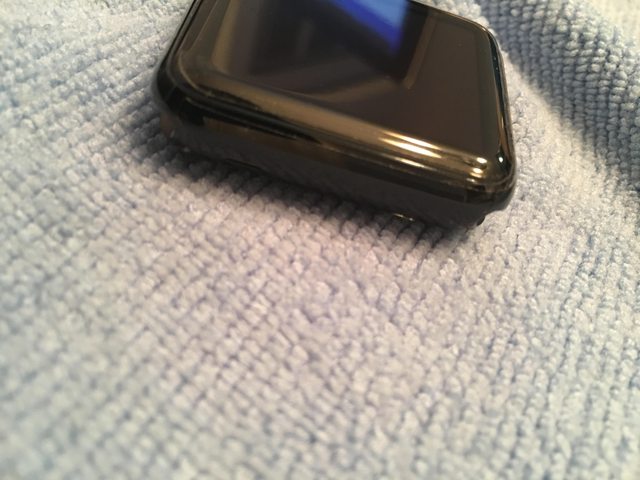
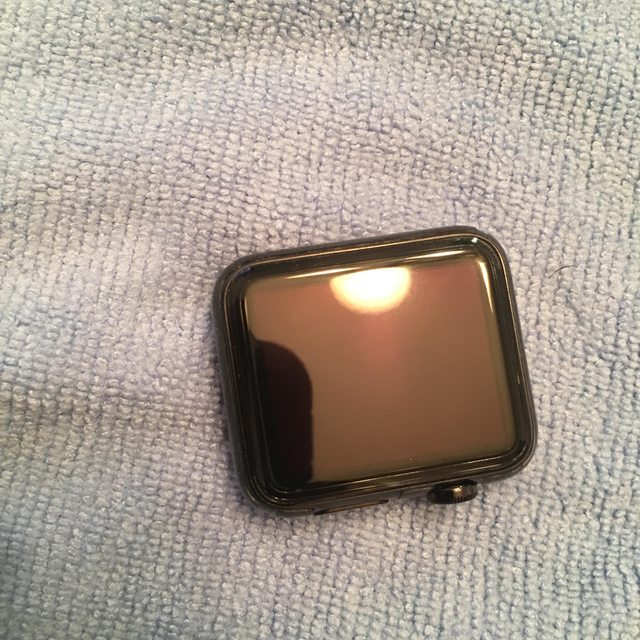
Mostly the last one, but the side view one doesn't look all that great either. Too glossy on the side view, too cloudy on the face.
IphoneIssues
macrumors 65816
Mostly the last one, but the side view one doesn't look all that great either. Too glossy on the side view, too cloudy on the face.
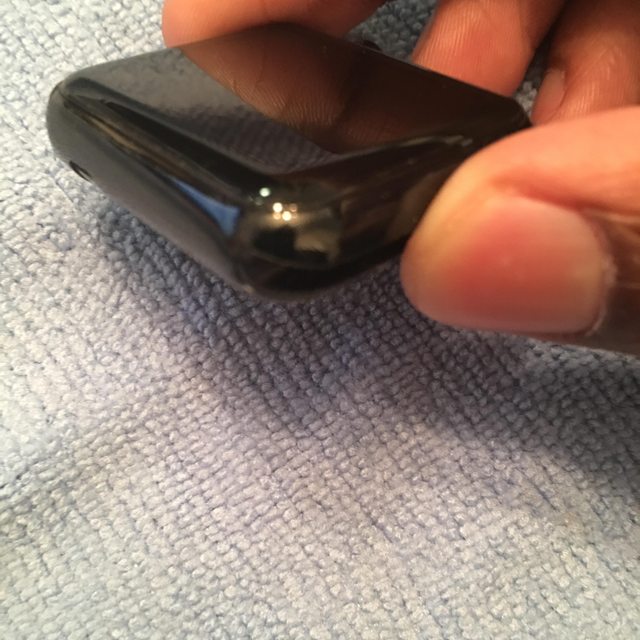
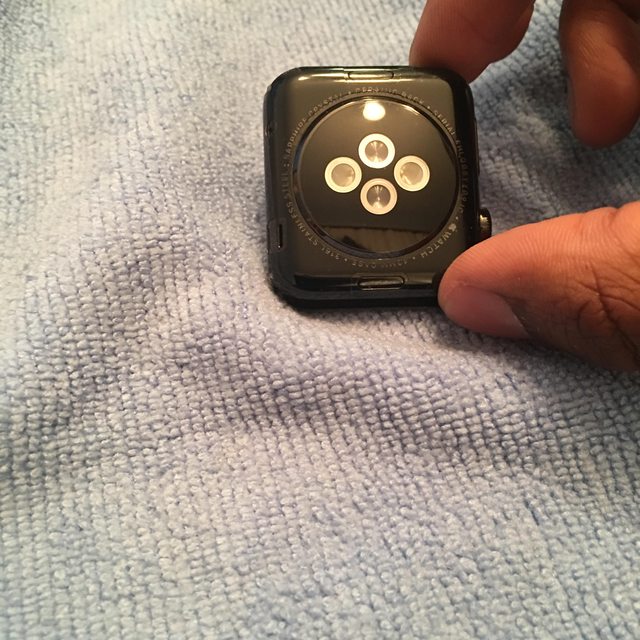
Oh, alright, I see. This can be a little tricky to photograph, because it's black and glossy. Any speck of dust shows right up, and at certain angles, the light lines right up against the edge of the protector, and makes it look like there's condensation right there, but it's not really there.
I should have also mentioned, any specks you see, they're on top of the screen protector, except for this one spot on the side and a spot on one of the top corners. I took my time installing this (30 minutes or so) so that I made sure no dust got underneath. One issue I have though is it's not border-to-border protection, so at some of the edges, where the body protection ends, dust can accumulate.
I'm kind of tempted to order another one, from the same company, because I now see they have one other full body model that's waterproof, anti-glare, anti-fingerprint, etc.
I've noticed the corners have slightly improved in the few hours I've been looking at them (still have been allowing it to sit and haven't worn it). If they do straighten up completely, I won't even worry about replacing the top, because it will be fine.
Also, I did a little scratch test a couple hours ago. Put about 4 hairline scratches on top. It really did self-heal, like the product description says. Let me know if you want me to do it again but take a before and after.
Perfect example of the light playing tricks in the first two pictures. That corner looks weird but it's actually laid down fine, when you look closer.
That corner on the left side of the 4th picture is the one I'm talking about. It's killing me. You can also see the line where the top protector ends, the bottom protector ends and the line on the device where the screen meets the bezel. You can also still see some condensation there, so there's hope. It's not done yet.
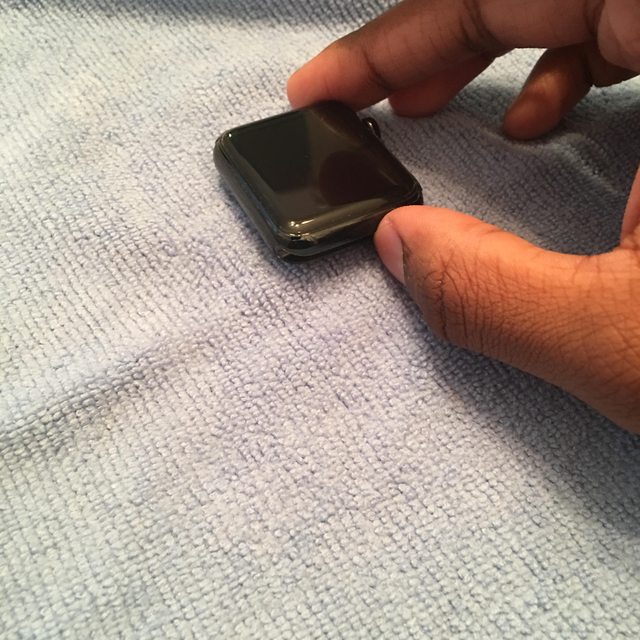
Last edited:
TheAppleFairy
Suspended
IphoneIssues
macrumors 65816
Wow it did clear up pretty good. I am surprised it changed that much. Not bad
Yup. I don't know if you ever installed protectors before, but they always usually clear within days. Tempered glass clears immediately. I knew the screen would clear. Good news is that corner got closer to clearing up, as of the morning.
Bad news is my Lunatik Epik came in, and I tried to put it on my watch, but it wouldn't fit with the screen protector on, and it messed the corner back up a bit, as well as a couple of bubbles popping up. Might have an excuse to buy that other screen protector now. No way am I putting anything on that watch without protection.
IphoneIssues
macrumors 65816
More bad news. Fell asleep with the watch on, woke up and two corners somehow got pushed up. No idea exactly how in the hell that happened. Would have had to rub up against something with some force. Tried to adjust it, but there's now marks all in the corners.
What's the point of using a protector, to keep it from getting scratched and looking horrible, if the protector is unappealing to look at?
The Armorsuit looks like it lays completely up against the bezel line, so I ordered the full body protection, but it's going to take until Wednesday to get here.
Going to be hard looking at this mess until the Armorsuit comes in. Seriously considering taking it all off and seeing for myself if I actually will run into any problems with these cases. I've read some reviews on experiences with the DLC coating, and it sounds like it can handle this easy. Still can replace it with AppleCare if things really go wrong.
What's the point of using a protector, to keep it from getting scratched and looking horrible, if the protector is unappealing to look at?
The Armorsuit looks like it lays completely up against the bezel line, so I ordered the full body protection, but it's going to take until Wednesday to get here.
Going to be hard looking at this mess until the Armorsuit comes in. Seriously considering taking it all off and seeing for myself if I actually will run into any problems with these cases. I've read some reviews on experiences with the DLC coating, and it sounds like it can handle this easy. Still can replace it with AppleCare if things really go wrong.

myrtlebee
macrumors 68030
More bad news. Fell asleep with the watch on, woke up and two corners somehow got pushed up. No idea exactly how in the hell that happened. Would have had to rub up against something with some force. Tried to adjust it, but there's now marks all in the corners.
What's the point of using a protector, to keep it from getting scratched and looking horrible, if the protector is unappealing to look at?
The Armorsuit looks like it lays completely up against the bezel line, so I ordered the full body protection, but it's going to take until Wednesday to get here.
Going to be hard looking at this mess until the Armorsuit comes in. Seriously considering taking it all off and seeing for myself if I actually will run into any problems with these cases. I've read some reviews on experiences with the DLC coating, and it sounds like it can handle this easy. Still can replace it with AppleCare if things really go wrong.
It's really useless. The full-body wet installs are a pain in the ass and eventually peel if you can even get them to stay down. Tempered glass or regular static-clings only cover the middle of the screen leaving the edges of the glass exposed. Thing is, you have the version with sapphire, why bother? I have the Sport, and am contemplating returning it (have till the end of January) and just waiting until Version 2 comes out and splurging on the sapphire screen then.
IphoneIssues
macrumors 65816
It's really useless. The full-body wet installs are a pain in the ass and eventually peel if you can even get them to stay down. Tempered glass or regular static-clings only cover the middle of the screen leaving the edges of the glass exposed. Thing is, you have the version with sapphire, why bother? I have the Sport, and am contemplating returning it (have till the end of January) and just waiting until Version 2 comes out and splurging on the sapphire screen then.
It was a perfect install, but I realize I didn't push down the corners properly (you should always apply pressure outward from the center, I pressed the edges down from the tip, and that created unnecessary condensation bubbles. I also ended up messing with it before it finished setting, so that halted the setting process.
I wasn't really concerned about the screen, because I knew the sapphire was strong. I had the screen part too, so I just installed it anyways. The body is what I cared about, but the more I read, the more I'm thinking this thing is much stronger than I realized. I'm leaning towards just taking it all off and not worrying about those cases scratching anything, because I also do have insurance, just in case. Went all day with that screwed up screen protector on, and it's been bothering me.