Become a MacRumors Supporter for $50/year with no ads, ability to filter front page stories, and private forums.
I think it was 10.2 or 10.3 that generated PDF screenshots by default. Maybe the users uploading them are on those systems?
 
yes, I belive you are right... OS X.2 and X.3 made .pdf's by default. I'm almost positive there is a way to change this...


if not you could always launch the PDF from your desktop and go file --> export.

then you can export the file as a .jpg or .png
 
Unfortunately not. You can change the format in 10.4 (and I believe you could in 10.1 as well), but not in 10.3.
 
Unfortunately not. You can change the format in 10.4 (and I believe you could in 10.1 as well), but not in 10.3.

Son of a ______, that sucks big time. I guess that gives me another reason to get an MBP eventually. 😎
 
It's messy, but if you open the PDF in Preview, you should be able to save it as a different format. The Tiger screenshot format is PNG but for posting on forums, JPG should be just as good.
 
You can use Cocktail for OS X... It works perfectly. All you have to do is open it up, and click on the Finder tab. It lets you change the file format of your screen shots. I think the option is at the bottom somewhere...


Another application you can try is OnyX. It works pretty much the same way.

tfh1013
 
You could use an outside application like Snapz Pro X to take the screenshot. Nice little app actually.

That said, I seem to recall I changed the way my screenshots saved in Panther without any trouble. I'm sorry I cannot remember how I did this. I think I did a search here and found the answer actually.
 
You can use Cocktail for OS X... It works perfectly. All you have to do is open it up, and click on the Finder tab. It lets you change the file format of your screen shots. I think the option is at the bottom somewhere...

Another application you can try is OnyX. It works pretty much the same way.

Those apps (and others like TinkerTool) will do the job just fine on Tiger, but the Panther versions don't include this option.
 
Warning: OnyX trashed the drive on my iBook G4 (running Tiger I think at the time), requiring a reinstall. Be forewarned.

Yeah I'm extremely leary of third party software ever since I tried (safari speedup). I had to completely erase the drive to get rid of it. 😡
 

Attachments

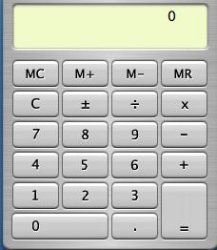
  • Picture 1.jpg
    Picture 1.jpg
    13.2 KB · Views: 207
It's messy, but if you open the PDF in Preview, you should be able to save it as a different format. The Tiger screenshot format is PNG but for posting on forums, JPG should be just as good.

mad jew, I hope you get mobbed tomorrow by a bunch of tini boppers in short plaid skirts with pleats. 🙂 🙂 🙂

I was about to say, how hard is it to open Preview and just save it as a JPG? 😕

I'm still learning.... 😱
 

Attachments

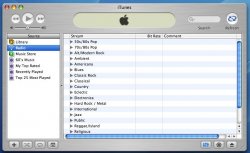
  • Picture 4.jpg
    Picture 4.jpg
    28.3 KB · Views: 89
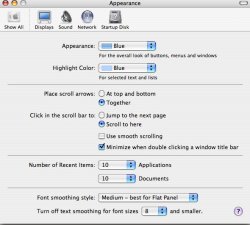
  • Picture 5.jpg
    Picture 5.jpg
    27.3 KB · Views: 85
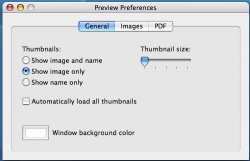
  • Picture 6.jpg
    Picture 6.jpg
    26.5 KB · Views: 87
look in the OSX Help. it has all the screen shot combinations. and if you take a screenshot as the default format (pdf) you can just open it in Preview.app and go Save As and save it as a JPG or PNG or any other supported format.
 
I just now tried to capture a window using 'Grab', but was unable to upload it. Is it because of it being a 'tiff' format? 😕
 
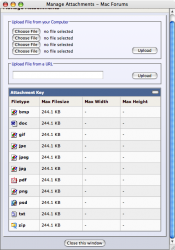
The formats you can upload onto MacRumors are listed at the bottom of the Manage Attachments window. Unfortunately, it doesn't seem to allow TIFF uploads. 🙁

To take a screenshot of just a single window, press COMMAND-SHIFT-4-SPACE and then click on the window you want captured. Before you click to capture the image, the window should be highlighted (blue by default). 🙂


Picture 1.png
 
^^^^
That's realy cool, now I don't have to trace the outline of the image with the cross hair icon. Oh and thanks to you MJ, I've learned how to convert the formats using Preview.

I think I'm set.

As always mad jew, I'm grateful for your help. 🙂 🙂 🙂
 
Register on MacRumors! This sidebar will go away, and you'll see fewer ads.