Become a MacRumors Supporter for $50/year with no ads, ability to filter front page stories, and private forums.

BigJohno

macrumors 68000
Original poster
Recently I have noticed that my pro isn't staying asleep for more than 5 min. The other issue is that the screens don't go to sleep when I set it in the power area. None of the power options work either. I timed it to shut screens off after 1 min and sleep the comp at 3 min and nothing happens. Now I have reset the pram and have unchecked all the wake for such and such.

The specs of the Pro are in my sig.

Thanks for the help.
 
Last edited:
Do you have an aftermarket disc burner? Certain ones are known to prevent sleep by repeatedly dancing naked inside your Mac.
 
All those boxes are unchecked. This only began appearing maybe 3 or 4 days ago.
 
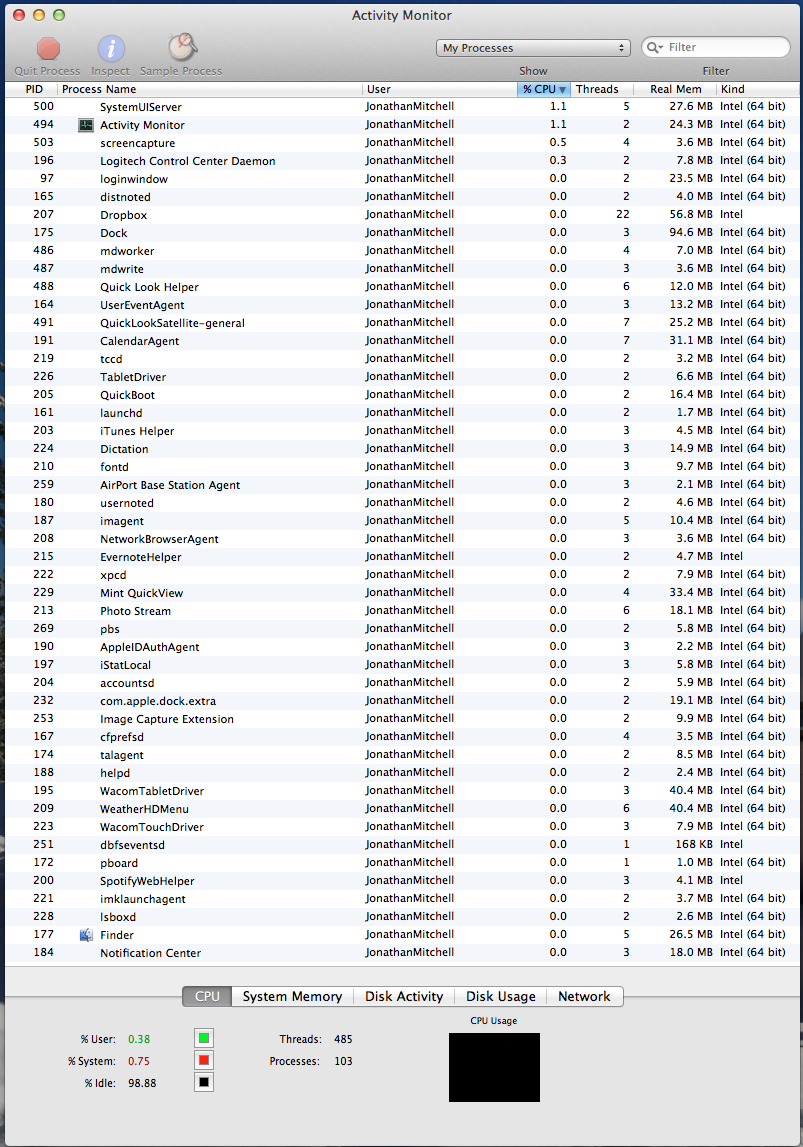
Perhaps you can find something by opening Activity Monitor, and selecting 'all processes'. Have you updated or installed anything when this began?

I'm out of ideas, as I have mine set to never sleep. 😱
 
Perhaps you can find something by opening Activity Monitor, and selecting 'all processes'. Have you updated or installed anything when this began?

I'm out of ideas, as I have mine set to never sleep. 😱

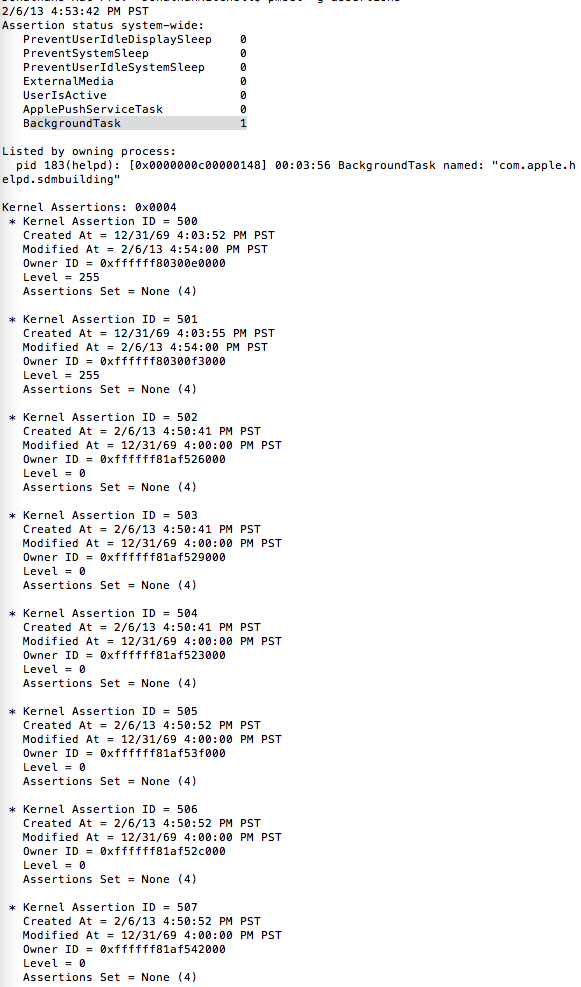
Does this help at all?

Screen_Shot_2013_02_06_at_12_25_03_AM.png
 
Ah, that seems to be it! I just looked it up and found this:

"sdmbuiding is to do with help data for applications, and will eventually go away once its finished building the folder.
a temporary solution would be to force quit the helpd process in activity monitor, but will just rebuild upon restart.
if it doesnt go away after a period of time, you can use the terminal command
Code:

launchctl unload -w /System/Library/LaunchAgents/com.apple.helpd.plist

which should permanently stop it."
 
Ah, that seems to be it! I just looked it up and found this:

"sdmbuiding is to do with help data for applications, and will eventually go away once its finished building the folder.
a temporary solution would be to force quit the helpd process in activity monitor, but will just rebuild upon restart.
if it doesnt go away after a period of time, you can use the terminal command
Code:

launchctl unload -w /System/Library/LaunchAgents/com.apple.helpd.plist

which should permanently stop it."

Thank you for finding this! I pasted the string into the terminal. I will test it tonight to see what happens.
 
Register on MacRumors! This sidebar will go away, and you'll see fewer ads.