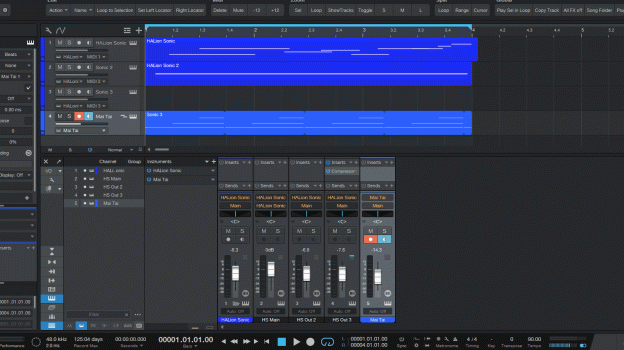
You can use the built-in screen recorder from CMD-SHIFT-5 (alternatively search "screenshot" in Spotlight), or open QuickTime Player and do File > New Screen Recording.
After that you can edit the movie file in iMovie, or any other video editor. You can use ffmpeg or some other tool if you must have it as a gif.
I wouldn't try to use gifs though, they're an ancient format with very, very poor compression. You will be much better off with an actual video file. (Or animated webp, apng, animated jxl/avif, though these formats have poor support)
I've been using gifs a long time to put up useful information on forums with very little bandwidth.
Really helpful trying to explain something.
I can jump over to a windows machine when I need to.
M4 mini outperforms a lot of way more expensive windows machines running pro audio, especially for a bedroom studio.
Thanks, I do need to learn the built in features some, I setup my machine and use my DAW software and it's just like I'm on windows, well except for really low latency.
I wouldn't try to use gifs though, they're an ancient format with very, very poor compression. You will be much better off with an actual video file. (Or animated webp, apng, animated jxl/avif, though these formats have poor support)
For images with few colors and simple design, gifs will compress about as well as JPEG, and being lossless will reult in better looking images. Screen will quite often fall into this category.
No, using default settings on Handbrake results in the video file being 1/3 the size of the gif. The gif was at 10fps while the H.264 video was at 60. I can get the video file down to about 13% the size of the gif before artifacting becomes noticeable. The default gif settings will already induce color banding and gif playback just isn't smooth.
Additionally, converting to gif is not lossless, they have a limited color palette which will induce loss. Gifs do have lossless compression, yes, but converting initially will result in certain colors being lost.
Converting the gif OP uploaded to a video resulted in a size reduction of 4.2x, or the video file being 23% the size of the gif. There is just no world where an outdated image format from the 1980s will do as well as modern video codecs.