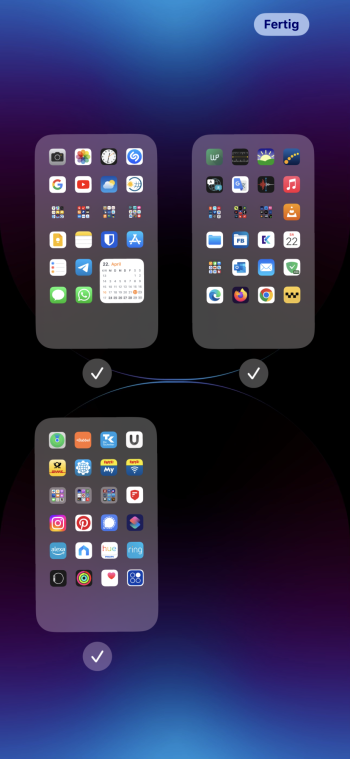
circatee macrumors 601 Original poster Apr 21, 2023 #1 I have had two pages of apps on my iOS device, for years. Today, my page two of apps have disappeared. I am running 16.4.1. Is there a setting or something that was added to the latest update, to remove page 2 of my apps? Rather odd this...
I have had two pages of apps on my iOS device, for years. Today, my page two of apps have disappeared. I am running 16.4.1. Is there a setting or something that was added to the latest update, to remove page 2 of my apps? Rather odd this...
Cobold macrumors 6502a Apr 22, 2023 #2 Tap and hold the dots above the launcher (or the free space there if there are no dots) to bring up the homepage editor, where you can hide/unhide homescreens. Reactions: circatee
Tap and hold the dots above the launcher (or the free space there if there are no dots) to bring up the homepage editor, where you can hide/unhide homescreens.
circatee macrumors 601 Original poster Apr 22, 2023 #3 I figured it out. There must be a setting that I have on for ‘Do Not Disturb’. And said setting turns off page 2 at night. For the first time in ages I used my phone during the Do Not Disturb timeframe…
I figured it out. There must be a setting that I have on for ‘Do Not Disturb’. And said setting turns off page 2 at night. For the first time in ages I used my phone during the Do Not Disturb timeframe…