Has anyone experience recent beach balling at startup with macOS Sequoia. It takes about a few minutes to stop and start using it.


"stop and start using it"... not sure what you mean.. are you seeing beach balling loading the login screen or loading the desktop after logging in? Some more specifics would be helpful.Has anyone experience recent beach balling at startup with macOS Sequoia. It takes about a few minutes to stop and start using it.
after logging in, I have to get up and walk away to let it finish the beach balling and actually use my mac, is what Im saying. There is nothing in allow in background running. My fusion drive is 5-6 years old. I have applecare on this machine. Until the drive goes belly up or apple stops support it. So I will have to live with it until then."stop and start using it"... not sure what you mean.. are you seeing beach balling loading the login screen or loading the desktop after logging in? Some more specifics would be helpful.
I agree. Once it fails, then AppleCare will take care of it. Until then.
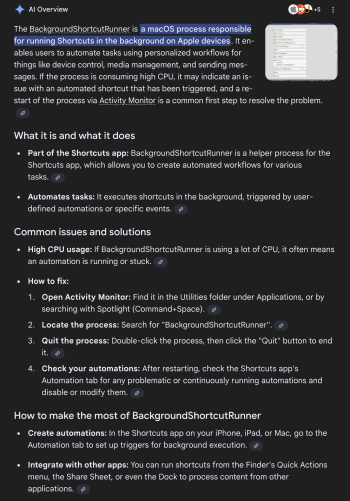
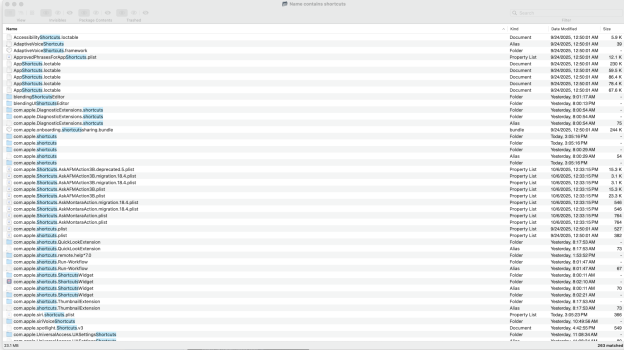
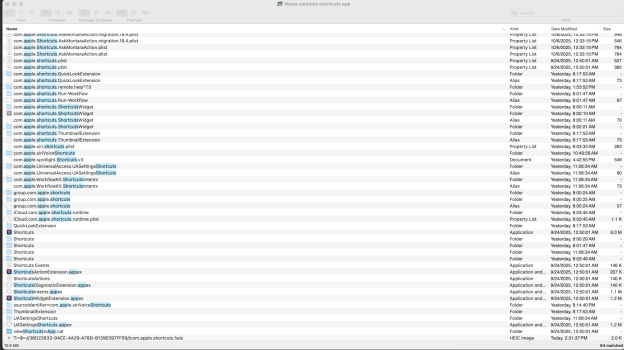
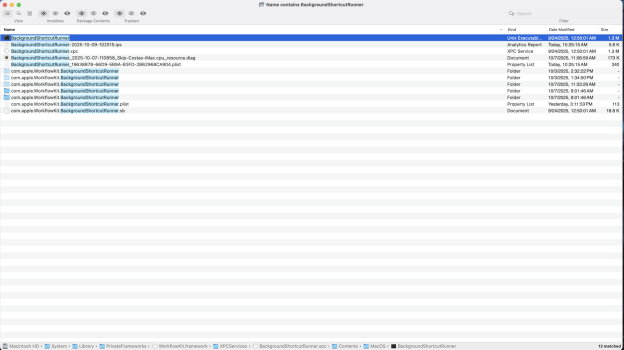
I tried looking for it, in activity monitor it shows up as "Background task management." I don't see it as your doc says. I don't know if I told you that I am running macOS Sequoia, the latest one. The thing is what gets me is I did a reinstall, using Apple's method of resetting the Fusion Drive, using recovery to re-install macOS Sequoia, put all my data back. I've already ruled out a malware. Im right back to same problem of a few minutes of logging in and have to wait about 5 minutes for everything to settle down. There is nothing in "Allow in Background" pane. Apple support is telling after a four hour deep diagnostic system, at the Apple Store that the Fusion Drive many have trouble keeping up and showing signs of slowly petering out. Since I am under Applecare+ for Mac, two things, wait for the drive for completely fail, they'll will replace it. Possibly get a free new superseded system, if the support starts to run out. Thank god, I have Time Machine and have everything backed up. Sorry for the long response.Maybe try this
View attachment 2565052


You can’t delete the Shortcuts app, even if you disable SIP.It looks like you can try and remove the shortcuts app
- Completely remove the Shortcuts app (requires disabling SIP temporarily on Intel or using a tool like MisakaX on Apple Silicon in some cases), or
- Delete the Shortcuts database: In Terminal:
text
rm -rf ~/Library/Shortcuts/Shortcuts.sqlite*
rm -rf ~/Library/Containers/com.apple.Shortcuts*
Can I just do the latter, delete the files via terminal?You can’t delete the Shortcuts app, even if you disable SIP.
“All system files are protected on the signed system volume (SSV)”
https://support.apple.com/guide/mac-help/what-is-a-signed-system-volume-mchl0f9af76f/15.0/mac/15.0
It’s easier to use AppCleaner https://freemacsoft.net/appcleaner/ to delete all files/folders created by Shortcuts under the user account.

rm -r ~/Library/Shortcuts
rm ~/Library/Preferences/com.apple.siri.shortcuts.plist
rm -r ~/Library/Group\ Containers/group.com.apple.shortcuts
rm -r ~/Library/Group\ Containers/group.is.workflow.shortcuts
rm -r ~/Library/Containers/com.apple.shortcuts
rm -r ~/Library/Containers/com.apple.shortcuts.Run-Workflow
rm -r ~/Library/Application\ Scripts/com.apple.shortcuts
rm -r ~/Library/Application\ Scripts/group.com.apple.shortcuts
rm -r ~/Library/Application\ Scripts/com.apple.shortcuts.Run-WorkflowI'm under Applecare, Have to wait until the drive fails. AppleCare won't cover If I change it. Just have to live with it.OP wrote:
"My fusion drive is 5-6 years old"
THERE'S your answer.
If you want to solve this, you need A NEWER MAC -- one that has an internal SSD and NOT a fusion drive.
The only other way you might be able to resolve this is to buy an EXTERNAL SSD, and set that up to be the new boot drive...
It probably is. Im under AppleCare. Have to wait until the drive fails.Sounds like Fusion Drive could be the issue….. 🤪
That technology is very outdated now.
I have an app utility drivedx says it is operating good. The ssd is 97% the ssd of the Fusion Drive