Become a MacRumors Supporter for $50/year with no ads, ability to filter front page stories, and private forums.

phadam

macrumors regular
Original poster
Put up my site and everything looks good in safari but firefox opens up TINY! or it starts fine and then starts shrinking! Same with IE browsers. Am I missing something?? I can't even see it really if I open it in firefox. HELP!
 
Welcome to the world of web design. You should start by validating your code and css. Should be a good start. After that, you'll have to tell us a bit more because we'd just be guessing.
 
My site was built entirely in Flash. I added the flash to my dreamweaver html and index. Then uploaded. Would it help to show the code from DW?
 
aahh! 000space didnt support my fla or swf files 🙁


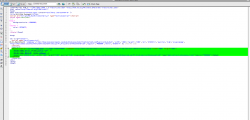
here is what I had for my code on html and index files


<!DOCTYPE html PUBLIC "-//W3C//DTD XHTML 1.0 Transitional//EN" "http://www.w3.org/TR/xhtml1/DTD/xhtml1-transitional.dtd">
<html xmlns="http://www.w3.org/1999/xhtml">
<head>
<meta http-equiv="Content-Type" content="text/html; charset=UTF-8" />
<title></title>
<script src="Scripts/AC_RunActiveContent.js" type="text/javascript"></script>
<style type="text/css">
<!--
body {
background-color: #000000;
}
body,td,th {
font-size: 100%;
}
-->
</style></head>

<body>


<div align="center">
<script type="text/javascript">
AC_FL_RunContent( 'codebase','http://download.macromedia.com/pub/shockwave/cabs/flash/swflash.cab#version=9,0,28,0','width','100%','height','99%','src','GV2010 4','quality','high','pluginspage','http://www.adobe.com/shockwave/download/download.cgi?P1_Prod_Version=ShockwaveFlash','bgcolor','#000000','movie','GV2010 4' ); //end AC code
</script>
<noscript>
<object classid="clsid😀27CDB6E-AE6D-11cf-96B8-444553540000" codebase="http://download.macromedia.com/pub/shockwave/cabs/flash/swflash.cab#version=9,0,28,0" width="100%" height="99%">
<param name="movie" value="GV2010 4.swf" />
<param name="quality" value="high" /><param name="BGCOLOR" value="#000000" />
<embed src="GV2010 4.swf" width="100%" height="99%" quality="high" pluginspage="http://www.adobe.com/shockwave/download/download.cgi?P1_Prod_Version=ShockwaveFlash" type="application/x-shockwave-flash" bgcolor="#000000"></embed>
</object>
</noscript>
</div>
<script type="text/javascript" src="http://static.olark.com/js/wc.js"></script>
<script type="text/javascript">
wc_init("7212-750-10-8228");
</script>
</body>
</html>

 
Here is a screen shot from firefox. IE does the same.
 

Attachments

  • Picture 11.jpg
    Picture 11.jpg
    41.6 KB · Views: 114
The HTML might actually have a clue. I remember a thread here about Flash movies being very small and unreadable. It was a result of the width/height not being set correctly. In the HTML, the height looks to be set at 99%, but 99% of what? It's likely calculating this to be smaller than you're wanting to. Try setting the body's height to 100% and see if it makes a difference or use a fixed height, e.g., 600px.
 
still having some issues here.. hmm
i set my size as a fixed number, ie. 1280 x 960 and it's not what i am going for. I set the % to 100 for height and width but firefox is still not opening to full screen. Is there anything I can add to my html or any code so that I can get this to up properly on different browsers and screen resolutions?? In dreamweaver I played with the scale options but nothing was coming out correct for all browsers. Any ideas or help??

Thanks!
 

Attachments

  • Picture 4.png
    Picture 4.png
    73.1 KB · Views: 115
  • Picture 5.png
    Picture 5.png
    44.6 KB · Views: 107
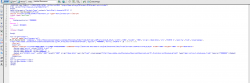
tried strict doctype. did I do that correctly? because I got no change in browser preview from firefox. safari is still ok.
 

Attachments

  • Picture 6.png
    Picture 6.png
    70.1 KB · Views: 136
Use swfobject for embedding the swf.
They also have a convenient AIR app for generating the html and javascript code.

BTW, is this for a liquid GUI?
Otherwise, you should probably specify the actual stage dimensions.
 
Register on MacRumors! This sidebar will go away, and you'll see fewer ads.