I'm trying to figure out what SMSdaemon is and how to remove it. Is it a vital system process or something malicious? It can hog up a ton of ram and when I kill it, it comes back. Help? Thanks!


Got a tip for us?
Let us know
Become a MacRumors Supporter for $50/year with no ads, ability to filter front page stories, and private forums.
SMSdaemon? What is it?
- Thread starter jedivulcan
- Start date
- Sort by reaction score
You are using an out of date browser. It may not display this or other websites correctly.
You should upgrade or use an alternative browser.
You should upgrade or use an alternative browser.

It's a Unix process that allows the sending of SMS messages (to cell phones). I have no idea why it'd be taking up a bunch of resources, or be running at all, do you have an SMS widget or something installed? Might try removing that if you can, assuming that you do.
jW
jW
I don't have any SMSwidgets running at all. They have all been deleted. The SMSdaemon slowly takes up memory and every time I kill the process, it comes back.
Got it, found the source of the process by using "inspect" on Activity Monitor... apparently it was an application support script that went awol. Killed and quickly deleted the script before it could start up again... vola!

Got it, found the source of the process by using "inspect" on Activity Monitor... apparently it was an application support script that went awol. Killed and quickly deleted the script before it could start up again... vola!
Wow -- this is exactly the problem I'm having. You mentioned what you did, but didn't mention how you did it!
How does one "kill and quickly delete the script"?
Help...
Well, I identified a couple of items in Application Support that were supposedly the problem -- so I deleted them and logged out/back in. But now, Console reports that something is repeatedly attempting to launch the items I deleted, so obviously there's more I need to do.
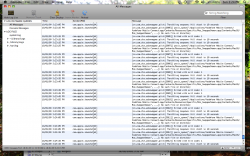
The following messages are regenerated in Console, non-stop, every few seconds:
Wed 10.01.08 10.01.08 10:07:57pm com.apple.launchd[1] (com.app4mac.CheckUpAgent[708]) posix_spawn("/Applications/CheckUp.app/Contents/MacOS/CheckUpAgent", ...): No such file or directory
Wed 10.01.08 10.01.08 10:07:57pm com.apple.launchd[1] (com.app4mac.CheckUpAgent[708]) Exited with exit code: 1
Wed 10.01.08 10.01.08 10:07:57pm com.apple.launchd[1] (com.app4mac.CheckUpAgent) Throttling respawn: Will start in 10 seconds
Wed 10.01.08 10.01.08 10:08:04pm com.apple.launchd[109] (com.micromat.SMSDaemon[709]) posix_spawnp("/Users/merv/Library/Application Support/Syphone/SMSDaemon", ...): No such file or directory
Wed 10.01.08 10.01.08 10:08:04pm com.apple.launchd[109] (com.micromat.SMSDaemon[709]) Exited with exit code: 1
Wed 10.01.08 10.01.08 10:08:04pm com.apple.launchd[109] (com.micromat.SMSDaemon) Throttling respawn: Will start in 10 seconds
How do I stop this?
Well, I identified a couple of items in Application Support that were supposedly the problem -- so I deleted them and logged out/back in. But now, Console reports that something is repeatedly attempting to launch the items I deleted, so obviously there's more I need to do.
The following messages are regenerated in Console, non-stop, every few seconds:
Wed 10.01.08 10.01.08 10:07:57pm com.apple.launchd[1] (com.app4mac.CheckUpAgent[708]) posix_spawn("/Applications/CheckUp.app/Contents/MacOS/CheckUpAgent", ...): No such file or directory
Wed 10.01.08 10.01.08 10:07:57pm com.apple.launchd[1] (com.app4mac.CheckUpAgent[708]) Exited with exit code: 1
Wed 10.01.08 10.01.08 10:07:57pm com.apple.launchd[1] (com.app4mac.CheckUpAgent) Throttling respawn: Will start in 10 seconds
Wed 10.01.08 10.01.08 10:08:04pm com.apple.launchd[109] (com.micromat.SMSDaemon[709]) posix_spawnp("/Users/merv/Library/Application Support/Syphone/SMSDaemon", ...): No such file or directory
Wed 10.01.08 10.01.08 10:08:04pm com.apple.launchd[109] (com.micromat.SMSDaemon[709]) Exited with exit code: 1
Wed 10.01.08 10.01.08 10:08:04pm com.apple.launchd[109] (com.micromat.SMSDaemon) Throttling respawn: Will start in 10 seconds
How do I stop this?
The following messages are regenerated in Console, non-stop, every few seconds:
[snip]
How do I stop this?
I found the culprits: leftover plist documents, located in Library/LaunchDaemons.
Problem solved.

Syphone
Just to keep this year-old thread going...
FYI, Syphone uses a daemon called SMSDaemon. Do you use that to back up text messages from an iPhone? If you prevent the process from ever running, your texts won't automatically get transferred to your Syphone database anymore.
Just to keep this year-old thread going...
FYI, Syphone uses a daemon called SMSDaemon. Do you use that to back up text messages from an iPhone? If you prevent the process from ever running, your texts won't automatically get transferred to your Syphone database anymore.
I also was wondering what SMSDaemon was because it was leaving an entry in my console every minute that looked like this:
It was indeed related to Syphone which I had tried a while ago, but was no longer using. To remove it I deleted the following plist file and Application Support folder (probably just removing the plist file would have been enough to stop it):
Code:
SMSDaemon[179] Located known iPhone 'Touch', serial no. 'XXXXXXXXXX'.It was indeed related to Syphone which I had tried a while ago, but was no longer using. To remove it I deleted the following plist file and Application Support folder (probably just removing the plist file would have been enough to stop it):
Code:
~/Library/LaunchAgents/com.micromat.SMSDaemon.plist
~/Library/Application Support/SyphoneDeleting an App
As much as it hurts to say this. OSX is very similar to Windows when deleting software. When you drag XXX.app to Trash Can, you are not removing everything that was installed initially. Mainly, you are removing the .App folder and all that is contained inside. Most of the time, you are leaving App preferences and daemons in their respective locations. This is similar to Windows in the sense that when you uninstall programs entires are left in the Registry (I hate that word) and also in C:\Program Files, etc
Might I suggest AppCleaner when removing/uninstalling Apps. It will remove all .plist and daemon files as well. Not to mention a very nice interface.
As much as it hurts to say this. OSX is very similar to Windows when deleting software. When you drag XXX.app to Trash Can, you are not removing everything that was installed initially. Mainly, you are removing the .App folder and all that is contained inside. Most of the time, you are leaving App preferences and daemons in their respective locations. This is similar to Windows in the sense that when you uninstall programs entires are left in the Registry (I hate that word) and also in C:\Program Files, etc
Might I suggest AppCleaner when removing/uninstalling Apps. It will remove all .plist and daemon files as well. Not to mention a very nice interface.
Similar problem
I have had a similar problem. I have tried deleting application support and also launch agents but this does not seem to have helped.
18/01/09 3:26:15 PM com.apple.launchd[64] (cn.com.zte.usbswapper.plist[3037]) posix_spawn("/Applications/Vodafone Mobile Connect/Vodafone Mobile Connect.app/Contents/Resources/Specific/Mac_SwapperDemon.app/Contents/MacOS/Mac_SwapperDemon", ...): No such file or directory
18/01/09 3:26:15 PM com.apple.launchd[64] (cn.com.zte.usbswapper.plist[3037]) Exited with exit code: 1
18/01/09 3:26:15 PM com.apple.launchd[64] (cn.com.zte.usbswapper.plist) Throttling respawn: Will start in 10 seconds
I have had a similar problem. I have tried deleting application support and also launch agents but this does not seem to have helped.
18/01/09 3:26:15 PM com.apple.launchd[64] (cn.com.zte.usbswapper.plist[3037]) posix_spawn("/Applications/Vodafone Mobile Connect/Vodafone Mobile Connect.app/Contents/Resources/Specific/Mac_SwapperDemon.app/Contents/MacOS/Mac_SwapperDemon", ...): No such file or directory
18/01/09 3:26:15 PM com.apple.launchd[64] (cn.com.zte.usbswapper.plist[3037]) Exited with exit code: 1
18/01/09 3:26:15 PM com.apple.launchd[64] (cn.com.zte.usbswapper.plist) Throttling respawn: Will start in 10 seconds
Attachments
SMSDaemon & App Cleaner
Thanks all for above thread, helped me ID and get rid of this mad daemon.
Just note that APP CLEANER while very nice, does not remove the Launch Agent as in ~/Library/LaunchAgents/com.micromat.SMSDaemon.plist
Thanks to NILK for pointing out that this has to go to!
Thanks all for above thread, helped me ID and get rid of this mad daemon.
Just note that APP CLEANER while very nice, does not remove the Launch Agent as in ~/Library/LaunchAgents/com.micromat.SMSDaemon.plist
Thanks to NILK for pointing out that this has to go to!
I have had a similar problem. I have tried deleting application support and also launch agents but this does not seem to have helped.
18/01/09 3:26:15 PM com.apple.launchd[64] (cn.com.zte.usbswapper.plist[3037]) posix_spawn("/Applications/Vodafone Mobile Connect/Vodafone Mobile Connect.app/Contents/Resources/Specific/Mac_SwapperDemon.app/Contents/MacOS/Mac_SwapperDemon", ...): No such file or directory
18/01/09 3:26:15 PM com.apple.launchd[64] (cn.com.zte.usbswapper.plist[3037]) Exited with exit code: 1
18/01/09 3:26:15 PM com.apple.launchd[64] (cn.com.zte.usbswapper.plist) Throttling respawn: Will start in 10 seconds
oceandamion: requires a restart after deleting the daemon
@dmbream
It appears I am in the same situation as oceandamion. I didn't manage to find the file in the LaunchDaemons or Agents (both system and user).
What I did was to open Terminal and type
It found
Then I typed
After the error didn't appear in the Console anymore, I thought it was gone. So I restarted and it's back. What should I do to remove this process?
That error is plain annoying (dam you Vodafone and your crappy app). I don't know much (nothing) about Terminal and what I typed is information I gathered from Google searches.
It appears I am in the same situation as oceandamion. I didn't manage to find the file in the LaunchDaemons or Agents (both system and user).
What I did was to open Terminal and type
Code:
launchctl list | grep [Ss]wapper
Code:
- 1 cn.com.zte.usbswapper.plist
Code:
launchctl remove cn.com.zte.usbswapper.plistAfter the error didn't appear in the Console anymore, I thought it was gone. So I restarted and it's back. What should I do to remove this process?
That error is plain annoying (dam you Vodafone and your crappy app). I don't know much (nothing) about Terminal and what I typed is information I gathered from Google searches.

Well the checkup agent "CheckUpAgent" is part of the CheckUp program.
http://www.app4mac.com/store/index.php?target=products&product_id=7
It's only there because the USER installed it. If you hate it's 10sec. checks
that max the CPU and flood the logs then just uninstall it.
I installed it about 4 weeks ago and it's just now beginning to slap me in the
face with just how daftly it's written. If it weren't such an intrusive annoyance
I wouldn't need to say it quite that way but it is. The Application is pretty
interesting otherwise however.
PS: Theses guys seem to think you have to go further in order to uninstall it
but I tested this by running the Uninstaller and I think they're whacky.
http://discussions.apple.com/thread.jspa?threadID=1482106&tstart=18
It uninstalled and reinstalled just fine for me.
http://www.app4mac.com/store/index.php?target=products&product_id=7
It's only there because the USER installed it.
If you hate it's 10sec. checksthat max the CPU and flood the logs then just uninstall it.
I installed it about 4 weeks ago and it's just now beginning to slap me in the
face with just how daftly it's written.
If it weren't such an intrusive annoyanceI wouldn't need to say it quite that way but it is. The Application is pretty
interesting otherwise however.
PS: Theses guys seem to think you have to go further in order to uninstall it
but I tested this by running the Uninstaller and I think they're whacky.
http://discussions.apple.com/thread.jspa?threadID=1482106&tstart=18
It uninstalled and reinstalled just fine for me.

I understand that this is a very old thread, but I have a quick question.
I recently used an app deleting program to get rid of something and it took SMSDaemon with it. Is that a component that comes with OS X? If so I would like to put it back where it came from. What folder does it go in?
I wish I were running Snow Leopard so I could have the put back command...
I recently used an app deleting program to get rid of something and it took SMSDaemon with it. Is that a component that comes with OS X? If so I would like to put it back where it came from. What folder does it go in?
I wish I were running Snow Leopard so I could have the put back command...

I understand that this is a very old thread, but I have a quick question.
I recently used an app deleting program to get rid of something and it took SMSDaemon with it. Is that a component that comes with OS X? If so I would like to put it back where it came from. What folder does it go in?
I wish I were running Snow Leopard so I could have the put back command...
No it doesn't come with OS X. I think it's installed as part of TechTools (the disc that comes with AppleCare). If you look above at someone's logs, the sig of SMSDaemon is com.micromat.SMSDaemon. Micromat make Techtools...well, it's my educated guess anyway.
You won't miss it.
No it doesn't come with OS X. I think it's installed as part of TechTools (the disc that comes with AppleCare). If you look above at someone's logs, the sig of SMSDaemon is com.micromat.SMSDaemon. Micromat make Techtools...well, it's my educated guess anyway.
You won't miss it.
Ah Thank you very much. Deleted
I also was wondering what SMSDaemon was because it was leaving an entry in my console every minute that looked like this:
Code:SMSDaemon[179] Located known iPhone 'Touch', serial no. 'XXXXXXXXXX'.
It was indeed related to Syphone which I had tried a while ago, but was no longer using. To remove it I deleted the following plist file and Application Support folder (probably just removing the plist file would have been enough to stop it):
Code:~/Library/LaunchAgents/com.micromat.SMSDaemon.plist ~/Library/Application Support/Syphone
Yup.
It was Syphone.
http://www.micromat.com/index.php?option=content&task=view&id=190
Sorry to dig up this old thread, but I really need help getting rid of this SMSDeamon
Its taking up 81% of my CPU and 228mb of memory.
I installed Syphone months ago and can't stop this activity as it just restarts, also can't find 'Syphone' on my machine.
Help!
Its taking up 81% of my CPU and 228mb of memory.
I installed Syphone months ago and can't stop this activity as it just restarts, also can't find 'Syphone' on my machine.
Help!
Register on MacRumors! This sidebar will go away, and you'll see fewer ads.