Become a MacRumors Supporter for $50/year with no ads, ability to filter front page stories, and private forums.


Earlier this week, 9to5Mac's Benjamin Mayo reported on an apparent charging issue affecting at least some of Apple's latest iPhone models.

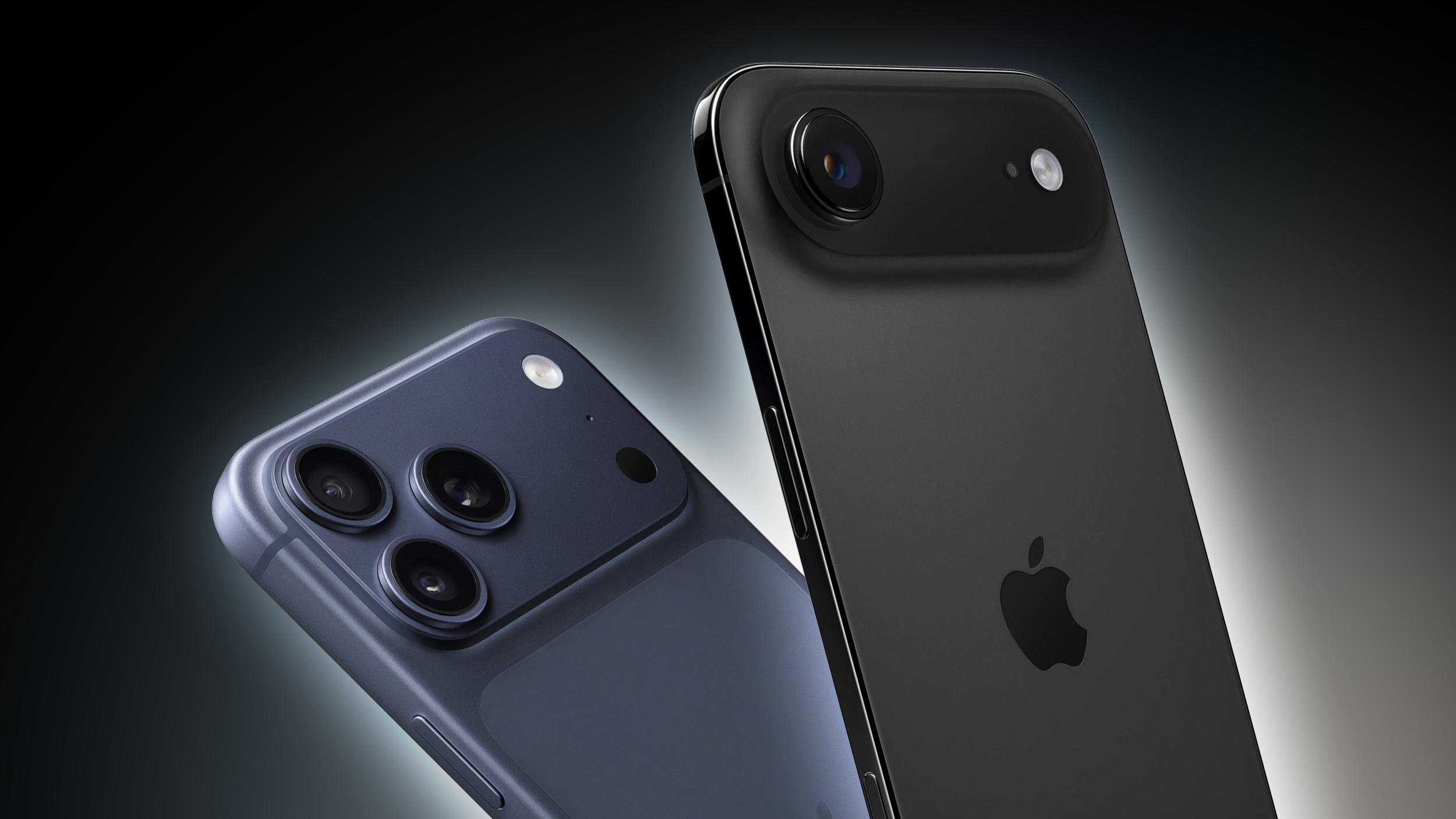
iPhone-17-Pro-and-Air-Feature.jpg

In short, Mayo said that when he attempted to charge his iPhone Air with a USB-C cable just seconds after the device ran out of battery, it failed to turn on and did not display the usual red battery icon that indicates charging is occurring.

Mayo subsequently realized that several users have posted about this issue across websites such as Reddit and iFixit Answers, but it is unclear what the root cause is or how widespread it is. Apple has yet to publicly comment on the matter, and the issue does not appear to be fixed in the latest iOS 26.4.1 and iOS 26.4.2 software releases.

As far as I can tell, I also experienced this issue with my iPhone 17 Pro Max earlier this month. While staying at a hotel, I accidentally forgot to charge the device one night, leading it to shut off on me when I woke up the next morning. Naturally, I plugged in a USB-C cable, but the screen remained black with no battery icon for many minutes. At the time, I thought that maybe the hotel's outlets were not working correctly, but I knew something was up after I tried a variety of different outlets and chargers without success.

Just like Mayo, I was eventually able to get my iPhone to turn on by placing it on a MagSafe charger and waiting about 10 to 15 minutes. In my case, it was a MagSafe battery pack from Anker that I carry with me while traveling.

A few Reddit users said the standard iPhone 17 model is also impacted.

All in all, it would appear that the new iPhones have a hit-or-miss charging problem when they fully run out of battery, but there is no guarantee that everyone will experience it. With the issue now receiving attention on 9to5Mac and MacRumors, hopefully Apple is made aware and provides a fix in an upcoming iOS version.

Article Link: Some iPhone 17 Pro and iPhone Air Users Experiencing a Charging Issue

I have an iphone15 pro. Has same problems lately. Battery goes dead, overnight, nothing on app side showing serious battery drain, wireless charger won’t help get it started again, have to plug it in, wait several minutes then phone starts up. Really seems to be some sort of os induced issue. I don’t think this is just 17 models with the issue.
 
  • Like
Reactions: RORRY_Official
I just don’t get it. It’s 2026. Our phones run our lives they do everything from make a call, play music, open doors, start cars, blah blah blah. It turns yellow to prompt you to plug it in and then red saying no seriously plug me the F in! Who lets the battery die!!!!? I’ll never get it. PERIOD
Some actress was recently quoted saying if a date showed up with an extremely low phone battery, she regarded it as a glaring red flag for personal responsibility. I find most celebrity news irritating but that got a "you, you're all right" out of me 😛
 
  • Haha
Reactions: Adam5SS
I ran into this issue a few months ago and not course panicked. I made an appointment for the Genius Bar and decided after a few hours of a black screen to use a MagSafe charger and after 10 minutes, my 17PM turned back on. I always discharge my phone down to 0% so I’m not worried about this happening again, which it hasn’t, and I always carry a MagSafe portable charger anyway, and within 20 minutes from 3-4 Apple Stores.
 
So a user drains their phone completely and expects immediate indication of charging -- this is really an "issue" !?

This did happen once with my IP17Pro, but I didn't find it worth writing about.
If it completely drains to nothing and plugging in doesn't start charging, that is a huge issue. If you don't have MagSafe, you have a $1,000.00 brick.
 
If it completely drains to nothing and plugging in doesn't start charging, that is a huge issue. If you don't have MagSafe, you have a $1,000.00 brick.
I think there may be a difference between charging the battery and the visual representation of charging the battery. The battery likely needs to hit a certain level before it shows the graphical charging image.

Also, USB-C is not an analog charging cable. A completely dead phone cannot negotiate faster charging with the cable, so charging may be stuck in slow lane for a while.
 
I think there may be a difference between charging the battery and the visual representation of charging the battery. The battery likely needs to hit a certain level before it shows the graphical charging image.

Also, USB-C is not an analog charging cable. A completely dead phone cannot negotiate faster charging with the cable, so charging may be stuck in slow lane for a while.
It's my understanding the phone won't charge--at all. You could leave it plugged into a 20 watt charger for 10 hours and it would still be dead. Or did I not ready this correctly?
 
What will i do if i don’t own a MagSafe charger?
Do i take my iPhone to my friends that maybe have a MagSafe charger, or do i travel several miles to the nearest Apple store?
 
Last edited:
I just don’t get it. It’s 2026. Our phones run our lives they do everything from make a call, play music, open doors, start cars, blah blah blah. It turns yellow to prompt you to plug it in and then red saying no seriously plug me the F in! Who lets the battery die!!!!? I’ll never get it. PERIOD
So what you’re basically saying is “You’re charging it wrong.”
 
Disappointing to see such issues. The lowest I have taken my 17 Pro Max is to 5% and so have not faced this issue. Hopefully Apple will fix the issue soon.
 
  • Like
Reactions: mganu
I'm having charging issues with my Air. Until the most recent update, it started to not charge on my 3rd party MagSafe charger beside my bed unless I rebooted it, but it worked fine on the one in my car. After the update, that issue with the bedside charger cleared up, but now it doesn't like to charge on the one in my car. A reboot doesn't seem to make a difference, this round. It may or may not charge on the car MagSafe charger.

I'm doing an early upgrade to the 17 Pro Max, and it'll be arriving today. This is when AT&T's Anytime Up Next actually seems worth the extra $10 per month. I just had to make sure the Air was 1/3rd paid off to get $1,100 trade-in for it. My 17PM will be under $3 per month.
 
What will i do if i don’t own a MagSafe charger?
Do i take my iPhone to my friends that maybe have a MagSafe charger, or do i travel several miles to the nearest Apple store?
Simple--just order a MagSafe battery to slap on the back. Apple will be more than happy to sell you the solution to the problem😉
 
  • Haha
Reactions: Matsamoto
I had a similar issue last night. Placed my phone on the MagSafe charger and didn't realize it didn't "ding" because I had music playing. Realized when I got to work this morning the battery was 23%. The phone would not charge via wire or MagSafe until I hard reset it. Clearly seems to be a firmware problem since a restart fixed it for now.
 
OK. But all that being said, there's clearly a charging issue that shouldn't be.
That has nothing to do with my statement. PS if you plug it in when it prompts you to when it turns yellow you’d have enough time to get a wireless charge from the store before it dies and your SOL. I get that it shouldn’t have an issue but it’s an electronic, they have issues sometimes.
 
Just because the phones are tied into so many things we do doesn't mean the world ends if it dies for a while. If I'm just sitting outside reading a book all afternoon actively trying to disconnect, do I really care if my phone is on or off? Nope. But when I do go to use it, I should expect it to start charging and/or turn on if it was off. I'm sure you (or someone reading this) are thinking something along the line of "What if someone needs to get ahold of me?" in rebuttal to that, but you know what? People weren't reachable 24/7 for most of human history. Sometimes I'm just not available and I'll catch up on whatever happened when I am available again. The phone should serve us, not the other way around.
Choosing to turn your phone off and disconnect is different from having an emergency and the phone being dead.
 
That has nothing to do with my statement. PS if you plug it in when it prompts you to when it turns yellow you’d have enough time to get a wireless charge from the store before it dies and your SOL. I get that it shouldn’t have an issue but it’s an electronic, they have issues sometimes.
It's the "your [sic] SOL" which is the problem. That should never be a thing no matter which way you try to spin it.
 
This story--which (I believe) came out about a week ago--was the reason why I just got myself a Baseus E00285 10,000 mAh Qi2 MagSafe power bank that attaches to the back of my iPhone 16 Plus. This is for just in case I can't revive my iPhone by plugging in a USB Type C charging cable connected to a USB-C charger.
 
It's the "your [sic] SOL" which is the problem. That should never be a thing no matter which way you try to spin it.
I’m not saying the phone should have an issue, it’s a ton of money. That being said if you like electronics you’re well aware that they have issues from time to time. Seems stupid to find out you’re having an issue at 1% when it could be found out at 20% when you may have time to do something before it’s at 0%
 
I’m not saying the phone should have an issue, it’s a ton of money. That being said if you like electronics you’re well aware that they have issues from time to time. Seems stupid to find out you’re having an issue at 1% when it could be found out at 20% when you may have time to do something before it’s at 0%
The mental gymnastics you are displaying is insane. Just come out and say that it's total incompetence to even allow this scenario to escape QA. It's an abomination.
 
This might explain why I wake up in the mornings at times with a phone not charged lol.
If you have an iPhone 17 series model, get a 5,000 mAh Qi2 MagSafe power bank or a MagSafe charging puck connected to a 30 watt USB-C charger. It appears charging from MagSafe revives the phone.
 
Register on MacRumors! This sidebar will go away, and you'll see fewer ads.