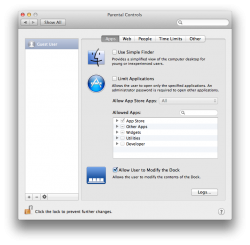
I'm completely new to the Mac world and I love my new Mac. There is something I have not been able to find out how to do. When I purchased the Mac, the Apple store set me up as the Admin. When I got home, I created a new user account for my son. I installed games on my account - Some through the App Store, others through another App (Steam, Beamdog (Baldur's Gate)).
My son started playing some games fine (those through the App Store). I tried to get the others working for him, but just do not know how. It kept saying he did not have permission to run the game. I tried playing around with the Parental Controls a little and now, the poor little guy can't play any games at all - no errors, the game just never loads. Sorry, I can't remember what I did. It also keeps asking for the Admin password every time he tries to do something.
Well, It looks like I am going backwards in my little quest which is why I'm here. When I install a game as the Admin, how can I allow my son to play specific games? Anything I can check or have to change on his account?
I'm a Unix guy so I don't mind running commands at the command prompt if I have to.
My son started playing some games fine (those through the App Store). I tried to get the others working for him, but just do not know how. It kept saying he did not have permission to run the game. I tried playing around with the Parental Controls a little and now, the poor little guy can't play any games at all - no errors, the game just never loads. Sorry, I can't remember what I did. It also keeps asking for the Admin password every time he tries to do something.
Well, It looks like I am going backwards in my little quest which is why I'm here. When I install a game as the Admin, how can I allow my son to play specific games? Anything I can check or have to change on his account?
I'm a Unix guy so I don't mind running commands at the command prompt if I have to.