

Become a MacRumors Supporter for $50/year with no ads, ability to filter front page stories, and private forums.

MacRumors

macrumors bot
Original poster


Sonos just updated its iOS app with new Live Activities support, providing quick access to playback controls from your Lock Screen.
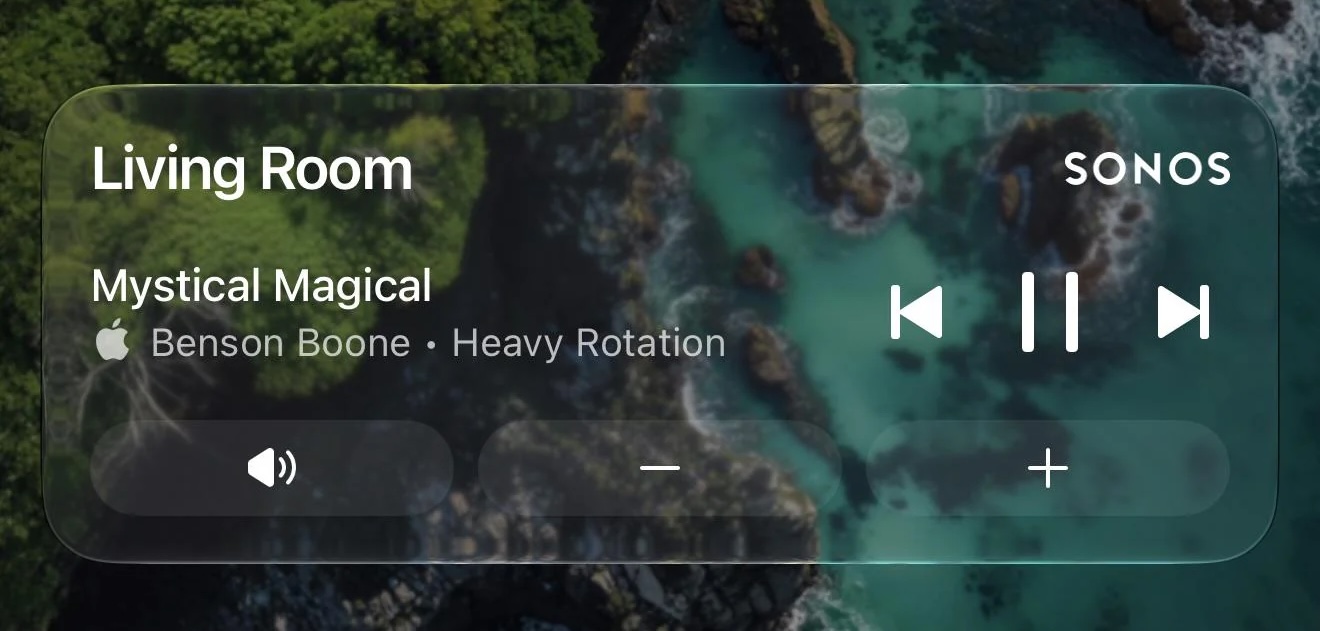
sonos-live-activity.jpg
Image credit: MajorAtmosphere

Sonos shared a Reddit post announcing the new feature, which appears after you initiate playback on a Sonos device and then close the app.

The Live Activity shows the current room or group you were last playing audio from and allows you to play/pause or skip tracks. Even if you initiate playback on Sonos from outside the Sonos app (Direct Control from supported services, Bluetooth, or AirPlay) you can still use the local playback controls that appear on the Live Activity.

As things stand, album art can't be displayed on the Live Activity, but the company said it's looking into alternative ways to enhance the Lock Screen experience. Sonos also mentioned that Live Activities work on Apple Watch and CarPlay, but "right now the controls aren't supported" in these instances.

Sonos called Live Activities support a "much requested, anticipated, and needed feature."

(Via 9to5Mac.)

Article Link: Sonos iPhone App Finally Gains Live Activities Support
 
Works great. Live activities and lock screen controls were the USP of apps like Sono+, and now it’s built in (again). I’d rather have a volume slider than buttons (muscle memory, more logical), and the need for mute is somewhat obviated by having a pause button, but I’ll take what I can get.
 
  • Like
Reactions: Agile55
Had to go to Sonos website and tap iOS app from there to get to update app option in the Apple App Store. Just going to the App Store first didn't work for me. Got it working now, and yes, we finally have volume control! Plus/Minus buttons instead of slider, but I'll take it!
 
  • Like
Reactions: Agile55
Not working for me. Tried delete & resintall. Tried reboot. Tried toggling settings.

Is this iOS 26 only ?
I’m still on 18, since 26 suxx. Can’t wait for 27, where all the stupid design “innovations” got rolled back.

-t
 
It’s off by default. After updating the app, you need to toggle it on: Account > App Preferences > Live Activity
The toggle didn’t show up for me at all in the path you specified. Like I said, I had to delete the app and reinstall just to see the toggle on that screen.
 
Register on MacRumors! This sidebar will go away, and you'll see fewer ads.