Hey guys,
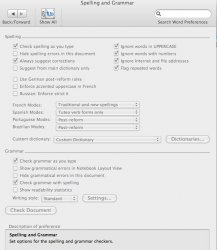
I have the latest unofficial MS Office 2011 and all the words in my documents that are in English are underlined with a red color telling me to spell check. When I right click on the word, it gives me the suggested words in Turkish. I went under tools/language and change it back to English but it automatically changes back to Turkish or sometimes to Portuguese. I had this issue on the MS Office 2008 as well and I was wondering if anyone has any idea how to fix this.
Thnx in advance
I have the latest unofficial MS Office 2011 and all the words in my documents that are in English are underlined with a red color telling me to spell check. When I right click on the word, it gives me the suggested words in Turkish. I went under tools/language and change it back to English but it automatically changes back to Turkish or sometimes to Portuguese. I had this issue on the MS Office 2008 as well and I was wondering if anyone has any idea how to fix this.
Thnx in advance