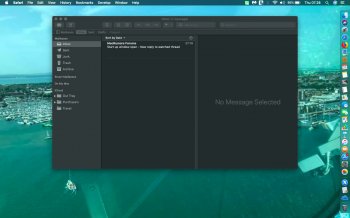
Davycrocket825 macrumors regular Original poster Jul 24, 2019 #1 when I start my Mac I get a window opening how do I stop this from opening ?
Shirasaki macrumors P6 Jul 24, 2019 #2 Which window? Would you mind taking a screenshot or even a photo of that window?
Davycrocket825 macrumors regular Original poster Jul 24, 2019 #3 THIS IS IT Attachments fullsizeoutput_390.jpeg 215.4 KB · Views: 123
Shirasaki macrumors P6 Jul 25, 2019 #4 Ok. Do you leave the mail app open every time you shut down your Mac? Do you have your mail app launched every time you start up your Mac?
Ok. Do you leave the mail app open every time you shut down your Mac? Do you have your mail app launched every time you start up your Mac?
auxbuss macrumors 6502a Jul 25, 2019 #5 That's Mail. Try the options in this article: https://appuals.com/how-to-stop-your-macos-from-reopening-apps-after-a-reboot-or-a-crash/
That's Mail. Try the options in this article: https://appuals.com/how-to-stop-your-macos-from-reopening-apps-after-a-reboot-or-a-crash/
Davycrocket825 macrumors regular Original poster Jul 26, 2019 #6 Shirasaki said: Ok. Do you leave the mail app open every time you shut down your Mac? Do you have your mail app launched every time you start up your Mac? Click to expand... I close it at shut down how do you stop it launching?
Shirasaki said: Ok. Do you leave the mail app open every time you shut down your Mac? Do you have your mail app launched every time you start up your Mac? Click to expand... I close it at shut down how do you stop it launching?
Shirasaki macrumors P6 Jul 26, 2019 #7 Davycrocket825 said: I close it at shut down how do you stop it launching? Click to expand... Every time you shut down Mac, there is a tick prompting you to reopen windows closed before shut down. Clear that tick.
Davycrocket825 said: I close it at shut down how do you stop it launching? Click to expand... Every time you shut down Mac, there is a tick prompting you to reopen windows closed before shut down. Clear that tick.