Become a MacRumors Supporter for $50/year with no ads, ability to filter front page stories, and private forums.

MacRumors

macrumors bot
Original poster


In iOS, Apple's Audio Zoom feature automatically focuses your iPhone's microphones on whatever you've zoomed in on while recording video. It's great for isolating a subject in a noisy environment, but it can also strip away the ambient sound that can give your footage a broader context. Fortunately, iOS 26.4 adds a dedicated toggle for Audio Zoom so you can decide for yourself when it's truly required.
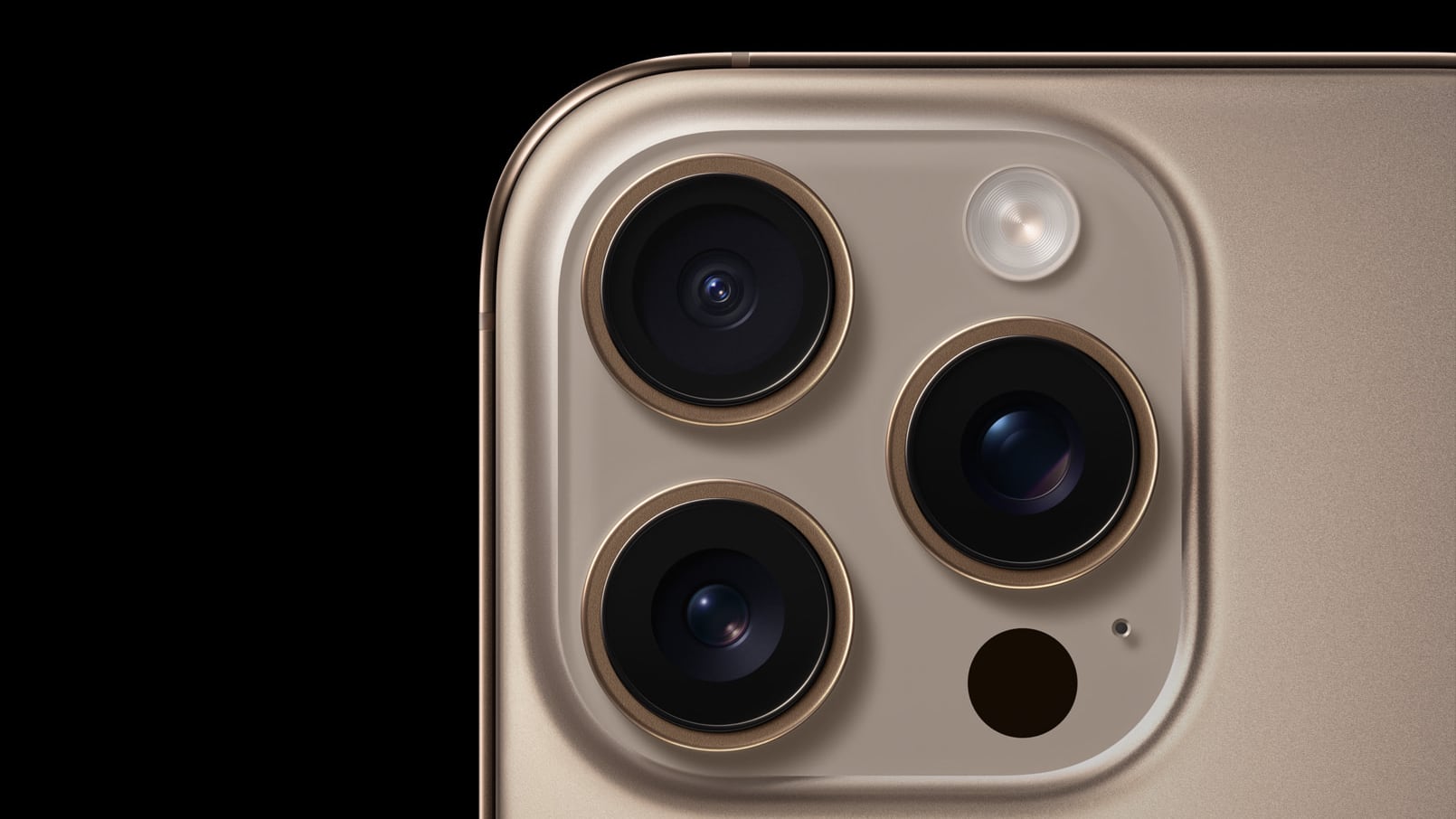
iphone-16-pro-rear-cameras.jpg

What Is Audio Zoom?

Audio Zoom is likely to be most useful if you're recording at a concert, sporting event, or any scenario where you want to isolate a specific sound source from a noisy environment. But what if you want to capture the full acoustic experience rather than just the subject you've zoomed in on? In those situations, the audio narrowing effect could risk making your video sound flat and unnatural.

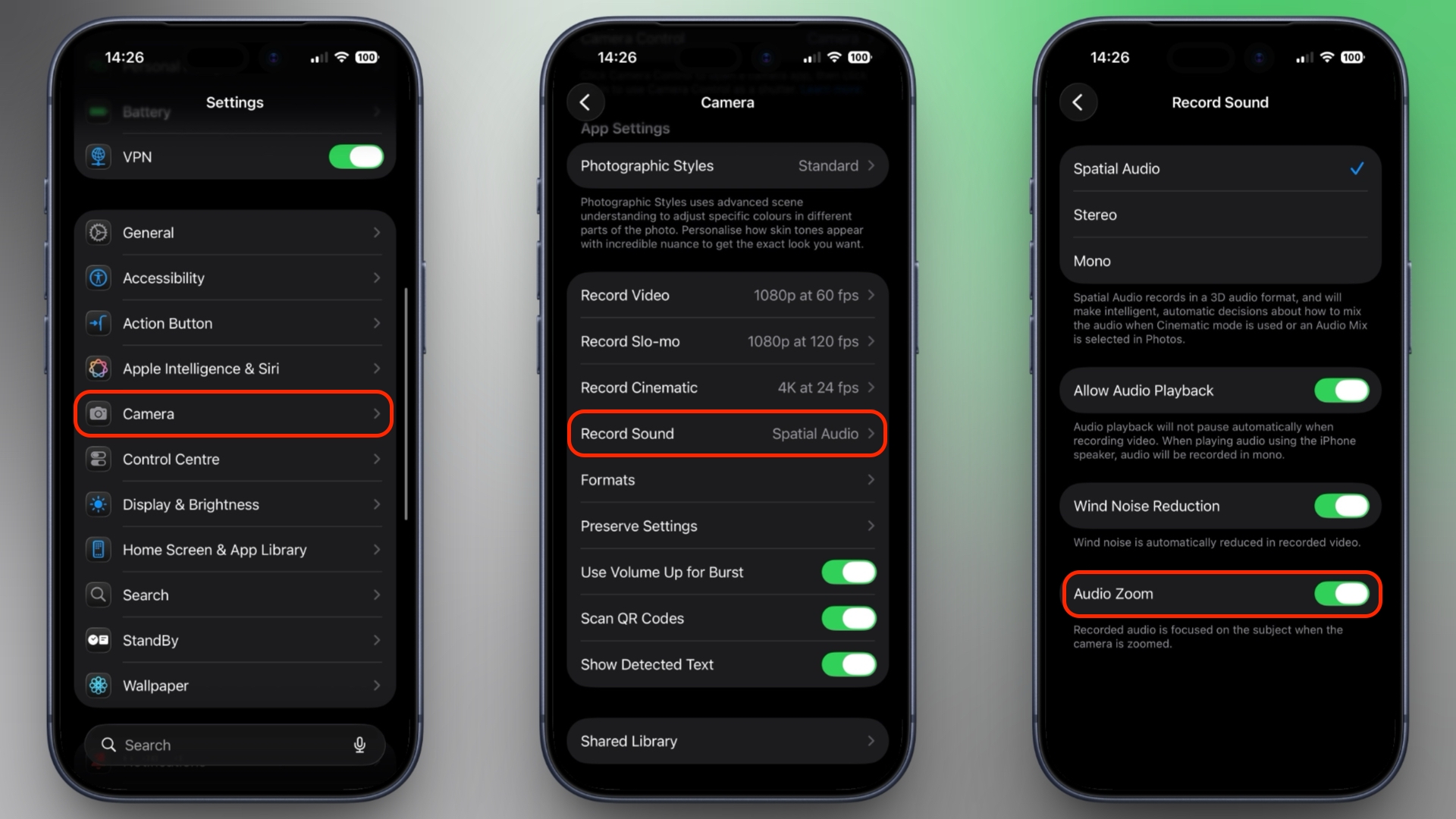
In iOS 26.4, Audio Zoom is on by default, but now you can also turn it off. If you haven't updated yet, head to Settings ➝ General ➝ Software Update on your iPhone to download the latest version. Once you're up and running, here's how to find the setting:
  1. Open Settings on your iPhone.
  2. Scroll down and tap Camera.
  3. Tap Record Sound.
  4. Toggle Audio Zoom on or off.
camera-audio-zoom-ios.jpeg


Note that Audio Zoom only works when Spatial Audio or Stereo is selected as your recording format. If you've switched to Mono, the option will be grayed out.

If you shoot a lot of zoomed-in video and want the clearest possible audio of your subject, it's best to leave Audio Zoom enabled. But if you prefer capturing the full ambient soundscape of a scene regardless of zoom level, be sure to switch it off.

Article Link: Stop Your iPhone Suppressing Background Audio in Videos
 
  • Wow
Reactions: Z-4195
I keep wondering whether people who constantly film at concerts actually watch their footage afterwards. It's ALWAYS going to sound crap.
You don't have to immediately justify every memory saved. That's no different than the photo albums people saved before digital existed and was this convenient. Saved away, and then brought out decades later as a reminder or to show the next generation. It doesn't have to be perfect to have value.
 
Note that Audio Zoom only works when Spatial Audio or Stereo is selected as your recording format.
I don't even see the option for Spatial Audio. Assuming it's only on certain newer iPhones. Though I would've expected the 15 Pro to have it since it supports Spatial Video recording. Would be nice if the article noted which phones support it.
 
I keep wondering whether people who constantly film at concerts actually watch their footage afterwards. It's ALWAYS going to sound crap.

Speak for yourself. I am constantly amazed at how clear and great sounding the audio I've captured on my 15PM at concerts has been. Apple worked real magic when they coded the algorithms that process incoming sound. I would never have expected a consumer device, let alone a phone, be able to produce such spectacular sound.
 
I was wondering why some concert footage had louder sound at random points. Now I know why. Thanks for the tip.
 
I keep wondering whether people who constantly film at concerts actually watch their footage afterwards. It's ALWAYS going to sound crap.
I’ve never thought anyone going to a concert was going for the sound. I’ve not been to any concert where the audio is clearer and more defined than the studio recording. 🙂
 
Speak for yourself. I am constantly amazed at how clear and great sounding the audio I've captured on my 15PM at concerts has been. Apple worked real magic when they coded the algorithms that process incoming sound. I would never have expected a consumer device, let alone a phone, be able to produce such spectacular sound.
same, but with my 17 pro max. saw tate mcrae in atlanta and illenium in vegas. airplay vids to my tv and friends are amazed at the clarity and sound quality. and idgaf if i look "old" recording horizontally, it's best for playing back the way people have watched content for close to a century.

my drunken vocals are another matter, however... 😅
 
  • Like
Reactions: DanteHicks79
This is making staying on iOS 18 harder. But do I want more functionality at the cost of bugs and my sanity or do I want stability with less features? This is about the only iOS 26 feature that I’m remotely interested in.
 
This is great! I had no idea this was a function, but I had noticed on my videos that sometimes the audio started to sound off / muffled / different than usual. I had chalked it up to thinking I started covering the mic up with my hand at certain points in the video, but this totally makes more sense! I frequently tap 2x quickly to zoom in on things, and then back to 1x as needed. I just went in and turned it off - better for my needs!
 
This is great! I had no idea this was a function, but I had noticed on my videos that sometimes the audio started to sound off / muffled / different than usual. I had chalked it up to thinking I started covering the mic up with my hand at certain points in the video, but this totally makes more sense! I frequently tap 2x quickly to zoom in on things, and then back to 1x as needed. I just went in and turned it off - better for my needs!
I turned off Spatial Audio a while back and that muffled sound stopped happening. But I did notice the focus happening, such as the music drowning out when I did a spinning shot of everyone’s flashlights on in an arena. So now I have turned that off as well.
 
  • Like
Reactions: Christopher Kim
I turned off Spatial Audio a while back and that muffled sound stopped happening. But I did notice the focus happening, such as the music drowning out when I did a spinning shot of everyone’s flashlights on in an arena. So now I have turned that off as well.
I’ve also had videos Audio be totally messed up in big crowds. Figured I covered the speakers with my hand .
 
Good to give more control to the users. I like the audio zoom feature but will definitely update my phone and change the setting and see.
 
  • Like
Reactions: mganu
Register on MacRumors! This sidebar will go away, and you'll see fewer ads.