
Got a tip for us?
Let us know
Become a MacRumors Supporter for $50/year with no ads, ability to filter front page stories, and private forums.
Strange partition after upgradeding to Big Sur
- Thread starter CLS7
- Start date
- Sort by reaction score
You are using an out of date browser. It may not display this or other websites correctly.
You should upgrade or use an alternative browser.
You should upgrade or use an alternative browser.


Apple_Robert
Contributor
I haven’t seen that before with any of my installs until Big Sur. I have the same thing.
Edited to add: It looks like an encrypted snapshot of the install.
Edited to add: It looks like an encrypted snapshot of the install.
Areyouwinningson?
macrumors newbie
Same here on clean install. I think this is related to the the new crypto signing on Big Sur for extra protection. Below is from Apple
SSV helps prevent tampering with any Apple software that is part of the operating system. Additionally, it makes macOS Software Update more reliable and much safer. SSV utilizes APFS snapshots, so if an update cannot be performed, the old system version can be restored without reinstallation."
"Signed system volume
In macOS Catalina, Apple introduced the read-only system volume, which is a dedicated, isolated volume for system content. Now, macOS Big Sur adds strong cryptographic protections to store system content on a signed system volume (SSV). SSV features a kernel mechanism that verifies the integrity of the system content at runtime, and rejects any data — code and non-code — that doesn’t have a valid cryptographic signature from Apple.SSV helps prevent tampering with any Apple software that is part of the operating system. Additionally, it makes macOS Software Update more reliable and much safer. SSV utilizes APFS snapshots, so if an update cannot be performed, the old system version can be restored without reinstallation."

It is the new normal. Roughly speaking: Upgrades of macOs are done into a 'snapshot' - that makes it easier to recover in case of disaster. This is how iOS does updates.
Being more precise/pedantic: It is not a partition. It is a snapshot of the Macintosh HD; Macintosh HD is an APFS volume, which is inside an APFS container Behallare disk 3; the container is filling the only (visible) partition of the Samsung SSD
Being more precise/pedantic: It is not a partition. It is a snapshot of the Macintosh HD; Macintosh HD is an APFS volume, which is inside an APFS container Behallare disk 3; the container is filling the only (visible) partition of the Samsung SSD

corentin-p
macrumors newbie
Hey Guys !
Just learnt about how Big Sur boots from a snapshot after noticing this strange partition in diskutil apfs list
Something else struck me : the snapshot is marked 'Snapshot sealed : yes' but the original Big Sur 'System' Partition is marked 'Sealed : broken'.
I reinstalled Big Sur from Internet Recovery after having erased the entire container in disk utility, so I believe my setup to be clean.
Would someone of you guys be kind enough to run 'diskutil apfs list' and on the volume that says '(System)' on the second line tell me if the line 'Sealed' reads the same as on my machine ? Just to know if this is normal behavior ? Here is what it looks like on mine :
Anyway these changes I believe will further complicate things for clones, data recovery, hackintoshes... thank you apple....not.
Just learnt about how Big Sur boots from a snapshot after noticing this strange partition in diskutil apfs list
Something else struck me : the snapshot is marked 'Snapshot sealed : yes' but the original Big Sur 'System' Partition is marked 'Sealed : broken'.
I reinstalled Big Sur from Internet Recovery after having erased the entire container in disk utility, so I believe my setup to be clean.
Would someone of you guys be kind enough to run 'diskutil apfs list' and on the volume that says '(System)' on the second line tell me if the line 'Sealed' reads the same as on my machine ? Just to know if this is normal behavior ? Here is what it looks like on mine :
Code:
+-> Volume disk1s5 725C4B3E-EE14-4312-BDA6-AB8326E4DC8A
        ---------------------------------------------------
        APFS Volume Disk (Role):   disk1s5 (System)
        Name:                      MacHD (Case-insensitive)
        Mount Point:               Not Mounted
        Capacity Consumed:         14939185152 B (14.9 GB)
        Sealed:                    Broken
        FileVault:                 Yes (Unlocked)
        Encrypted:                 No
        |
        Snapshot:                  E20659D2-040F-4555-8F68-5F86F3A132A2
        Snapshot Disk:             disk1s5s1
        Snapshot Mount Point:      /
        Snapshot Sealed:           Yes
Anyway these changes I believe will further complicate things for clones, data recovery, hackintoshes... thank you apple....not.

Mine says the same thing and everything seems to be working fine.
Code:
+-> Volume disk1s1 423E8863-C7BA-475A-9230-DBD2AE9405AC
|   |   ---------------------------------------------------
|   |   APFS Volume Disk (Role):   disk1s1 (System)
|   |   Name:                      Macintosh HD (Case-insensitive)
|   |   Mount Point:               Not Mounted
|   |   Capacity Consumed:         14939230208 B (14.9 GB)
|   |   Sealed:                    Broken
|   |   FileVault:                 Yes (Unlocked)
|   |   Encrypted:                 No
|   |   |
|   |   Snapshot:                  30B1C352-5065-46FA-943A-5E74A80068FB
|   |   Snapshot Disk:             disk1s1s1
|   |   Snapshot Mount Point:      /
|   |   Snapshot Sealed:           Yes
|   |
mikethebigo
macrumors 68030
Funny, I thought that would clear out after the first reboot, but it seems like it's here to stay.
corentin-p
macrumors newbie
Thanks @Weaselboy,
The reason I reinstalled in the first place was that on Catalina, I used to boot into recovery, mount the System partition and clean up a bit /System/Library/Desktop Pictures (why the hell did Apple put wallpapers folder into a System, read only, and SIP protected partition is beyond my understanding). When I learnt about snapshots, I ran diskutil apfs list and noticed the "sealed : broken" and I thought I had messed up the system.
I tried to do that same cleanup on Big Sur, but when I booted back into Big Sur, the images, symlinks and folders that compose the folder were still there ! I think I should have mounted the snapshot instead of the partition, but now I ain't sure I want to risk ruining something when the whole system runs off of a complicated differential snapshot thing.
I guess we a gearing towards an iOS-like filesystem management thing where in a few years we will not be able to mess with our system files - at all. sad.
Corentin
The reason I reinstalled in the first place was that on Catalina, I used to boot into recovery, mount the System partition and clean up a bit /System/Library/Desktop Pictures (why the hell did Apple put wallpapers folder into a System, read only, and SIP protected partition is beyond my understanding). When I learnt about snapshots, I ran diskutil apfs list and noticed the "sealed : broken" and I thought I had messed up the system.
I tried to do that same cleanup on Big Sur, but when I booted back into Big Sur, the images, symlinks and folders that compose the folder were still there ! I think I should have mounted the snapshot instead of the partition, but now I ain't sure I want to risk ruining something when the whole system runs off of a complicated differential snapshot thing.
I guess we a gearing towards an iOS-like filesystem management thing where in a few years we will not be able to mess with our system files - at all. sad.
Corentin
Mine says the same thing and everything seems to be working fine.
Code:+-> Volume disk1s1 423E8863-C7BA-475A-9230-DBD2AE9405AC | | --------------------------------------------------- | | APFS Volume Disk (Role): disk1s1 (System) | | Name: Macintosh HD (Case-insensitive) | | Mount Point: Not Mounted | | Capacity Consumed: 14939230208 B (14.9 GB) | | Sealed: Broken | | FileVault: Yes (Unlocked) | | Encrypted: No | | | | | Snapshot: 30B1C352-5065-46FA-943A-5E74A80068FB | | Snapshot Disk: disk1s1s1 | | Snapshot Mount Point: / | | Snapshot Sealed: Yes | |
You won’t be able to receive OTA updates if the seal is broken so you might want to look into rectifying this.
corentin-p
macrumors newbie
Hi w1z
Thank you for that info, but do you have any official apple info supporting that ? Just curious, and trying to understand what that line means.
Also, how is it possible that my seal is broken on a fresh Big Sur install (again, I used Internet Recovery, deleted « Macintosh HD » and « Macintosh HD - Data » volumes, erased APFS container, recreated an APFS container to reinstall - did I do something wrong ?) ?
Thank you for that info, but do you have any official apple info supporting that ? Just curious, and trying to understand what that line means.
Also, how is it possible that my seal is broken on a fresh Big Sur install (again, I used Internet Recovery, deleted « Macintosh HD » and « Macintosh HD - Data » volumes, erased APFS container, recreated an APFS container to reinstall - did I do something wrong ?) ?

Quackers
macrumors 68000
I read that if you install BS in the same container as Catalina (for instance) it will stop Catalina from receiving updates.
Consequently I chose to partition my disc and installed BS on that.
Here is my Disk Utility shot and if you can make any sense of it my diskutil apfs list. As you can see none of mine are sealed.
I have a bless partition 😱

Consequently I chose to partition my disc and installed BS on that.
Here is my Disk Utility shot and if you can make any sense of it my diskutil apfs list. As you can see none of mine are sealed.
I have a bless partition 😱
Code:
Michaels-MBP ~ % diskutil apfs list


APFS Containers (2 found)


|


+-- Container disk1 140E847B-092F-429A-B18C-FFF2E4BCE101


|   ====================================================


|   APFS Container Reference:     disk1


|   Size (Capacity Ceiling):      150790434816 B (150.8 GB)


|   Capacity In Use By Volumes:   86511181824 B (86.5 GB) (57.4% used)


|   Capacity Not Allocated:       64279252992 B (64.3 GB) (42.6% free)


|   |


|   +-< Physical Store disk0s2 D22486B5-166E-433A-A48A-0A8378688DA0


|   |   -----------------------------------------------------------


|   |   APFS Physical Store Disk:   disk0s2


|   |   Size:                       150790434816 B (150.8 GB)


|   |


|   +-> Volume disk1s1 E89B62D9-7A9B-35B8-AF26-656E6C5C77AD


|   |   ---------------------------------------------------


|   |   APFS Volume Disk (Role):   disk1s1 (Data)


|   |   Name:                      Macintosh HD - Data (Case-insensitive)


|   |   Mount Point:               /Volumes/Macintosh HD - Data


|   |   Capacity Consumed:         30401728512 B (30.4 GB)


|   |   Sealed:                    No


|   |   FileVault:                 No


|   |


|   +-> Volume disk1s2 3709CB93-A6CA-4604-BB5A-552442B5DCE2


|   |   ---------------------------------------------------


|   |   APFS Volume Disk (Role):   disk1s2 (Preboot)


|   |   Name:                      Preboot (Case-insensitive)


|   |   Mount Point:               Not Mounted


|   |   Capacity Consumed:         82259968 B (82.3 MB)


|   |   Sealed:                    No


|   |   FileVault:                 No


|   |


|   +-> Volume disk1s3 AA062F07-826B-4F31-AD47-33A01596F359


|   |   ---------------------------------------------------


|   |   APFS Volume Disk (Role):   disk1s3 (Recovery)


|   |   Name:                      Recovery (Case-insensitive)


|   |   Mount Point:               Not Mounted


|   |   Capacity Consumed:         525815808 B (525.8 MB)


|   |   Sealed:                    No


|   |   FileVault:                 No


|   |


|   +-> Volume disk1s4 4460DB41-C252-4BCF-95AE-5F7366A40FD2


|   |   ---------------------------------------------------


|   |   APFS Volume Disk (Role):   disk1s4 (VM)


|   |   Name:                      VM (Case-insensitive)


|   |   Mount Point:               Not Mounted


|   |   Capacity Consumed:         1074810880 B (1.1 GB)


|   |   Sealed:                    No


|   |   FileVault:                 No


|   |


|   +-> Volume disk1s5 A4857DB2-5057-4BCC-8446-2BAEDF2722D9


|   |   ---------------------------------------------------


|   |   APFS Volume Disk (Role):   disk1s5 (Data)


|   |   Name:                      Macintosh HD - Data (Case-insensitive)


|   |   Mount Point:               /Volumes/Macintosh HD - Data 1


|   |   Capacity Consumed:         42981916672 B (43.0 GB)


|   |   Sealed:                    No


|   |   FileVault:                 No


|   |


|   +-> Volume disk1s6 66DC35D1-16FB-422A-A98A-9F5EAFE86129


|       ---------------------------------------------------


|       APFS Volume Disk (Role):   disk1s6 (System)


|       Name:                      Macintosh HD (Case-insensitive)


|       Mount Point:               /Volumes/Macintosh HD


|       Capacity Consumed:         11315482624 B (11.3 GB)


|       Sealed:                    No


|       FileVault:                 No


|


+-- Container disk2 BB3523D0-73DA-4282-B29A-6885574B696C


    ====================================================


    APFS Container Reference:     disk2


    Size (Capacity Ceiling):      100000002048 B (100.0 GB)


    Capacity In Use By Volumes:   54386044928 B (54.4 GB) (54.4% used)


    Capacity Not Allocated:       45613957120 B (45.6 GB) (45.6% free)


    |


    +-< Physical Store disk0s3 08F4E2DD-A9E9-4904-9E13-DB27FCED4AAE


    |   -----------------------------------------------------------


    |   APFS Physical Store Disk:   disk0s3


    |   Size:                       100000002048 B (100.0 GB)


    |


    +-> Volume disk2s1 636BBDFD-B2D3-4AD5-AC89-633A0EC18A32


    |   ---------------------------------------------------


    |   APFS Volume Disk (Role):   disk2s1 (Data)


    |   Name:                      Big Sur - Data (Case-insensitive)


    |   Mount Point:               /System/Volumes/Data


    |   Capacity Consumed:         36090318848 B (36.1 GB)


    |   Sealed:                    No


    |   FileVault:                 No


    |


    +-> Volume disk2s2 E9B41392-11D8-4E22-BC07-3520BCEDE266


    |   ---------------------------------------------------


    |   APFS Volume Disk (Role):   disk2s2 (Preboot)


    |   Name:                      Preboot (Case-insensitive)


    |   Mount Point:               /System/Volumes/Preboot


    |   Capacity Consumed:         291393536 B (291.4 MB)


    |   Sealed:                    No


    |   FileVault:                 No


    |


    +-> Volume disk2s3 5F7CA064-63A8-487B-BB95-8211B9DF3A6B


    |   ---------------------------------------------------


    |   APFS Volume Disk (Role):   disk2s3 (Recovery)


    |   Name:                      Recovery (Case-insensitive)


    |   Mount Point:               Not Mounted


    |   Capacity Consumed:         655462400 B (655.5 MB)


    |   Sealed:                    No


    |   FileVault:                 No


    |


    +-> Volume disk2s4 1BDA66D7-973C-4161-AB00-8E2BD516A862


    |   ---------------------------------------------------


    |   APFS Volume Disk (Role):   disk2s4 (VM)


    |   Name:                      VM (Case-insensitive)


    |   Mount Point:               /System/Volumes/VM


    |   Capacity Consumed:         1074810880 B (1.1 GB)


    |   Sealed:                    No


    |   FileVault:                 No


    |


    +-> Volume disk2s5 F6D66EE3-2921-41D7-A3EF-292FE4D46EEC


        ---------------------------------------------------


        APFS Volume Disk (Role):   disk2s5 (System)


        Name:                      Big Sur (Case-insensitive)


        Mount Point:               Not Mounted


        Capacity Consumed:         16149045248 B (16.1 GB)


        Sealed:                    No


        FileVault:                 No


        |


        Snapshot:                  7D385757-CD2D-4F75-A7A4-E2258D125CF0


        Snapshot Disk:             disk2s5s1


        Snapshot Mount Point:      /


        Snapshot Sealed:           No
Last edited:
corentin-p
macrumors newbie
@Quackers You have the dreaded double « - Data » partition on the container holding Catalina, symptom of a reinstall without deleting it.
a « diskutil apfs listVolumeGroups » should give you the one associated with the « system » volume and you should be able to delete the unused one to recover disk space.
as for the « sealed » attribute, I am beginning to think that only the snapshot (volume with a funky name) should be « snapshot sealed », like on @Weaselboy « diskutil list » excerpt and on mine.
Yours is not however... strange. Clean install ?
Corentin
a « diskutil apfs listVolumeGroups » should give you the one associated with the « system » volume and you should be able to delete the unused one to recover disk space.
as for the « sealed » attribute, I am beginning to think that only the snapshot (volume with a funky name) should be « snapshot sealed », like on @Weaselboy « diskutil list » excerpt and on mine.
Yours is not however... strange. Clean install ?
Corentin
Quackers
macrumors 68000
Fortunately space is not a problem to me in my use of this laptop 🙂 but I didn't know about that!@Quackers You have the dreaded double « - Data » partition on the container holding Catalina, symptom of a reinstall without deleting it.
a « diskutil apfs listVolumeGroups » should give you the one associated with the « system » volume and you should be able to delete the unused one to recover disk space.
as for the « sealed » attribute, I am beginning to think that only the snapshot (volume with a funky name) should be « snapshot sealed », like on @Weaselboy « diskutil list » excerpt and on mine.
Yours is not however... strange. Clean install ?
Corentin
My snapshot appears to say Sealed - no
It's all a bit double-dutch to me. So many volumes!
Yes, clean install on a new partition.
Hi w1z
Thank you for that info, but do you have any official apple info supporting that ? Just curious, and trying to understand what that line means.
Also, how is it possible that my seal is broken on a fresh Big Sur install (again, I used Internet Recovery, deleted « Macintosh HD » and « Macintosh HD - Data » volumes, erased APFS container, recreated an APFS container to reinstall - did I do something wrong ?) ?
It wasn’t from Apple as they have yet to disclose information and publish public pages that discuss the SSV (Signed System Volume) feature in detail.
I’ll have to check my browser history ... too much reading on a Sunday!
Quackers
macrumors 68000
@corentin-p is your BS installation in the same container as your previous install?
If it is (and from what I've read) then your previous installation will not now be able to receive updates.
Maybe that's how Apple implement that. By breaking the seal? Just a guess though.
If it is (and from what I've read) then your previous installation will not now be able to receive updates.
Maybe that's how Apple implement that. By breaking the seal? Just a guess though.
corentin-p
macrumors newbie
@w1z I have come across this article :
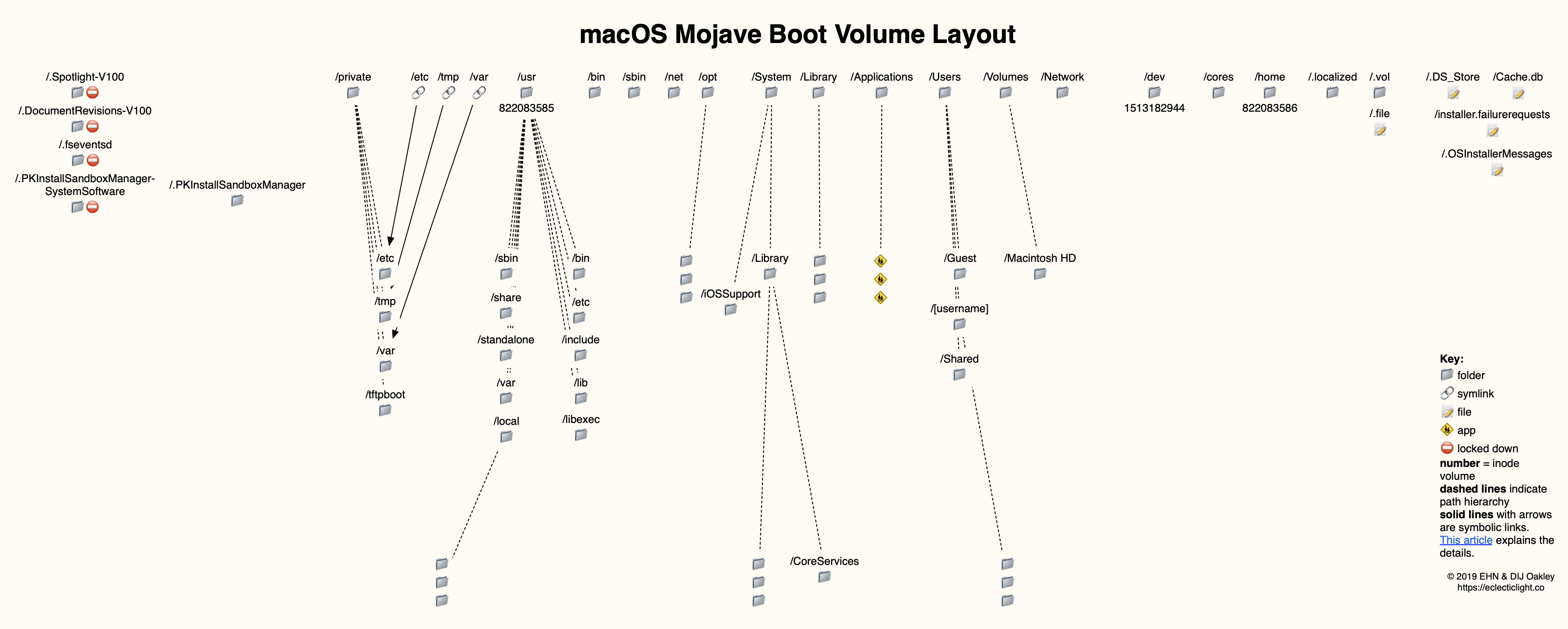
 eclecticlight.co
I think you are right, SSV is what is at play here so I would assume « Sealed » equals « cryptographically verified ».
TLDR of the article : In order to boot, a volume must be signed, or the cryptographic verification be disabled on the system.
But it seems also that the system only boots from snapshots now, so it would make sense that the system volume, being only used to « derive » snapshots from it, does not need to be sealed.
let’s wait for more doc and more savvy people than me to explain 🙂
Sunday is almost over for me so... good night !
Corentin
Big Sur’s Signed System Volume: added security protection
From SIP to a protected read-only System volume, macOS 11 takes system protection a big step further with cryptographic verification.
eclecticlight.co
I think you are right, SSV is what is at play here so I would assume « Sealed » equals « cryptographically verified ».
TLDR of the article : In order to boot, a volume must be signed, or the cryptographic verification be disabled on the system.
But it seems also that the system only boots from snapshots now, so it would make sense that the system volume, being only used to « derive » snapshots from it, does not need to be sealed.
let’s wait for more doc and more savvy people than me to explain 🙂
Sunday is almost over for me so... good night !
Corentin
corentin-p
macrumors newbie
No, like I said, fearing the « problem » with the seal to be my fault, I booted in Internet Recovery, in order to be able to completely erase the disk (not possible on normal recovery because some programs used in the recovery environment use files in the volumes of the container).@corentin-p is your BS installation in the same container as your previous install?
If it is (and from what I've read) then your previous installation will not now be able to receive updates.
Maybe that's how Apple implement that. By breaking the seal? Just a guess though.
Corentin

adrianlondon
macrumors 604
Ditto. But I'm on RC2 as I haven't upgraded to the final release yet, as am assuming a new beta will come along soon!Mine says the same thing and everything seems to be working fine.
Quackers
macrumors 68000
@corentin-p which Macintosh Data partition to delete? One uses 30GB and one used 43GB 😱
Code:
@Michaels-MBP ~ % diskutil apfs listVolumeGroups
APFS Containers (2 found)
|
+-- Container disk1 140E847B-092F-429A-B18C-FFF2E4BCE101
|   |
|   +-> Volume Group E89B62D9-7A9B-35B8-AF26-656E6C5C77AD
|   |   =================================================
|   |   APFS Volume Disk (Role):   disk1s1 (Data)
|   |   Name:                      Macintosh HD - Data
|   |   Volume UUID:               E89B62D9-7A9B-35B8-AF26-656E6C5C77AD
|   |   Capacity Consumed:         30401728512 B (30.4 GB)
|   |
|   +-> Volume Group A4857DB2-5057-4BCC-8446-2BAEDF2722D9
|       =================================================
|       APFS Volume Disk (Role):   disk1s5 (Data)
|       Name:                      Macintosh HD - Data
|       Volume UUID:               A4857DB2-5057-4BCC-8446-2BAEDF2722D9
|       Capacity Consumed:         42981916672 B (43.0 GB)
|       -------------------------------------------------
|       APFS Volume Disk (Role):   disk1s6 (System)
|       Name:                      Macintosh HD
|       Volume UUID:               66DC35D1-16FB-422A-A98A-9F5EAFE86129
|       Capacity Consumed:         11315482624 B (11.3 GB)
|
+-- Container disk2 BB3523D0-73DA-4282-B29A-6885574B696C
    |
    +-> Volume Group 636BBDFD-B2D3-4AD5-AC89-633A0EC18A32
        =================================================
        APFS Volume Disk (Role):   disk2s1 (Data)
        Name:                      Big Sur - Data
        Volume UUID:               636BBDFD-B2D3-4AD5-AC89-633A0EC18A32
        Capacity Consumed:         36114767872 B (36.1 GB)
        -------------------------------------------------
        APFS Volume Disk (Role):   disk2s5 (System)
        Name:                      Big Sur
        Volume UUID:               F6D66EE3-2921-41D7-A3EF-292FE4D46EEC
        Capacity Consumed:         16149045248 B (16.1 GB
Quackers
macrumors 68000
Yep, understood. I re-read your OP.No, like I said, fearing the « problem » with the seal to be my fault, I booted in Internet Recovery, in order to be able to completely erase the disk (not possible on normal recovery because some programs used in the recovery environment use files in the volumes of the container).
Corentin
corentin-p
macrumors newbie
@Quackers
No problem, the matter is already complicated, and English is not my native language, I may not always be one hundred percent clear in my answers 🙂
I would say the first one in the list, UUID E89B62D9-7A9B-35B8-AF26-656E6C5C77AD. It is not attached to a system volume, like the one below it.
Proceed with caution, this partition may still contain files that you created before reinstalling Catalina. If you need these files, try to recover them beforehand. It seems the volume is mounted in /Volumes/Macintosh HD - Data from your previous post, maybe try to peek inside the folder to see if anything is readable first, then delete it if nothing important there ?
No problem, the matter is already complicated, and English is not my native language, I may not always be one hundred percent clear in my answers 🙂
I would say the first one in the list, UUID E89B62D9-7A9B-35B8-AF26-656E6C5C77AD. It is not attached to a system volume, like the one below it.
Proceed with caution, this partition may still contain files that you created before reinstalling Catalina. If you need these files, try to recover them beforehand. It seems the volume is mounted in /Volumes/Macintosh HD - Data from your previous post, maybe try to peek inside the folder to see if anything is readable first, then delete it if nothing important there ?
Last edited:
Quackers
macrumors 68000
Thanks. Yes I've been reading up a bit and though it's not currently a problem space-wise I like to have things done properly 🙂@Quackers
I would say the first one in the list, UUID E89B62D9-7A9B-35B8-AF26-656E6C5C77AD. It is not attached to a system volume,
Proceed with caution, this parition may still contain files that you created before reinstalling Catalina. If you need these files, try to recover them beforehand. It seems the volume is mounted in /Volumes/Macintosh HD - Data from your previous post, maybe try to peek inside the folder to see if anything is readable first, the delete it if nothing important there ?
It seems I may have to backup Catalina, delete both HD Data partitions (but not the Macintosh HD volume???) and boot from the recovery (cmd + r) and re-install Catalina then restore from the backup all the data. That should just leave one new Macintosh HD volume and one Macintosh HD Data volume.
Maybe 🙂
corentin-p
macrumors newbie
...Or you can just leave your install like it is, and only remove unused volume. It is currently not tied to your Catalina setup, so no risk of rendering your current Catalina install inoperable. Only risk is to lose data, but if you didn't know this volume existed, you probably don't miss the files in it 🙂Thanks. Yes I've been reading up a bit and though it's not currently a problem space-wise I like to have things done properly 🙂
It seems I may have to backup Catalina, delete both HD Data partitions (but not the Macintosh HD volume???) and boot from the recovery (cmd + r) and re-install Catalina then restore from the backup all the data. That should just leave one new Macintosh HD volume and one Macintosh HD Data volume.
Maybe 🙂
The command should be
Code:
sudo diskutil apfs deleteVolumeGroup E89B62D9-7A9B-35B8-AF26-656E6C5C77ADCorentin
Quackers
macrumors 68000
Yes, I could backup Catalina using TM just in case and then delete the volume named and see how that goes. That way if anything is amiss I can always get everything back 🙂...Or you can just leave your install like it is, and only remove unused volume. It is currently not tied to your Catalina setup, so no risk of rendering your current Catalina install inoperable. Only risk is to lose data, but if you didn't know this volume existed, you probably don't miss the files in it 🙂
The command should beCode:sudo diskutil apfs deleteVolumeGroup E89B62D9-7A9B-35B8-AF26-656E6C5C77AD
Corentin
Thank you!