Become a MacRumors Supporter for $50/year with no ads, ability to filter front page stories, and private forums.
You as a dev, do you know if Apple allows you to use the full 1920x1080 screen of a TV screen or do you have to take an empty border around the screen into account of e.g. 20 pixels wide to allow for overscan.

I noticed that some apps have icons, buttons, UI element slightly off screen, some don't.

Makes me wonder if Apple actually has guidelines. The screen calibration option is of no use.

There's no restriction at all. We have the whole real estate of 1920x1080 to do whatever we want.
 
The four icons in the bottom right are working for me now with nothing changed on my end. Did you push a fix or perhaps a restart may have helped?
 
  • Like
Reactions: loekf
The four icons in the bottom right are working for me now with nothing changed on my end. Did you push a fix or perhaps a restart may have helped?

Same here but I noticed the icon had the blue dot beside it, like iOS does when you download a new app, so I guess it automatically upgraded it.
 
Hi all,

I'm very excited to let you guys know that my first app on the Apple TV has been approved and ready.
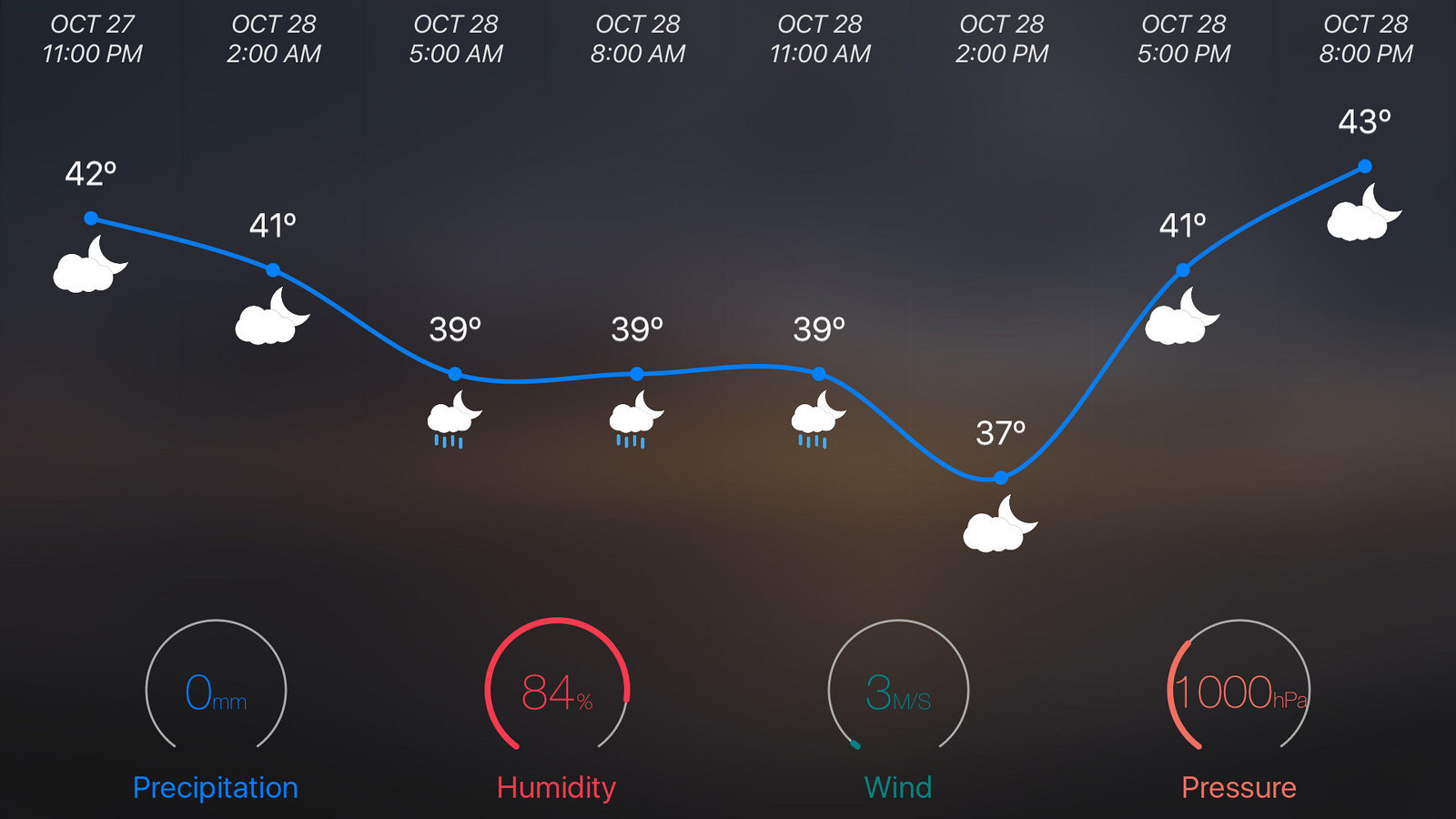
Sunni - is a beautiful weather app with breath taking back drop images and clear and concise weather info. It'll be on the TV App Store when they open it up.

Follow me on Twitter (@bitsUltra) or fb (https://www.facebook.com/sunniapp) for more updates and promo codes.

To celebrate the launch, I'll send a promo code to each and every follower until I run out of them. (I'll send out when the App Store launches)

Thanks

+ Homescreen
22362767920_d732503431_h.jpg


+ Graphical hourly forecast
21929520183_51db837fd6_h.jpg
Cool app. First followed you on Twitter as well
 
Hi all,

The 4 icons issue at the bottom right has been fixed. The new version has been approved and your TV might auto updated the app.

I also added a "double click" feature to force a refresh of the weather info. Enjoy :)
 
  • Like
Reactions: Donka
You as a dev, do you know if Apple allows you to use the full 1920x1080 screen of a TV screen or do you have to take an empty border around the screen into account of e.g. 20 pixels wide to allow for overscan.

I noticed that some apps have icons, buttons, UI element slightly off screen, some don't.

Makes me wonder if Apple actually has guidelines. The screen calibration option is of no use.

While the full resolution is available for you to use, Apple do recommend that interface elements are offset by at least 90 pixels to account for the different overscan between televisions. Some developers however seem to have ignored that advice.
 
I can't figure out how to view the hourly forecast, what am I missing?

You just need to click on the touch area on the remote for any city (the home screen) and it'll take you to the hourly view of that city.
 
1. Pictures from flickr? Like in Yahoo Weather?
2. How to change units (mBar for pressure?)
3. Weather data provider?
Change the font :)

Good weather! Congratulations with a launch!
 
1. Pictures from flickr? Like in Yahoo Weather?
2. How to change units (mBar for pressure?)
3. Weather data provider?
Change the font :)

Good weather! Congratulations with a launch!

1. Yes
2. Only change C or F, but will add others in near future update
3. Open Weather Map

Thanks

:)
 
Register on MacRumors! This sidebar will go away, and you'll see fewer ads.