
Got a tip for us?
Let us know
Become a MacRumors Supporter for $50/year with no ads, ability to filter front page stories, and private forums.
Swap Memory Used is driving me nuts
- Thread starter vded
- Start date
- Sort by reaction score
You are using an out of date browser. It may not display this or other websites correctly.
You should upgrade or use an alternative browser.
You should upgrade or use an alternative browser.

bogdanw
macrumors G3
sysctl vm.swapusage returns total available, used at that moment and free at that moment.I searched and read through posts but can't find the answer to this question:
If I see 500MB of swap used, what does that mean - is 500MB currently in use, or has 500MB been used at some point since the last reboot? Thanks,
https://remonpel.nl/2012/01/virtual-memory-configuration/


MacCheetah3
macrumors 68040
From what I’ve read in documentation, articles, etc as well as observed… Basically, it’s the latter. In a little more detail, as long as there are resources available (e.g., free disk space), the OS will leave (i.e., won’t purge) virtual memory page files until a restart or user command — forcing via a command should not be necessary in 99.999% of cases. By the way, a restart clears other caches as well.I searched and read through posts but can't find the answer to this question:
If I see 500MB of swap used, what does that mean - is 500MB currently in use, or has 500MB been used at some point since the last reboot? Thanks,
If you’re interested, diving into some source and other reading material:
View memory usage in Activity Monitor on Mac
In Activity Monitor, view the amount of system memory being used on your Mac, including physical, compressed, wired, and app memory.

How to calculate Virtual Memory Size in Mavericks
I would like to know if there is a command (or set of commands) that calculates each of (Virtual Memory, File Cache and App Memory) parameters listed in the screen shot above.
My Mac has very rarely ever reported swap used in Activity Monitor. As for activities/tasks, I do the “normal” stuff like Web browse, media consumption, messaging, etc plus occasional image and video editing, casual iOS and Web software development/programming, and more. Nevertheless, vm_stat still shows page ins and page outs, which is a little surprising. However, what it reports as zero is swap ins and swap outs. To me, that indicates apps/processes are requesting virtual memory space occasionally, although, are not actively/frequently utilizing/needing it.
if you want to read more in depth:
About the Virtual Memory System
Guidelines for improving the performance of memory-related code.
developer.apple.com
With that said, I think, Apple’s Memory Pressure graph is indeed a reliable, simple gauge on the memory subsystem performance:
https://support.apple.com/guide/act...ac-needs-more-ram-actmntr34865/10.14/mac/14.0
P.S. MacRumors has their own Activity Monitor overview article:
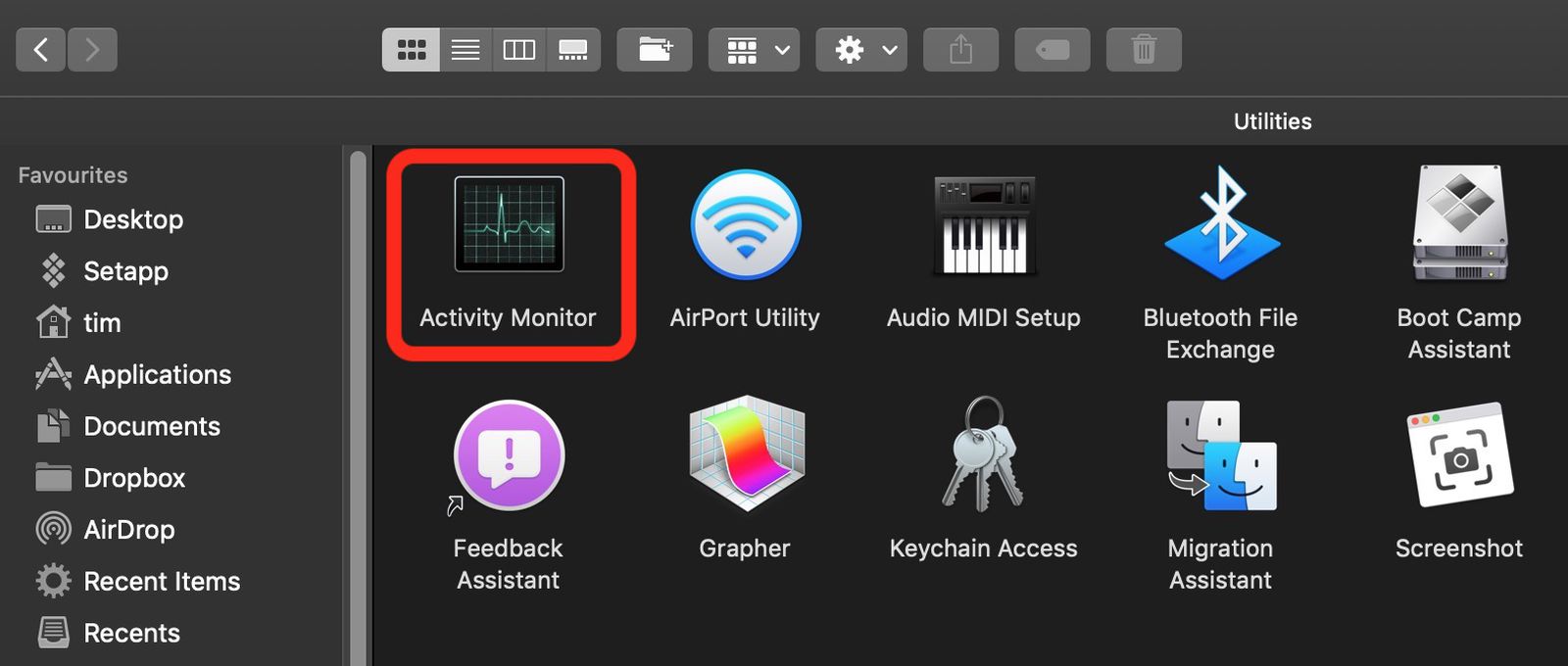
How to Use the Activity Monitor App on Mac
With the Activity Monitor app in macOS, you can force quit misbehaving apps, find out how much energy your Mac is using, and see which apps or processes are eating the most processor cycles. If you're on a portable Mac and you have suspicions that an app is sapping your battery, Activity Monitor...
 www.macrumors.com

Basic75
macrumors 68030
That's not "basic", that's serious office use. I got an M1 with 16GB RAM for office use and I'm glad that I did since it's usually around 12-13GB RAM used, excluding the buffer cache. It's nice to have a couple of GB of buffer cache so that the processor doesn't have to wait for the SSD so often. That said, since you've already got the 8GB machine I'd use it until and unless you notice it being sluggish due to paging or swapping.My usage is pretty basic
MacCheetah3
macrumors 68040
Which is understandably zero across the board for my Mac:sysctl vm.swapusage returns total available, used at that moment and free at that moment.
https://remonpel.nl/2012/01/virtual-memory-configuration/
Code:
vm.swapusage: total = 0.00M used = 0.00M free = 0.00M (encrypted)

OrenLindsey
macrumors 6502
The real problem with RAM is when you start using swap. That puts wear on your SSD (and if that fails, your computer is bricked). Even if you don't notice a speed difference between 16gb with no swap and 8gb with swap, it still wears out that SSD. So if your device is always running swap memory, it would be a good idea to upgrade the RAM.
Also, RAM amount does make a real difference on what your computer can do. Watch this video: M3 MBP 8GB vs 16GB RAM
Also, RAM amount does make a real difference on what your computer can do. Watch this video: M3 MBP 8GB vs 16GB RAM

EdwardC
macrumors 6502a
I have a base Mini M2 Pro and tend to close out Safari when I'm done with it, it seems to be a huge memory hog and with the speed it opens I don't see a need to let it continue to gobble up memory. At present I have Mail, Message, Safari, Calendar, Pages and Preview with several PDF's opened and my machine is using 9 GB of RAM.

maxoakland
macrumors 68000
They're not totally wrong. 8GB really isn't enough for anyone in 2023 and using the SSD more will wear it down faster. That's just a fact. If you are still in the 30 day return window, it might be best to return it and get one with 16GB
maxoakland
macrumors 68000
Also, don't forget that it'll make the computer a lot faster. Using swap is extremely slow compared to RAMI don't remember any report of an SSD failing due to excessive swapping but it does make sense to reduce it when you can. If you are in a return period I would be safe and exchange it for 16 GB. This could extend the life of the system if your needs change and you start using memory intensive programs.
maxoakland
macrumors 68000
Also I think we all forget that the main system RAM is also used for video memory too, which takes gigabytesThat's not "basic", that's serious office use. I got an M1 with 16GB RAM for office use and I'm glad that I did since it's usually around 12-13GB RAM used, excluding the buffer cache. It's nice to have a couple of GB of buffer cache so that the processor doesn't have to wait for the SSD so often. That said, since you've already got the 8GB machine I'd use it until and unless you notice it being sluggish due to paging or swapping.
Hello guys, I'm pretty new user on macOS. Couple of months ago bought a Mac mini M2 base model (8/256).
My usage is pretty basic, Safari and internet browsing,...
Really? It is driving you "nuts" but the only way you can tell if swapp is used is to bring up a specialized "stats" app?
Why would you care about something that does not affect the performance or usability of the system?
You admit that you don't know much about macOS. And I'd bet you never studied Operating Sytems theory either. That is OK, most people don't know this stuff. Just don't worry about that you can't see with your own senses and that you don't understand. It makes no difference.
If one the other hand you were noticing "lagging" and frequent pinwheels, then you should run "status" or "top" and see what is going on. But "If the system is not broken don't go looking for the tools".
Also, don't forget that it'll make the computer a lot faster. Using swap is extremely slow compared to RAM
Really??? Got numbers? Don't guess.
The average time of access is what matters. Nothing else does. Aferate time is the sum of two things..
The probability that the data is in RAM times the speed of RAM plus the probability that the data is in swap times the speed of the swap.
Now let's say the OS is doing its job and 99.99% of the time the OS guessed correctly and put the data in RAM. In this case, the swap speed does not matter.
But assume it is doing worse and 10% of the time the data is in swap. Even in this case the the slowed down is not by much at all.
Then we have to ask "Is swap actually slow?" It used to be back when you all used spinning hard drives. But now with VERY fast FLASH RAM used for swap it is not so slow,
Also with a multitasking OS like we have, there is always something else to do that is productive if some task is blocked which is a swap-in. So this the computer really slowed? Much depends on if macOS guessed right about what to place in swap and what to keep in RAM.

smirking
macrumors 601
Then we have to ask "Is swap actually slow?" It used to be back when you all used spinning hard drives. But now with VERY fast FLASH RAM used for swap it is not so slow,
This does not get mentioned enough. So many people are traumatized and unable to get beyond the years when storage was much slower. Also, the bus was slower. And the CPU was slower. The RAM itself was slower. The disk interface was slower. The ports were slower. EVERYTHING was slower.
Everything is now so much faster that some people are even using external SSDs as their boot volumes and while it's not ideal, it's perfectly viable. That's how much things have changed.
For the vast majority of the people reading this, swap is not the kiss of death it used to be and they're probably not swapping as much as they believe they are anyway. My memory pressure is never green because I have at least one VM, photography tools, and programming environments running constantly.
I live with swap happening all day long and yet my SSD lifespan rated by DriveDX is still 98% after 2 years.
Last edited:
For what it's worth.. I've had my 8/256 M1 MacBook Air for just over a year now, I use it almost every day, web browsing, office doc editing, Debian vm inside UTM, watching movies, etc.
I use a program called "stats" to display RAM usage% in the menubar. It's always between ~ 50%-80%. I don't know what % of ram usage will trigger the system to use swap memory, but I rarely have any swap used when I look at Activity Monitor. If I have a ton of programs open and tabs open in Safari and I notice RAM usage getting up towards 80% I'll close a few programs, no big deal, not in a neurotic way, just takes a few seconds.
smartTBW shows:
Available Spare = 100%
Available Spare Threshold = 99%
Percentage Used = 0%
Data Units Read = 12,947,092 [6.62 TB]
Data Units Written = 4,711,335 [2.41 TB]
"sysctl vm.swapusage" shows this a few days after last reboot:
vm.swapusage: total = 0.00M used = 0.00M free = 0.00M (encrypted)
So I have read that the SSD should reach 300TBW before having issues, which would at this rate be roughly 120 years from now. I guess my point is that for regular use I don't think it's accurate to be saying that a 8GB isn't really enough in 2023. I don't see my usage changing or any crazy advancements coming out in programs in the coming years that would mean that this laptop can't handle everything I can throw at it for many many years.
I use a program called "stats" to display RAM usage% in the menubar. It's always between ~ 50%-80%. I don't know what % of ram usage will trigger the system to use swap memory, but I rarely have any swap used when I look at Activity Monitor. If I have a ton of programs open and tabs open in Safari and I notice RAM usage getting up towards 80% I'll close a few programs, no big deal, not in a neurotic way, just takes a few seconds.
smartTBW shows:
Available Spare = 100%
Available Spare Threshold = 99%
Percentage Used = 0%
Data Units Read = 12,947,092 [6.62 TB]
Data Units Written = 4,711,335 [2.41 TB]
"sysctl vm.swapusage" shows this a few days after last reboot:
vm.swapusage: total = 0.00M used = 0.00M free = 0.00M (encrypted)
So I have read that the SSD should reach 300TBW before having issues, which would at this rate be roughly 120 years from now. I guess my point is that for regular use I don't think it's accurate to be saying that a 8GB isn't really enough in 2023. I don't see my usage changing or any crazy advancements coming out in programs in the coming years that would mean that this laptop can't handle everything I can throw at it for many many years.
maxoakland
macrumors 68000
There are already numbers out there including a youtuber that tested recently that was posted on this siteReally??? Got numbers? Don't guess.
The average time of access is what matters. Nothing else does. Aferate time is the sum of two things..
The probability that the data is in RAM times the speed of RAM plus the probability that the data is in swap times the speed of the swap.
Now let's say the OS is doing its job and 99.99% of the time the OS guessed correctly and put the data in RAM. In this case, the swap speed does not matter.
But assume it is doing worse and 10% of the time the data is in swap. Even in this case the the slowed down is not by much at all.
Then we have to ask "Is swap actually slow?" It used to be back when you all used spinning hard drives. But now with VERY fast FLASH RAM used for swap it is not so slow,
Also with a multitasking OS like we have, there is always something else to do that is productive if some task is blocked which is a swap-in. So this the computer really slowed? Much depends on if macOS guessed right about what to place in swap and what to keep in RAM.
I don’t know why you feel the need to rabidly defend Apple nickel and diming us but it’s a fundamental reality that RAM is significantly faster than storage
That’s why it exists. If it wasn’t faster why would Apple (or any other computer manufacturer) pay for it?
While I agree with the overall point of your post, I definitely think the bolded part is incorrect.Don't listen to your friends. They have what everyone around here has... RAM anxiety. 8GB for your use case should be totally fine and ignore the swap numbers. Most of the time it's pointless. Under normal conditions, MacOS will always use some swap regardless of how much memory you bought.
I took a 2 week hard test drive of an 8GB 13" M1 MBP a couple of summers ago. I have a very heavy workflow. I intentionally used an under-resourced model because I wanted to see if I could run it into the ground.
It held up and then some even though the memory pressure was red the entire time I had it. You'll be fine.
And your SSD is going to be fine too. Chances of you exhausting its lifespan is virtually zero.
I have a base M2 air (8GB), base M1P MBP (16GB) and a base M1M Studio (32GB) and there is no doubt the M2 gets in to the swap more than the others. Honestly I've never seen the Studio use swap at all.
I suppose this is a bit of a tangent but I wanted to point out that in my experience you can overspec the machine to the point where MacOS doesn't employ swap.
smirking
macrumors 601
While I agree with the overall point of your post, I definitely think the bolded part is incorrect.
Gonna admit, I've never verified this so I could be 1000% wrong. I'm saying this based on the frequency of posts on MacRumors from people who are distressed that their new 64GB is showing swap being used when they're barely doing anything.
If those reports are any indication, with current day Macs, swap isn't just used when there's no RAM left to use.
Now, there are ways of preventing swap from being used until absolutely necessary so I suppose it could also matter what programs you're running. There's a terminal line hack that Fishrrman is famous (and infamous) for advising everyone to do.

chrfr
macrumors G5
It is correct. I have a 36GB M3 Max MBP here, and as it sits right now, the computer reports it's using 631MB of swap even though it's only using 15.6GB of RAM.While I agree with the overall point of your post, I definitely think the bolded part is incorrect.
That's a different point. I agree it uses swap before maxing out the memory. But that's different than saying it always uses swap.It is correct. I have a 36GB M3 Max MBP here, and as it sits right now, the computer reports it's using 631MB of swap even though it's only using 15.6GB of RAM.

Camerondonal
macrumors regular
Your friends are mistaken. M-series Macs use RAM differently to traditional x86 processors and require less for decent performance. I can run 3D games in Windows 11 in Parallels Desktop on my 8gb MacBook Air with no noticeable slowdown - that would certainly not be the case on an Intel model. You only require 16GB+ of RAM on M1 models for very demanding, high end tasks like professional video editing, 3D modelling etcHello guys, I'm pretty new user on macOS. Couple of months ago bought a Mac mini M2 base model (8/256).
My usage is pretty basic, Safari and internet browsing, YouTube, multimedia, mail, messages (via iPhone), calendar for appointments, reminders when I arrive at work, Apple Music, Apple Podcasts, Pages/Numbers, MoneyBoard for expenses, and messaging apps (FB Messenger/Viber/Discord).
Video/Photo editing no at all.
My friends tell me that I made the wrong decision and that I should go for 16GB RAM. But for my usage and the search I've done before I was pretty sure that I would be fine with the base model. They claim - without something on hand of course - that memory swap usage will tear away my SSD pretty fast.
Unfortunately, this has been so much into my mind, that I find myself clicking numerous times in the day the Stats app option for checking the swap usage which is always around at 1.2GB.
I don't have technical knowledge of macOS and what it right and what wrong.
Should I stick on my newly beloved Mac mini M2? Should I sell it and opt in for 16GB version?
Thanks in advance anyone that answer, regards from sunny 🇬🇷.

MRxROBOT
macrumors 6502a
You lost all credibility when you said you run VMs with only 8GB of RAM with no noticeable slowdown.Your friends are mistaken. M-series Macs use RAM differently to traditional x86 processors and require less for decent performance. I can run 3D games in Windows 11 in Parallels Desktop on my 8gb MacBook Air with no noticeable slowdown - that would certainly not be the case on an Intel model. You only require 16GB+ of RAM on M1 models for very demanding, high end tasks like professional video editing, 3D modelling etc
Camerondonal
macrumors regular
So I'm just imagining it then? 🤷🏻♂️You lost all credibility when you said you run VMs with only 8GB of RAM with no noticeable slowdown.
MRxROBOT
macrumors 6502a
Yes. You are not running VMs on top of macOS all on 8GB of ram without penalty. Come back to reality.So I'm just imagining it then? 🤷🏻♂️