

Become a MacRumors Supporter for $50/year with no ads, ability to filter front page stories, and private forums.

MacRumors

macrumors bot
Original poster


SwitchBot today debuted the SwitchBot Lock Vision and the Lock Vision Pro, two Matter-enabled smart locks that include facial recognition technology for quick door unlocking.
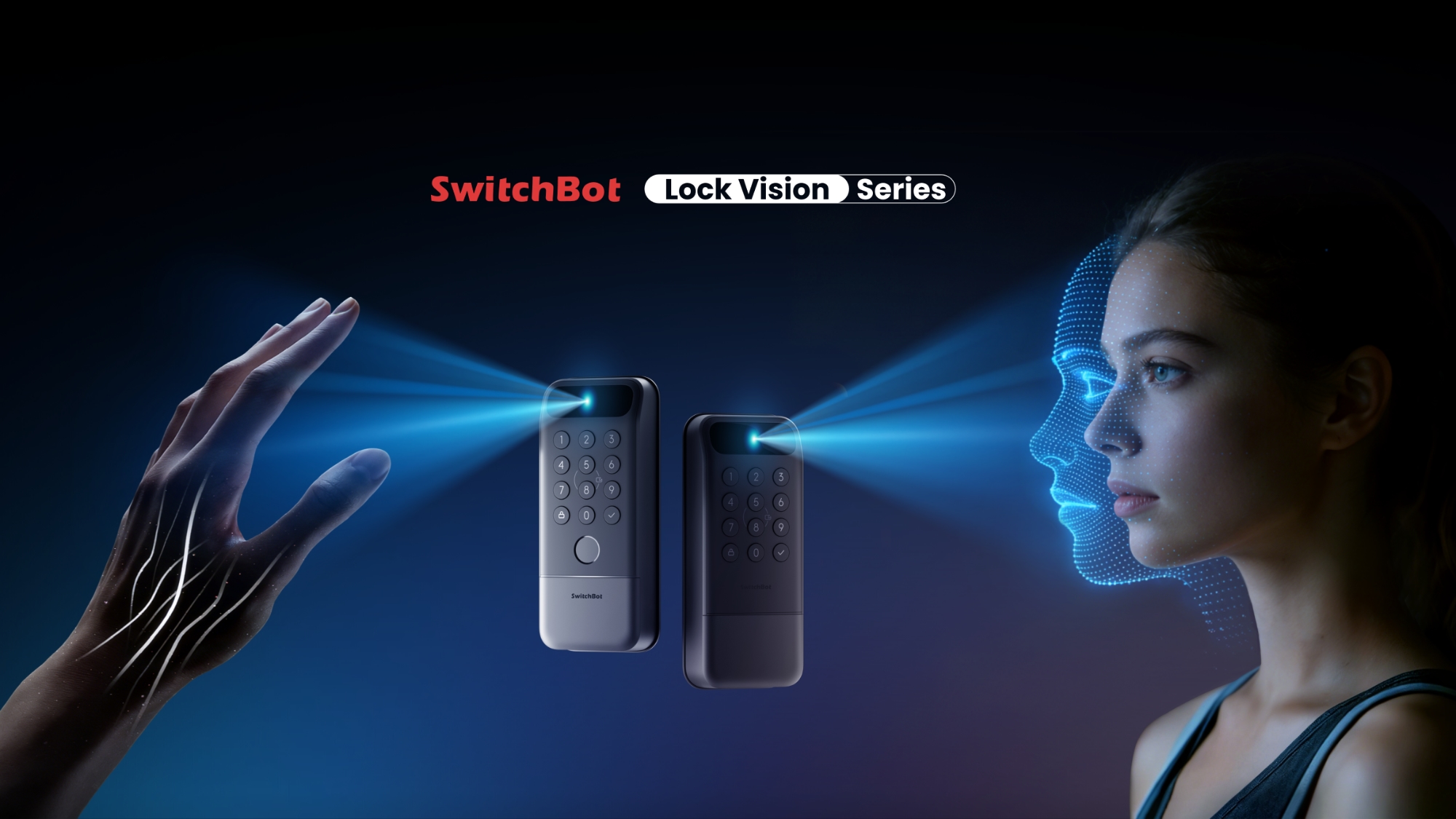
switchbot-lock-vision.jpg

With Matter-over-WiFi, the locks are compatible with HomeKit and they support NFC, so you can use them with an Apple Home setup. SwitchBot also included "advanced 3D structured light" facial recognition that's able to recognize approved lock users in under one second.

SwitchBot says the facial recognition is comparable to 3D facial recognition used by "flagship smartphones," and it can't be spoofed with photos or videos, even when wearing glasses, hats, or makeup. It uses more than 20,000 infrared dots to create an accurate 3D facial map that SwitchBot says is capable of millimeter-level recognition.

The locks also include multiple other unlocking methods, including NFC, passwords, iPhone app controls, the Apple Watch, Siri-based voice commands, geofencing, and physical keys. The Pro version of the lock adds palm vein and fingerprint access too, for even more ways to get into your house. Palm vein detection works without touching the lock, even if hands are wet or dirty.

SwitchBot's Lock Vision and Lock Vision Pro have 12-month battery life and emergency backup power options. They are meant to replace a standard deadbolt, and include mmWave radar detection to determine when someone is approaching the door. No hub is required for the locks, and biometric data is stored on-device.

The SwitchBot Lock Vision is priced at $170, while the SwitchBot Lock Vision Pro is available for $230. SwitchBot has a $40 launch discount on Amazon and on its website.

Article Link: SwitchBot Launches Two Matter Smart Locks With 3D Facial Recognition
 
As an Amazon Associate, MacRumors earns a commission from qualifying purchases made through links in this post.
  • Angry
Reactions: Z-4195
Why do these products seldom indicate what physical key standard they use? I couldn’t find it on the Amazon link.
I tried looking on their website for this info but they don't have the user manual for this unreleased product.
However, looking at the user manual for the SwitchBot Lock Pro, it includes adapters for 8 different cylindar styles. So my guess is it will support many different locks out there.
 
Last edited:
While it's impressive how many different ways you can unlock it just might be too many. If you don't set up all the different unlock modes, I see potential for confusion:

Face Recognition? No.
Palm Recognition? No.
NFC? No.
Password? No.
iPhone app? No.
Apple Watch? No.
Siri? No.

(breaks door down)
 
  • Like
Reactions: Mr_Ed
As always, the weak point of failure on most of these smart locks are the keyed lock. Many can be bypassed with a bump key or quickly picked. I honestly want a smart lock with no keyed backup. It would be way more secure. These things warn you well before the batteries go dead and the batteries tend to slowly go out as you notice the lock mechanism turning slower. I’ve never had one fully die, and even if it did, I’ve got my garage door.
 
I have a fair bit of smart home stuff, smart lights, smart thermostat, a fair few smart plugs and switchbot little switch robots. I even use Alexa to operate them.
But there is one thing I will not have, is a smart lock.
 
While it's impressive how many different ways you can unlock it just might be too many. If you don't set up all the different unlock modes, I see potential for confusion:

Face Recognition? No.
Palm Recognition? No.
NFC? No.
Password? No.
iPhone app? No.
Apple Watch? No.
Siri? No.

(breaks door down)
The crucial one for me for any smart lock is a physical key so that if all else fails I can call on one of two local friends who have a spare set of keys to my home. According to the article this Switchbot lock does have that option as well so it is on my shortlist.

While I do try to keep up with all the new smart locks coming onto the market I haven't actually got round to buying one yet. It's not something I absolutely need, it's just my gadget geekery making me sort of want one although I can see some benefits, so I'm waiting for at least another 6 months or even a year to see if the rumours that Apple might be bringing one out come true because presumably that would be the simplest integration into an Apple Home(kit) setup. Also according to my quick question to Google Gemini just now, while this Switchbot lock uses "more than 20,000 infrared dots", Apple's FaceID uses more than 30,000 so I think it's a reasonable assumption that if Apple does ever release a FaceID doorbell it should be the most secure implementation on the market when you also consider Apple's very considerable experience with this technology now. I just hope Apple does include the option to unlock with a physical key in any FaceID doorbell it might release in case all else fails, my door is not likely to be easily broken down.

If/when I do switch my front door to a smart lock though, for the reasons you mention, I might give some thought to where and how securely I could hide a set of physical keys in a lockbox somewhere close(ish) to my front door where I could easily get to them in case all else fails and neither of my friends are at home when I need a physical key.
 
I’m still rocking old school deadbolts, but I do see the appeal of a smart lock in some cases. Many different methods of authentication for unlock OTOH, not so much. Certainly not any biometric method.
 
  • Love
Reactions: addamas
I am hoping apple releases their own smart lock with facial recognition. 🤞🤞
Hopefully those rumors turn out to be true.
The smart lock I'm dreaming of does not require or need wifi, just NFC and an iphone or apple watch.
 
Last edited:
  • Like
Reactions: xmach
I have a smart lock from a reputable brand that I know can survive forced entry attempts on the front door. But I wouldn’t mind putting this on my garage door entry. I rarely use the front door anyway.
 
I’m still rocking old school deadbolts, but I do see the appeal of a smart lock in some cases. Many different methods of authentication for unlock OTOH, not so much. Certainly not any biometric method.
If you've used these things in real life (rather than pontificating on the internet) you realize that there are multiple different optimal solutions.
For example
- the door from my garage to my house I WANT to unlock based on BT proximity because that way it unlocks as I drive the car in, no extra hassle -- I can just walk to it carrying groceries or whatever, and easily open it.
- but for the front door you might want something involving a little more human effort, like a thumb or having to line your face with a screen
- if you have multiple people in the family you need to make a plan for that
- and what about guests? It's useful to have a keypad so you can give guests a code

Then there's a whole different axis of integration with Homekit.

My only experience has been with August who have a partnership with Yale, so Yale does the key part, August does the smarts. Hopefully things are better now, these were installed about five years ago. They are good but not great; if I were advising someone I'd suggest they look for alternatives.

Good are
- the BT unlock works very well, pretty much exactly as it should. Close range, almost always works until battery starts getting low
- comes with a keypad and a physical key backup. You WANT that backup. You might think you'll always replace batteries in time, but then things happen like you have to go somewhere unexpected for three months and...

Bad are
- claims to have Homekit support. This worked for about two or three years then stopped working. As usual the supposed fix is that you "Reset" the key. This is NEVER an acceptable answer for HomeKit equipment because it may mean you have to spend hours recreating scenes, settings, and automations! For August it's even worse in that after that reset the two locks refused to ever connect to HomeKit again.

- Under certain weird circumstances (I don't know exactly, one lock has done it once, one has done it twice) they partially forget their state. They forget the code you gave them in that they will not open in response to that code. But they DON'T forget it enough to allow you to reprogram the same code. They're like the worst most dogmatically stupid IT manager you've ever had to deal with, forcing you to change your password after two or three years. And again the supposed "nuke everything from space" fix that's supposed to deal with this does not.

Bottom line is
- they have been a pain to deal with, one way or another, about once a year. Cannot yet recommend them for non-tech people. BUT
- for the 364 days of the year that they're not being a pain, they really are nicer than traditional locks, part of my house feeling magical because things just open, close, switch, switch off, etc in response to appropriate cues.

If you're a techie (and willing to put up with a possible one day a year of two hours of wasted time figuring out some stupid issue) I'd recommend. But don't go all in; try one at a time and try to figure out if you've got a brand that's always reliable. (Which is tough because, as I've said, my ones only fail about once a year...)
 
Register on MacRumors! This sidebar will go away, and you'll see fewer ads.