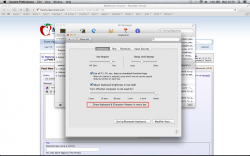
Another bug in System Prefs
I brought my machine to my local Apple Store and troubleshooted the issue with a Genius.
We we're removing plist files in my Library and seeing if the issue resolved it itself when the plist files were regenerated by OS X. Nothing worked so far.
We could see that every time we checked the checkbox two plist files would be created momentarily and then deleted immediately after.
Finally we stumbled upon com.apple.CharacterPaletteIM.plist. We removed it and re-checked the checkbox and bam issue solved. The funny thing is that file has nothing to do with the Special Character Viewer. I then noticed that doing this also added an icon in the top right menu bar which indicates the current language of the keyboard.
.....
Low and behold the setting was checked on even though I had checked it off 5 days ago. I went back to System Preferences -> Keyboard -> Keyboard and toggled the checkbox for the Character Viewer on and off several times and it worked.
.....
TL;DR
There is a bug in Mavericks that will not let you have the Special Character Viewer if you don't have your Keyboard Input Menu icon visible in the menu bar. See pictures above.
I have your exact problem, always with SystemPreferences
but with Security and Privacy Require Password after sleep or screen saver begin
I did the same thing you did, create a new user and at the beginning it worked
then after few times it became corrupted too.
I can check and uncheck the radio button and it will prompt for a password if I put the computer to sleep. If I uncheck the button it will not change the pref
and it will keep asking for a password till I don't restart with a different pref.
Leaving the preferences folder open I can see the creation of the two plist files , then one disappears
I tried to delete the one that remains but nothing to do
com.apple.screensaver.plist deleted and then a new one reappear and back to the bug
Since 3 days I'm working with this bug and another one
I have when I assign an app to open in a different desktop in spaces. Same routines with the prefs
In this case it works till I don't restart then I'm back to square one
🙁