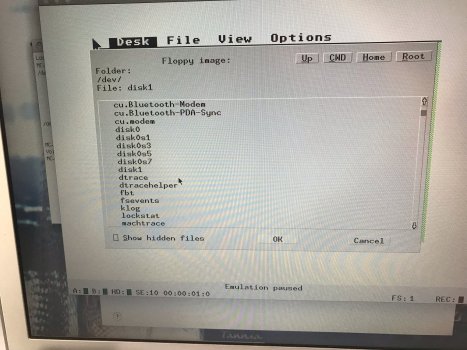
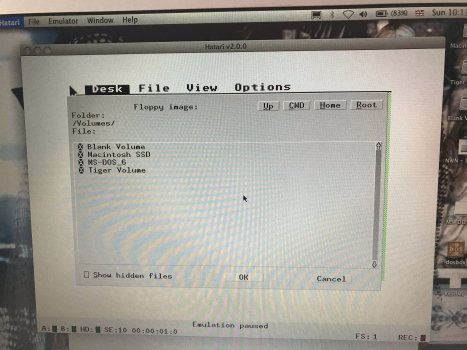
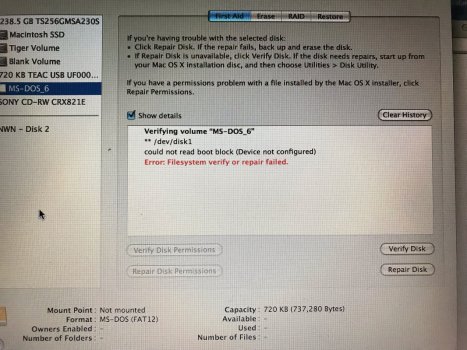
Looking for a Terminal command to make my USB 3.5" floppy drive mount on the desktop (PPC 10.5.8).
CD and floppy drives only show when a disk is inserted, and MacOS won't read the disks.
Long story short...running an Atari emulator, MacOS won't read the Atari disks when inserted, so closes the window.
I want to be able to select the floppy drive from the emulator before the disk is inserted, then the emu will read the Atari format (in theory......🤔)
Looking for a Terminal command to make my USB 3.5" floppy drive mount on the desktop (PPC 10.5.8).
CD and floppy drives only show when a disk is inserted, and MacOS won't read the disks.
Long story short...running an Atari emulator, MacOS won't read the Atari disks when inserted, so closes the window.
I want to be able to select the floppy drive from the emulator before the disk is inserted, then the emu will read the Atari format (in theory......🤔)
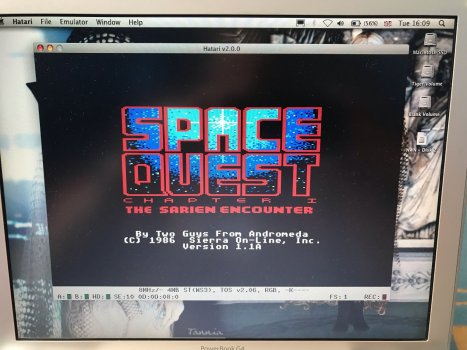
Hatari.....😉
Got rid of my computer decades ago, but still have all the games on 3.5" floppies, which I re-discovered recently when sorting the loft.
Have been looking on Ebay, but always a bit dubious on condition of machines, so gave the emulator a go.
Works great, just trying to figure out how to access the Atari disks......🤯
Wow, didn't know they still had events for Atari ST....😳
mounts all “readable” (to OS X) volumes on the given disk. Type diskutil list to find the device name for your USB floppy drive and substitute it for /dev/disk5.
If the command fails due to insufficient permissions, prefix it with sudo.
But this won’t solve your problem of making an empty drive or “unreadable” disk appear on the desktop — because only mounted volumes appear on the desktop and empty drives or “unreadable” volumes can’t be mounted.
Hatari.....😉
Got rid of my computer decades ago, but still have all the games on 3.5" floppies, which I re-discovered recently when sorting the loft.
Have been looking on Ebay, but always a bit dubious on condition of machines, so gave the emulator a go.
Works great, just trying to figure out how to access the Atari disks......🤯
Wow, didn't know they still had events for Atari ST....😳
You might be correct.....I think I am coming to the end of this journey....😕
(that's what happens when you start sorting old stuff out.....major distraction)
You can download TOS files, but I don't trust DL stuff.
I have them on physical disk, so prefer to use them, unfortunately there doesn't appear to be any way to read them.
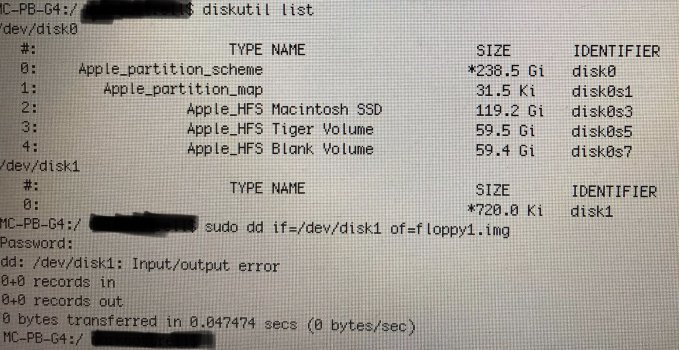
Creating a disk image of a physical disk is as simple as typing sudo dd if=/dev/disk1 of=image.dsk in Terminal.
This assumes the floppy drive can read the disks and there’s nothing “weird” on them (a sector-based copy protection or something like that) which might throw off the procedure.
Disclaimer: I have no experience with Atari-formatted floppies.
Creating a disk image of a physical disk is as simple as typing sudo dd if=/dev/disk1 of=image.dsk in Terminal.
This assumes the floppy drive can read the disks and there’s nothing “weird” on them (a sector-based copy protection or something like that) which might throw off the procedure.
Disclaimer: I have no experience with Atari-formatted floppies.
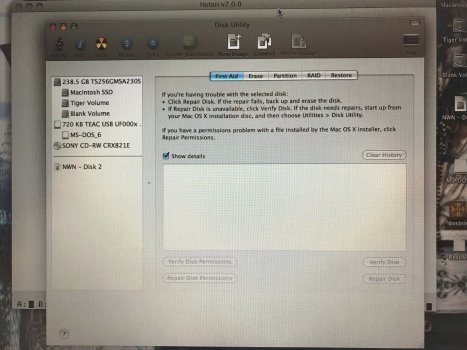
It only shows as the usb drive in DU, no media showing (Atari disk), but the drive is listed in Terminal.
Ran the command and it shows as 0 bytes read/copied, floppy constantly accessing, but nothing happening.
I tried a dos disk, same result.
Also tried it from DU, create image.
Will have a look again and take screenshot next time......😬
It only shows as the usb drive in DU, no media showing (Atari disk), but the drive is listed in Terminal.
Ran the command and it shows as 0 bytes read/copied, floppy constantly accessing, but nothing happening.
I tried a dos disk, same result.
Also tried it from DU, create image.
Will have a look again and take screenshot next time......😬
I've just tried this with a 1.44 MB DOS-formatted floppy. I had to unmount it first (sudo diskutil unmountDisk /dev/disk1 - but this won't be necessary if OS X can't read the format), then sudo dd if=/dev/disk1 of=floppy.img produced a 1,474,560-byte image just fine. Since OS X can read FAT12, I can mount the image by double-clicking on it.
My friend recently passed along a couple of disk images from an ST that I am trying to run in an emulator. I don't have access to the original floppies or any ST hardware. They provided me with four copies: 1. CopyIIPC Deluxe Option Board image with an IMG extension 2. Imagedisk image with an IMD...
forums.atariage.com
There are 2 problems when using an USB floppy with Atari formatted diskettes
Not all USB floppies are able to read the format
second if the Atari formatted disk use a higher total of sectors they are unreadable to the USB floppy.
The non-OSx way when you have ,a capable to read Atari floppy-disks, USB diskdrive is Windows XP and this tool to image your floppies to .ST or .MSA which can be read by Hatari or any other ST Emulator.
DrawBridge aka Arduino Amiga Floppy Disk Reader/Writer - Hardware and software interface for accessing Amiga disks (read/write ADF and SCP) on non-Amiga hardware - RobSmithDev/ArduinoFloppyDiskReader
github.com
A good collection of .ST images and .MSA is TOSEC as explained here
Not all USB floppies are able to read the format
second if the Atari formatted disk use a higher total of sectors they are unreadable to the USB floppy.
The non-OSx way when you have ,a capable to read Atari floppy-disks, USB diskdrive is Windows XP and this tool to image your floppies to .ST or .MSA which can be read by Hatari or any other ST Emulator.
I think I am calling it a day on this now, it's all too much of a faff.
Even if/when I could get the disk to read, there is no saying Hatari will accept it.....😕
May look into getting an ST off eBay, just for the nostalgia.....🎮
I decided to try a DL from a 'reputable site' (from what I researched).....😬
Atarimania seem to only have content from original ST disks.
Game loads and runs great in Hatari, with sound, music and save games working.....😁
And as I actually have this game in physical format, I don't feel guilty.
But then Atari is abondonware.
With additional research into ACTUAL Atari ST machines, it's just too complicated (with the age) with connections to modern equipment, either TV or monitor, and poor output on a hi-rez display (ST was only 320x200px).