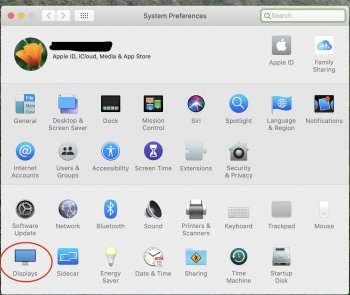
I can't seem to get the EDR option to show up. I tried holding down the Option key and then clicking around Displays with no luck. Can you clarify slightly how to do this correctly? Thank you!
While I have the iMac 2020, saying that it supports HDR is really just a marketing term. This LCD panel can't come close to achieving the level of contrast from an OLED panel and at 500 nits in brightness its actually well short of what would be even in the ballpark for HDR for an LCD panel. There aren't any standards for HDR, but for LCD's anything short of 1000 nits of brightness and black level of .05 nits wouldn't be considered true HDR.
Its a good image, but saying that it supports HDR doesn't mean anything. The image achieved on the 2020 iMac vs. the 2019 model that "doesn't support HDR" are the same.
Support for high dynamic range (HDR) video, such as HDR movies and TV shows from Apple or other providers, requires the latest version of macOS, a compatible Mac model, and an HDR10-compatible display, TV, or projector.
I have a feeling the upcoming redesigned iMac will bring true HDR and perhaps 120hz for the first time ever on an iMac which would be breathtaking to say the least. The iMac’s display has been screaming for ProMotion since 2018.
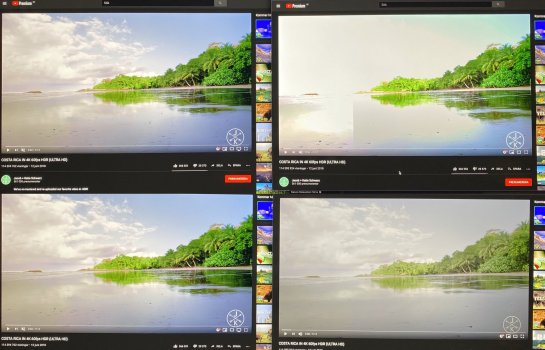
YouTube HDR on my 2020 iMac is completely broken. On the left you have Safari, with no HDR and it looks good. On the top right, it's HDR with hardware acceleration enabled in Chrome, completely overexposed with near whites going completely white. On the bottom right, it's HDR with hardware acceleration disabled in Chrome, completely washed out with faded colors.
Disabling EDR in the Display settings simply removes the HDR option in Chrome, making it exactly the same as in Safari.
YouTube HDR on my 2020 iMac is completely broken. On the left you have Safari, with no HDR and it looks good. On the top right, it's HDR with hardware acceleration enabled in Chrome, completely overexposed with near whites going completely white. On the bottom right, it's HDR with hardware acceleration disabled in Chrome, completely washed out with faded colors.
Disabling EDR in the Display settings simply removes the HDR option in Chrome, making it exactly the same as in Safari.