

Become a MacRumors Supporter for $50/year with no ads, ability to filter front page stories, and private forums.

MacRumors

macrumors bot
Original poster


The new Studio Display XDR features a mini-LED display with up to a 120Hz refresh rate, but you'll need a newer Mac to get support for the full 120Hz.
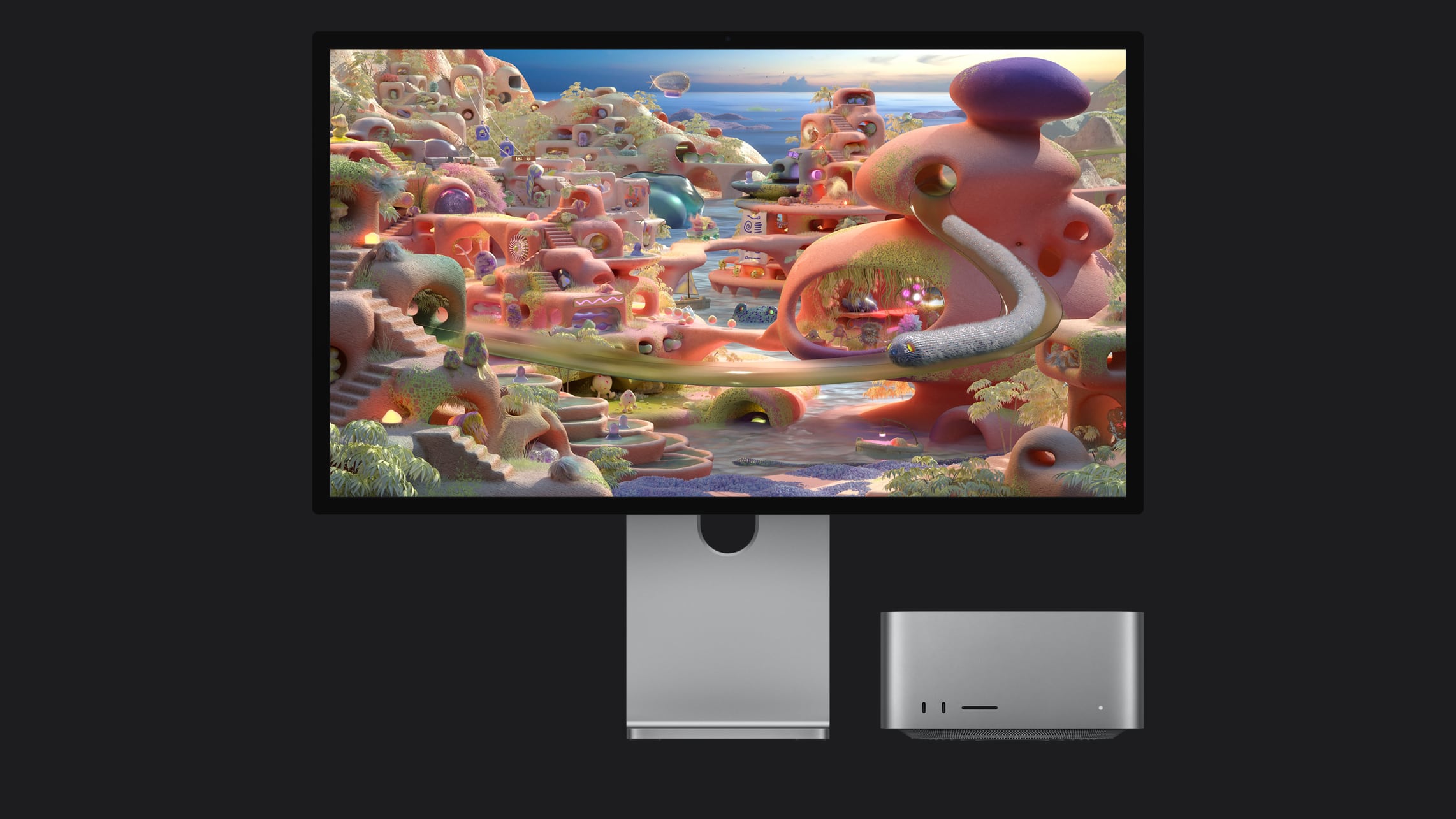
studio-display-xdr.jpg

According to Apple, Macs that have an M1, M1 Pro, M1 Max, M1 Ultra, M2, or M3 will only support the Studio Display XDR at 60Hz. All other features remain available.

For the full 120Hz refresh rate, you'll need to have a Mac with one of the following chips:
  • M2 Pro, M2 Max, M2 Ultra
  • M3 Pro, M3 Max, M3 Ultra
  • M4 Pro, M4 Max
  • M5, M5 Pro, M5 Max
All Macs that have an Apple silicon chip can be used with the Studio Display XDR with the upcoming macOS Tahoe 26.3.1 update.

As for the iPad, The M5 iPad Pro supports the Studio Display at 120Hz, but all other compatible iPad models are limited to 60Hz. Compatible iPads include the M4 iPad Pro, the 3rd-6th generation 12.9-inch iPad Pro, 1st-4th generation 11-inch iPad Pro, the M2, M3, and M4 iPad Air models, and the 5th-generation iPad Air.

For older Macs and iPads that don't support 120Hz, there is little reason to select the more expensive Studio Display XDR over the standard Studio Display. The Studio Display starts at $1,599, while the XDR model starts at $3,299.

The Studio Display XDR will be available for pre-order tomorrow at 9:15 a.m. Eastern Time, with a launch to follow on March 11.

Article Link: These Macs Can't Run the Studio Display XDR at 120Hz
 
So does that mean base M4 cannot do 120hz? I can’t see it mentioned in the article.
According to Apple, Macs that have an M1, M1 Pro, M1 Max, M1 Ultra, M2, or M3 will only support the Studio Display XDR at 60Hz. All other features remain available.

For the full 120Hz refresh rate, you'll need to have a Mac with one of the following chips:
  • M2 Pro, M2 Max, M2 Ultra
  • M3 Pro, M3 Max, M3 Ultra
  • M4 Pro, M4 Max
  • M5, M5 Pro, M5 Max
 
From Apple’s site. M4 is supported:

Studio Display XDR is compatible with the following Mac models with Apple silicon and macOS Tahoe 26.3.1 or later:

  • 16‑inch MacBook Pro (2021 and later)
  • 14‑inch MacBook Pro (2021 and later)
  • 13‑inch MacBook Pro (M1, 2020 and later)
  • 15‑inch MacBook Air (2023 and later)
  • 13‑inch MacBook Air (M1, 2020 and later)
  • Mac Studio (2022 and later)
  • Mac mini (2020 and later)
  • Mac Pro (2023 and later)
  • 24‑inch iMac (2021 and later)
 

I get the confusion around if the M4 is supported at 120Hz. Apple's specification page above for this monitor isn't perfectly clear, at least in the Mac. The iPad Pro (M4) clearly is not supported at 120Hz . . .

"
iPad Pro (M5) supports Studio Display XDR at 120Hz. All other compatible iPad models support it at 60Hz.
"

But the M4 isn't exactly the same in all applications. And looking at this specification page below for last year's base MacBook Pro (M4) . . .


It can support 6K at 60Hz (over TB4) and 4k at 240Hz (over HDMI). I'm not sure I am doing the calculation in my head correctly, but that seems to suggest there would be bandwidth to do 5k at 120Hz (over TB4). Maybe some of the limits around the full variant (as opposed to binned, like exists in the iMac (2-port) come into play here. Maybe Apple didn't include it because of this variance--or maybe the press people just missed it.
 
Last edited:
  • Like
Reactions: Infuspeur
My Studio can handle the new display. My wallet can’t. 😭

Aside from the price, the specs for this monitor are amazing. I’ll be sticking with my 1440p MiniLED monitor.
 
So does that mean base M4 cannot do 120hz? I can’t see it mentioned in the article.
I can report that the M4 base can do 5K 120hz. I am using the new ASUS ROG 5K 27" 165hz Monitor and currently getting the full 165hz on it. But any additional monitor will be limited to 60hz. My second monitor is 4K and can only get 60hz on it. I imagine that a second 5K monitor would have similar limitations. Looks like M5 will be the way to get high refresh rate and more than one display at 5K.
 
WHHHYYYYYYYYYYYYYY TAHOE?! This is a requirement for BOTH the "new" Studio Display and the Studio Display XDR.

The only similarity over both displays is the new center stage camera and Spatial Audio speakers, two feature I couldn’t care less about and will never use. I have my own better webcam and external speakers.

I’m hoping it will still be compatible with Sequoia in a limited sense, i.e. just the display features like XDR and local dimming will work. That would be fine by me.
 
I can report that the M4 base can do 5K 120hz. I am using the new ASUS ROG 5K 27" 165hz Monitor and currently getting the full 165hz on it. But any additional monitor will be limited to 60hz. My second monitor is 4K and can only get 60hz on it. I imagine that a second 5K monitor would have similar limitations. Looks like M5 will be the way to get high refresh rate and more than one display at 5K.

This monitor?


How are you connecting?
 
Register on MacRumors! This sidebar will go away, and you'll see fewer ads.