Become a MacRumors Supporter for $50/year with no ads, ability to filter front page stories, and private forums.

MacRumors

macrumors bot
Original poster


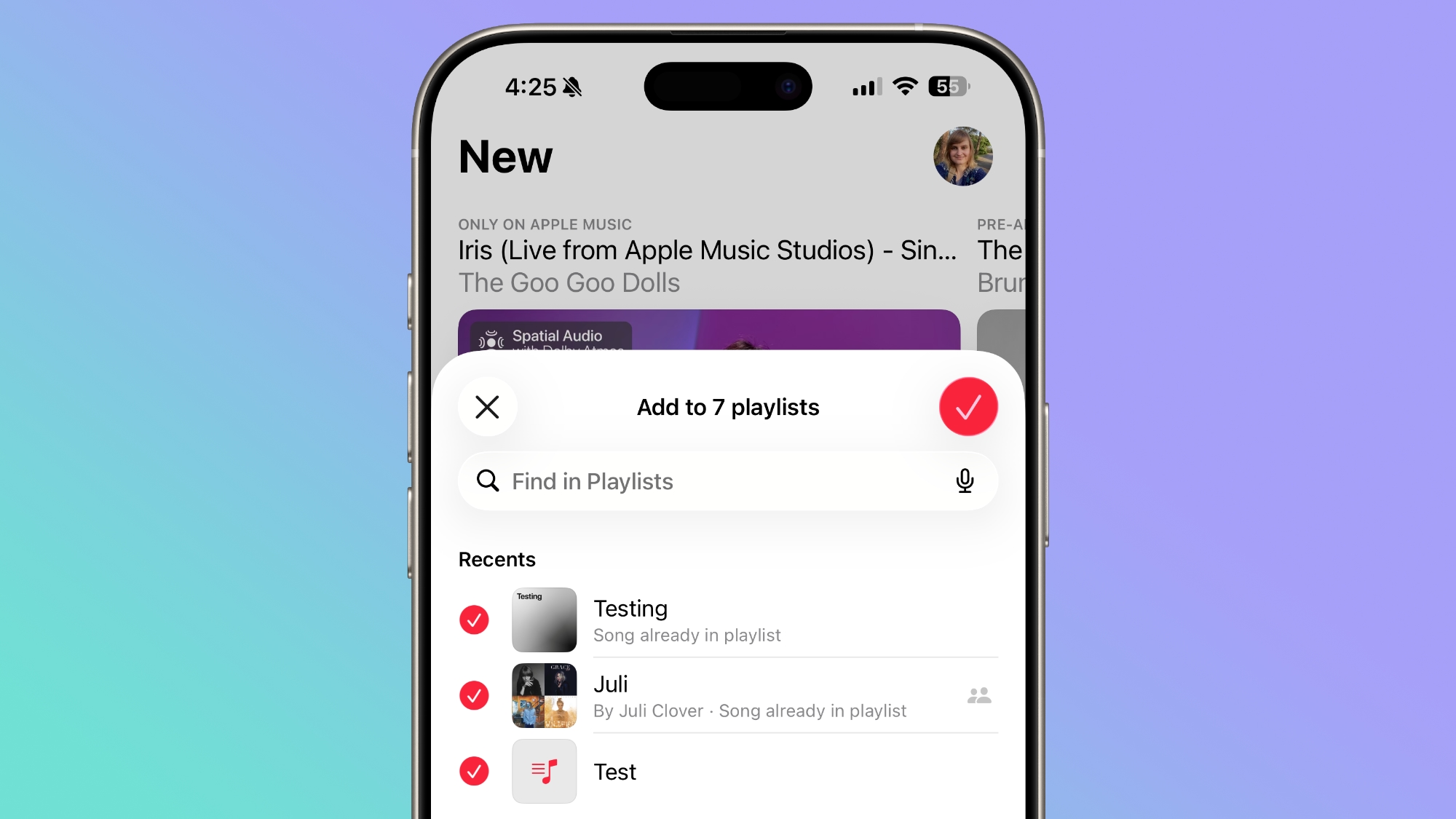
If you often find yourself adding a track to an Apple Music playlist, going back, and then adding it to other playlists, iOS 26.4 includes an option that could save you bags of time: You can now select multiple playlists when adding a song.
ios-26-4-multiple-playlists.jpg

Previously, tapping Add to Playlist would take you to a list of your playlists, and you could only pick one at a time. In iOS 26.4, there's a new multi-select option that lets you check off as many playlists as you like in one go. Here's how it works.
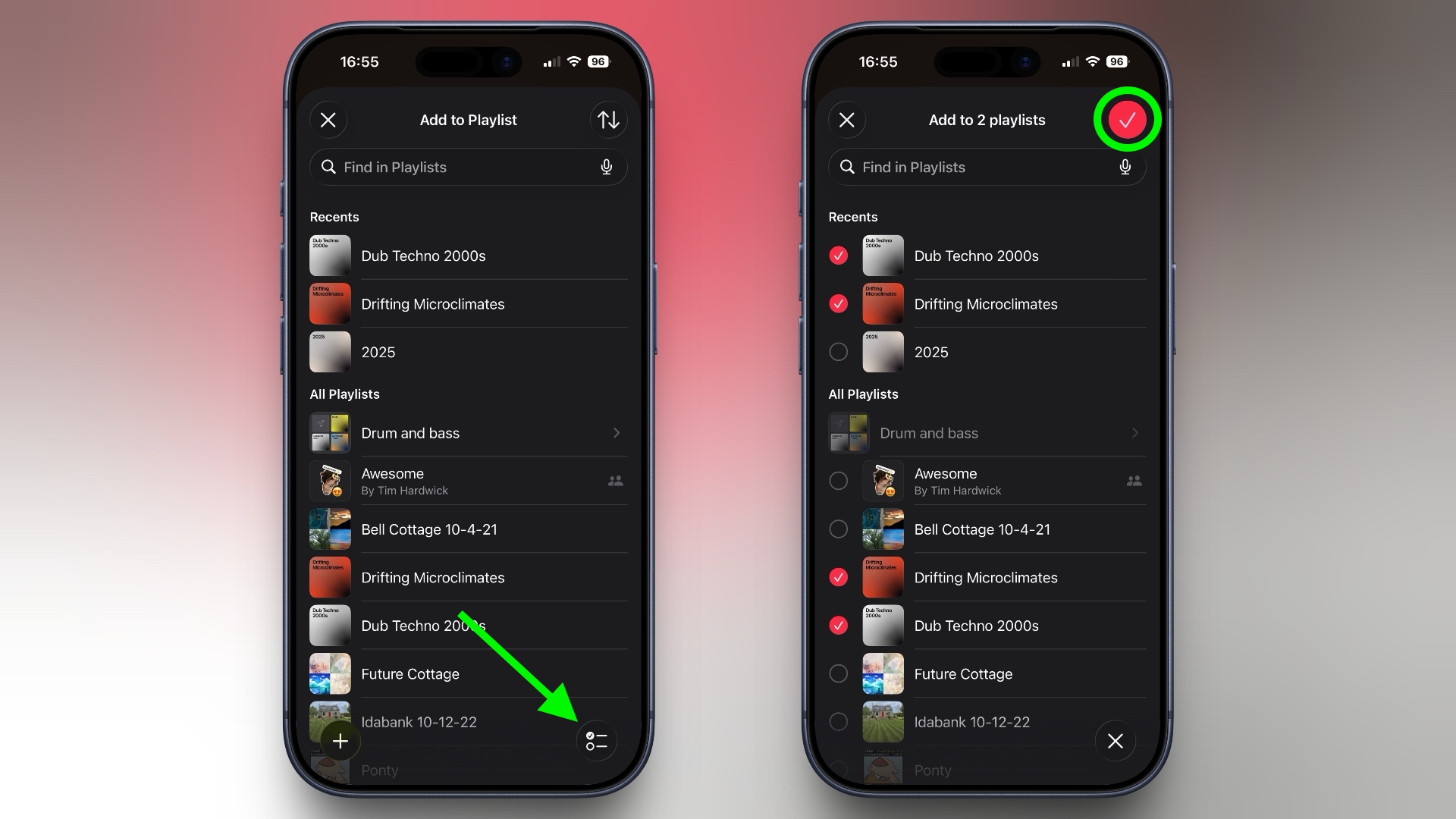
  1. In the Music app, find the song you want to add.
  2. Long press the song, or tap the three-dot menu (...) next to it.
  3. Tap Add to Playlist.
    ios-music-add-song-multiple-playlists2.jpeg

    In the bottom-right corner, tap the new multi-select button.
  4. Select all the playlists you want to add the song to – each one gets a red checkmark.
    Tap the checkmark button in the top-right corner to confirm.
    ios-music-add-song-multiple-playlists1.jpeg
The header at the top of the screen will update to reflect how many playlists you've selected, so you can keep track before confirming.

It might seem like a minor addition, but if you maintain several playlists organized by mood, genre, or occasion, it eliminates so much back-and-forth navigation. It's no exaggeration to say that some users will have been waiting years for this option.

In iOS 26.4, Apple has also given albums and playlists a new fullscreen design so that the album artwork colors style the entire background of the track list and other UI elements to give each album a more immersive, authentic look. To check out what's new, make sure your iPhone is up-to-date with the latest version by going to Settings ➝ General ➝ Software Update.

Article Link: This Music Selection Tweak in iOS 26.4 Will Save You Bags of Time
 
  • Wow
  • Like
Reactions: SFjohn and Z-4195
What would save time is adding a song to a playlist actually working.

Sometimes it takes 10 seconds before you finally get the message your song has been added.
Sometimes it just times out. Or even worse : says you have added it, then you come days later only to find your song was never added.

Oh, and Apple, please tag AI music like a decent music service would.
 
  • Like
Reactions: DanteHicks79
Now please give me an option to add it to the top of the playlist vs. on the bottom. And give me a playlist album view while you’re at it.
 
i would be happy if i can do the opposite. There is no easy way to REMOVE/DELETE a song from a playlist while its playing just with a simple tap on an icon.
Especially in Carplay this would be super helpfull (the only way is to skip over and over again).
The only way i found is to create a smart playlist on macos with „the most skipped songs“ and then delete them from time to time (once a year,…)
 
It's hilarious everyone talking about 'bags of time.' If the headline said this, no one would have noticed or cared

This Music Selection Tweak in iOS 26.4 Will Save You Time​

 
  • Like
Reactions: benface
Man, people are really being thrown by that title… A UK based retro site I frequent recently had lots of confused American readers when the writer talked about the niggles he had with a product.
 
Register on MacRumors! This sidebar will go away, and you'll see fewer ads.