
Become a MacRumors Supporter for $50/year with no ads, ability to filter front page stories, and private forums.

jObooW

macrumors member
Original poster
Received my 15" 2016 MBP today and I'm loving it coming from a mid 2010!

Seems like I'll have to return it though: there's a small spot near the top of the screen where some tiny red and blue pixels show up when the screen is all black.

Anyone else seeing/seen this?
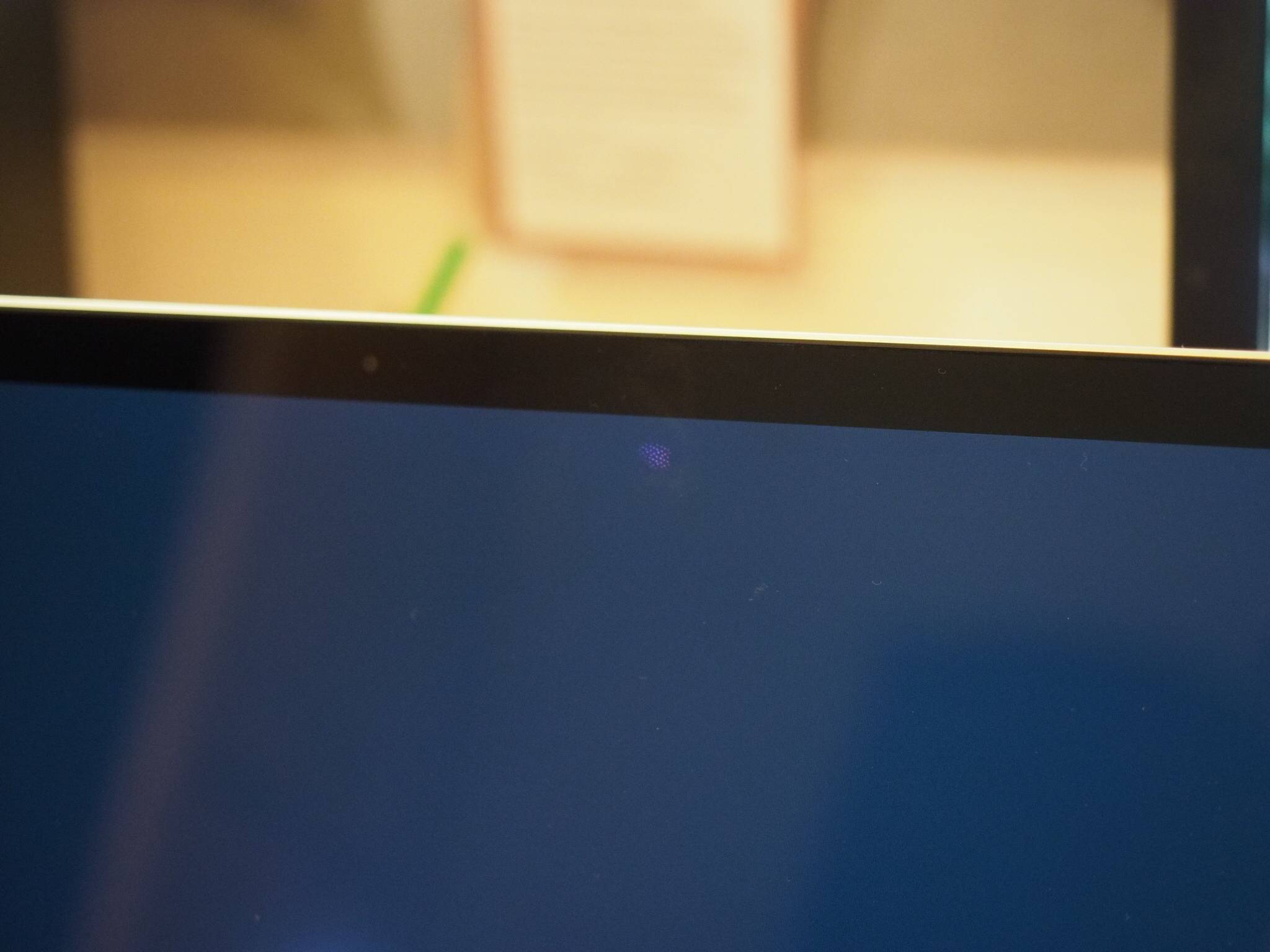
XUgdaG0.jpg
 
Last edited:
Before you return it, I would recommend that you gently clean the screen. I see that type of thing on my LED television now and then and it always disappears after I clean the screen. I'm no pixel expert, but I would think that a problem with the pixels themselves would be evident all the time, not just when the screen is black.
 
Sounds like you are describing light bleeding. That is what it looks like to me. It is being discussed by a few others in two other threads on the first page of the forum.
 
  • Like
Reactions: ardchoille50
Before you return it, I would recommend that you gently clean the screen. I see that type of thing on my LED television now and then and it always disappears after I clean the screen. I'm no pixel expert, but I would think that a problem with the pixels themselves would be evident all the time, not just when the screen is black.
I tried cleaning it gently, but it's not changing at all. It really seems to be below the glass. I do think they're failing all the time, but are so tiny it is only visible on black.

Sounds like you are describing light bleeding. That is what it looks like to me. It is being discussed by a few others in two other threads on the first page of the forum.
I'm not describing light bleeding. If you take a look at the photo I included you can clearly see some red and blue dots on a screen that should be fully black.
 
Possibly stuck pixels? Two things you can do: 1) Gently massage the screen over the pixels to or 2) Return it. I would personally go with the latter and get a new one. Even if you were able to unstick the pixels, its a little disconcerting from a brand new computer.
 
Possibly stuck pixels? Two things you can do: 1) Gently massage the screen over the pixels to or 2) Return it. I would personally go with the latter and get a new one. Even if you were able to unstick the pixels, its a little disconcerting from a brand new computer.
I agree with taking it back to Apple. They will probably replace it for you, OP.
 
  • Like
Reactions: ardchoille50
I will. A gentle massage doesn't change a thing. I hope I can keep it until they have a replacement!
You should move to the front of the order line with a replacement. I am not positive but, I think that when you do a return for defective reasons, they will want the Mac.
 
I'm not describing light bleeding. If you take a look at the photo I included you can clearly see some red and blue dots on a screen that should be fully black.

It's bruising of the panel. Return it immediately if you're still within the return window. It's physical damage-induced.
 
Thanks for confirming, all of you!

I called Apple Support. They are sending me a new one and I get to keep this one until after it arrives 🙂.
 
Register on MacRumors! This sidebar will go away, and you'll see fewer ads.