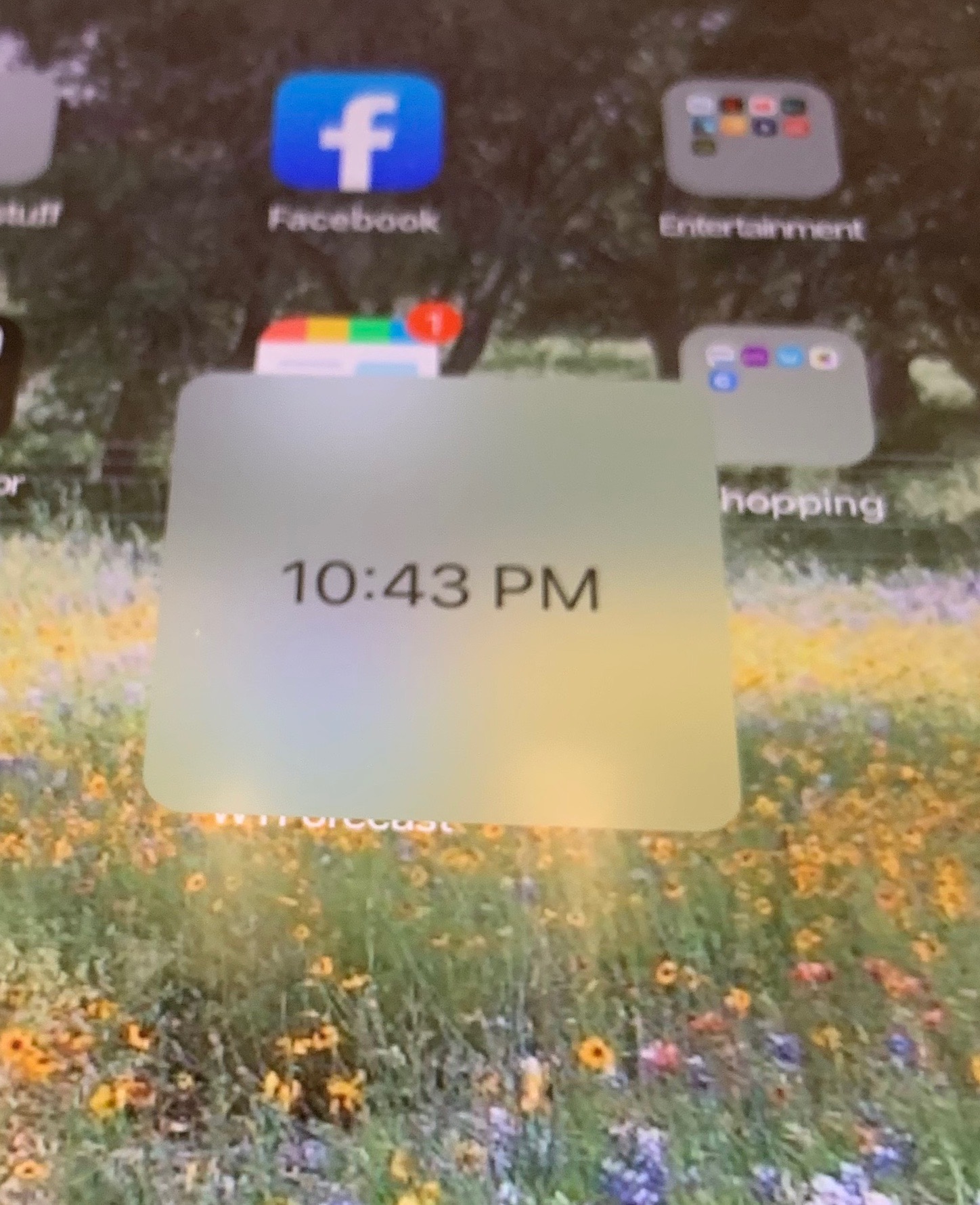
How did this get there and how do I turn it off? I'm asking for a friend. She doesn't know how she did it and I've used iOS and iPads for a while but can't figure it out.
Me too (first time seeing it not had iPads since the beginning.) She didn't leave it with me so I was hoping it was just something obvious that I was overlooking.
How did this get there and how do I turn it off? I'm asking for a friend. She doesn't know how she did it and I've used iOS and iPads for a while but can't figure it out. View attachment 845196
Weird... Dumb questions, but did forcing a power down or reset help? Was she running the beta? iPadOS has been changing how windows are displayed, maybe something didn’t clear? Is ScreenTime enabled?
It seems odd to have a panel that big just to hold the time...
Weird... Dumb questions, but did forcing a power down or reset help? Was she running the beta? iPadOS has been changing how windows are displayed, maybe something didn’t clear? Is ScreenTime enabled?
It seems odd to have a panel that big just to hold the time...
It's not my iPad and I haven't asked her about it since she showed me so IDK. I doubt she would be running beta just because I don't think she would even know how to get it but anything is possible. I thought maybe an app she installed that did this.
I don't think the new iPads have 3D touch but I've tried everything when it comes to touching it with no luck. It's like it's not there with no movement or anything.
I don't think the new iPads have 3D touch but I've tried everything when it comes to touching it with no luck. It's like it's not there with no movement or anything.