


Become a MacRumors Supporter for $50/year with no ads, ability to filter front page stories, and private forums.

MacRumors

macrumors bot
Original poster
Apr 12, 2001
70,494
42,191


Starting with tvOS 26.2, Apple TVs began displaying a user profile selection screen every time you wake the device from sleep. The feature helps households with multiple users maintain separate viewing histories and recommendations, but it can feel like an unnecessary step if you're the sole user.
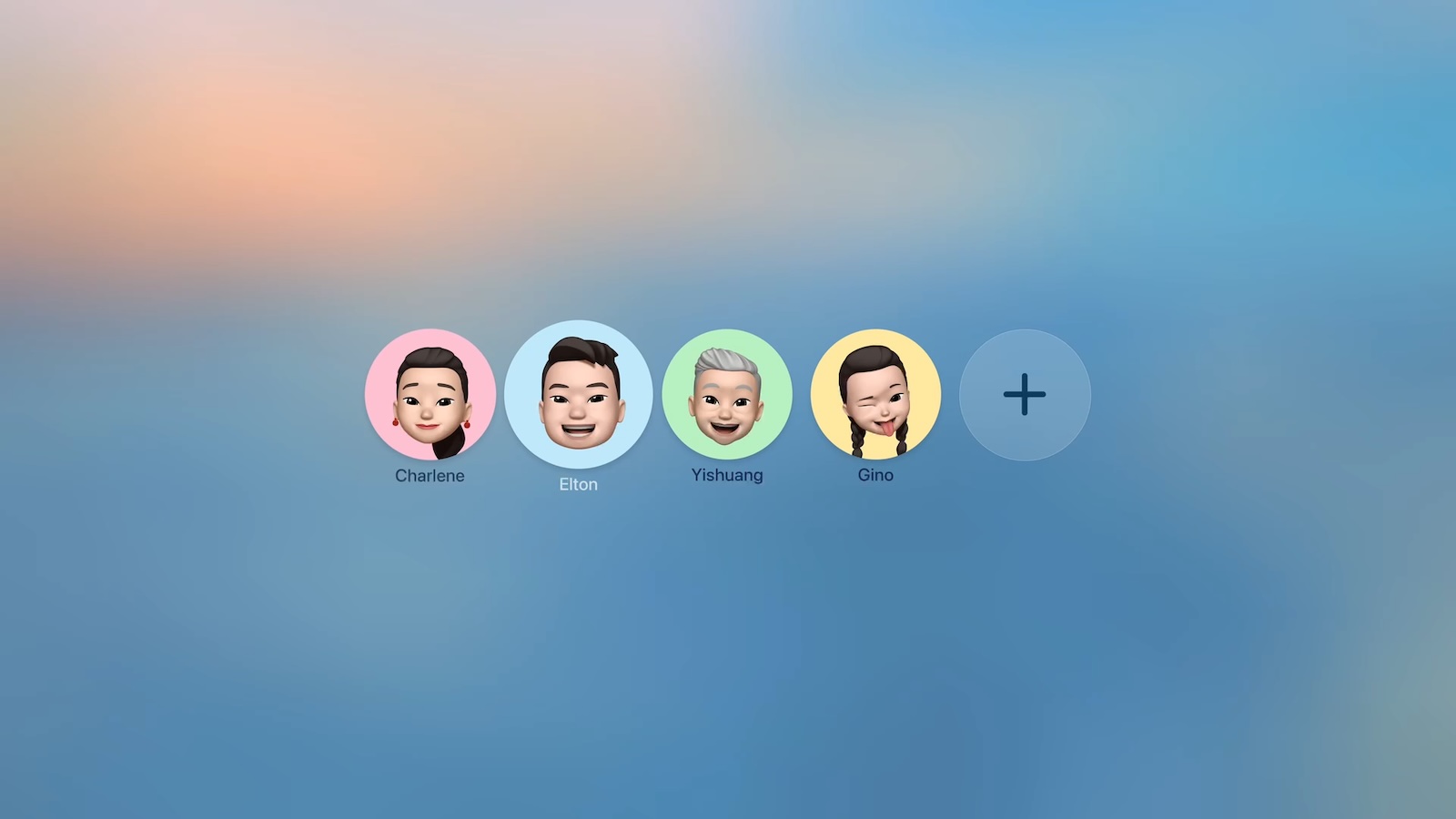
tvOS-26-Profiles.jpg

Fortunately, Apple lets you disable this prompt entirely. Here's how to turn off the user profiles screen and go straight to your Home screen.

Disable the User Profile Selection Screen

  1. Open Settings on your Apple TV.
  2. Select Profiles and Accounts.
  3. Toggle off Choose Profile on Wake.
With this setting disabled, your Apple TV will skip the profile selection screen and take you directly to the Home Screen when you wake it.

What Happens When You Disable Profile Switching

Turning off the profile switcher doesn't delete your user profiles or their associated watch history and recommendations. It simply removes the prompt that appears each time you turn on your TV or Apple TV.

If you share your Apple TV with others and want to switch profiles manually, you can still access profile options by going to Settings ➝ Users and Accounts and selecting a different user profile from there.

To learn more about how user profiles can be genuinely useful, check out our dedicated hands-on article.

Article Link: Turn Off the User Profiles Screen on Apple TV 4K
 
Of all my Apple devices the Apple TV is by far the least user-friendly. The remote control is still an issue after all these years.

And the user profiles are so annoying because they don’t sync with the third party streaming apps.
 
I initially liked this new log in but it started to be annoying. I decided to explore the settings as surely not everyone would like this. Good for sharing.
 
Perhaps I've been out of the loop, but this is the first news I've heard about user profiles on ATV. Didn't even hear any rumors about it coming. This is another LONG overdue feature that Apple should have added a decade ago.

EDIT: apparently this already existed, but only if the other users had an Apple account.
 
Last edited:
  • Haha
Reactions: locovaca
thank you for letting me know. Netflix and the likes have their own way of handling profile. Apple TV implementing this was annoying for my use case.
 
Perhaps I've been out of the loop, but this is the first news I've heard about user profiles on ATV. Didn't even hear any rumors about it coming. This is another LONG overdue feature that Apple should have added a decade ago.
It’s been a feature for a while if you have family members connected within your iCloud account that have their own Apple Account. Now it has been expanded to include managed profiles that don’t require their own Apple Account.
 
  • Like
Reactions: jbc25
This is the most redundant article ever. What kind of self loathing, split-personality narcissist would create multiple AppleID/iCloud accounts, then manually add and configure all those accounts on their AppleTV, even though they are the "sole user" of that AppleTV.
 
I’m assuming that since I am the only profile on my Apple TV that would never see this page.
That’s my experience as well. My Apple TV displays my connected iCloud family members as options within Control Center, but since they’ve never signed in, it just default loads to mine and never presents the user profile screen.
 
  • Like
Reactions: Biro
For anyone in the know, can you have profiles without a corresponding Apple account?

You finally can now as of last week. And it even works the way I hoped, in that those profiles can view all your purchased movies and tv shows. It's still a little buggy (shocker) in that it resets the prompts and starts asking if each app can share watch history with the main Apple ID, but once you get through that it works as expected.

Still no integration with the profiles inside the apps themselves. I seem to recall that being something that was promised at some point, for apps that would support it. Which would probably wind up being everyone except Netflix. That would be the final piece to the profile puzzle.
 
Perhaps I've been out of the loop, but this is the first news I've heard about user profiles on ATV. Didn't even hear any rumors about it coming. This is another LONG overdue feature that Apple should have added a decade ago.
This has been there for many years… if you live in a household with multiple people, each user has been able to add their own Apple account to the AppleTV, and then switch from within any app by long pressing the home button (I think). Most streaming apps use their own internal profile switching, but just about all games, Apple Music, podcasts, etc. all use the AppleTV profiles so that users don't mess up each others settings, music recommendations, games, etc.
 
  • Like
Reactions: jbc25 and Wizpod96
Thanks, I need to change this.
What's even the point of profiles if you still cannot sign in with separate Spotify accounts?
 
This is the most redundant article ever. What kind of self loathing, split-personality narcissist would create multiple AppleID/iCloud accounts, then manually add and configure all those accounts on their AppleTV, even though they are the "sole user" of that AppleTV.
This is for people with multiple family members in the same household ie husband, wife, kids etc. lol
 
This is the most redundant article ever. What kind of self loathing, split-personality narcissist would create multiple AppleID/iCloud accounts, then manually add and configure all those accounts on their AppleTV, even though they are the "sole user" of that AppleTV.
Am I a self loathing, split-personality narcissist because my family has four user accounts, but the Apple TV in my office is only used by me?

The one in the living room is used by the whole family, so the account selector is there, but not every room has multiple users.
 
Thanks, I need to change this.
What's even the point of profiles if you still cannot sign in with separate Spotify accounts?
Encouraging you to switch to Apple Music, probably. The profiles work nicely with Apple Music.
 
My friends Apple TV has a bug (on 26.2) where if she clicks the option to disable this, it recognizes the click, and nothing happens. Click again, and it turns off. However the setting doesn’t actually change, and when you come back to the menu, it’s back on. She literally can’t disable it lol.

When people on here complain about the Software QA, this is the type of things they’re talking about. We’ve tried everything, she would most likely have to reset the Apple TV to get this setting to work
 
Register on MacRumors! This sidebar will go away, and you'll see fewer ads.