

Become a MacRumors Supporter for $50/year with no ads, ability to filter front page stories, and private forums.

MacRumors

macrumors bot
Original poster


Did you know it's possible to take multiple Live Photos from your iPhone's photo library and turn them into a single continuous video? Keep reading to learn how it's done.
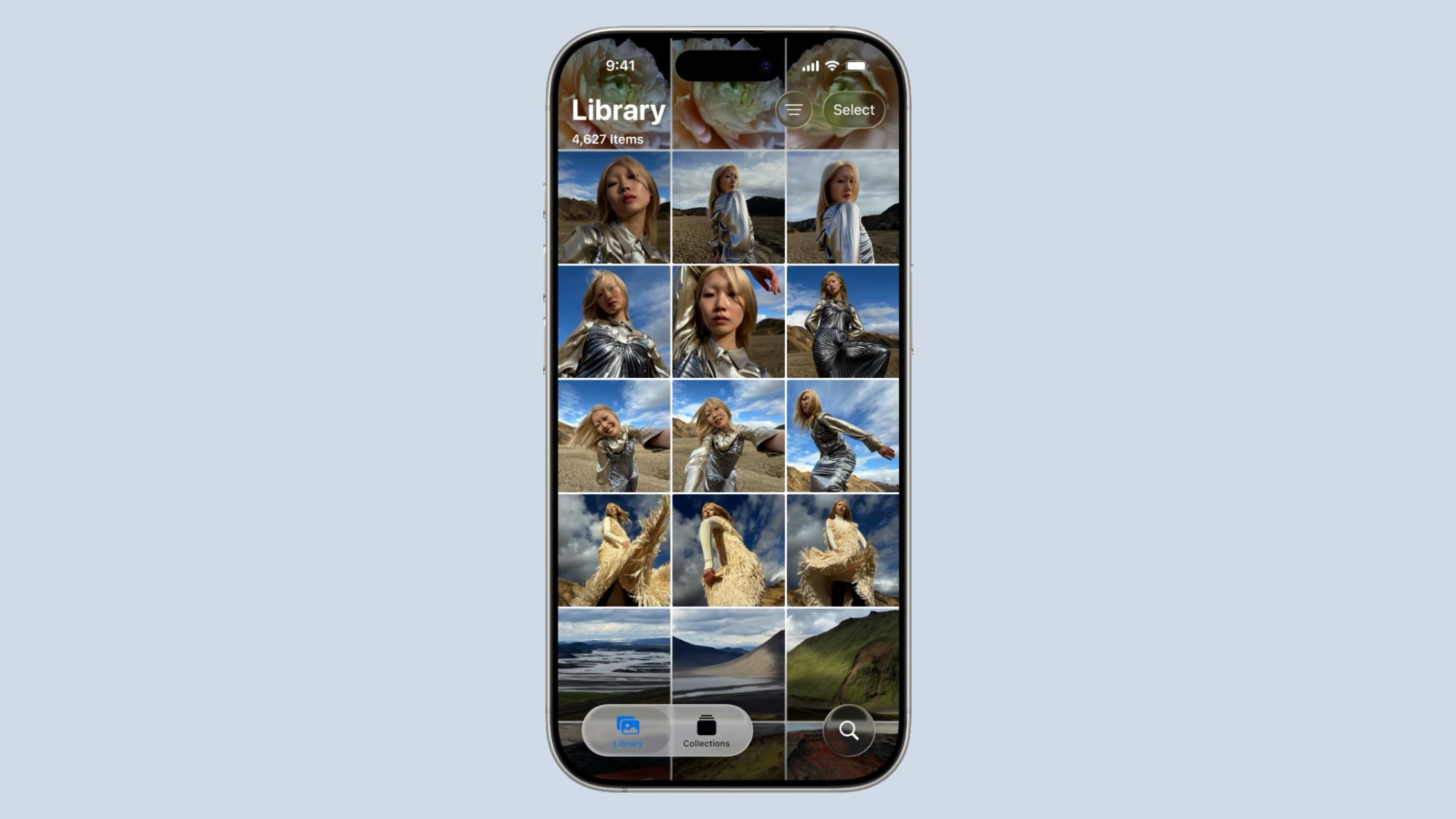
ios-26-photos-app.jpg

On iPhone and iPad, Live Photos bring your pictures to life by adding a few seconds of video before and after the shot, creating a living memory rather than a static image.

While Live Photos are great on their own, it's also possible to weave several together to create a video montage. This process transforms a collection of moments into a cohesive narrative, and offers an easier way to share and relive your memories.

Whether it's a series of shots from a special event, a day out with friends, or a compilation of everyday moments, the following steps show you how to turn several Live Photos into a video that can encapsulate their essence in a way that a single photo or traditional video might not.
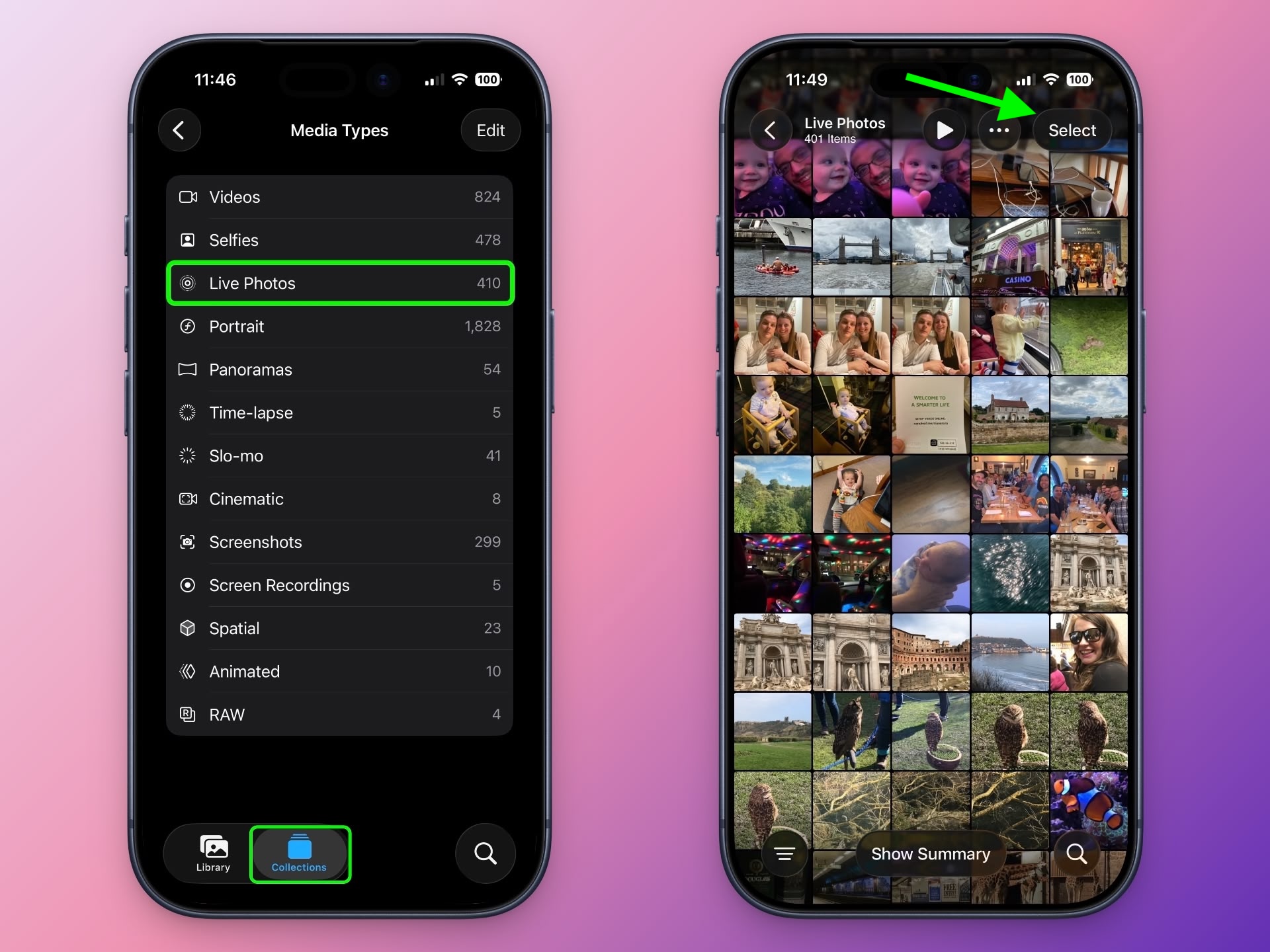
  1. In the Photos app, tap the Collections icon at the bottom of the screen.
  2. Scroll down to "Media Types," and tap Live Photos.
  3. Tap Select in the top-right corner, then tap the Live Photos you want to include in your video so that a little checkmark appears on each one.
    2turn-live-photos-into-videos.jpeg

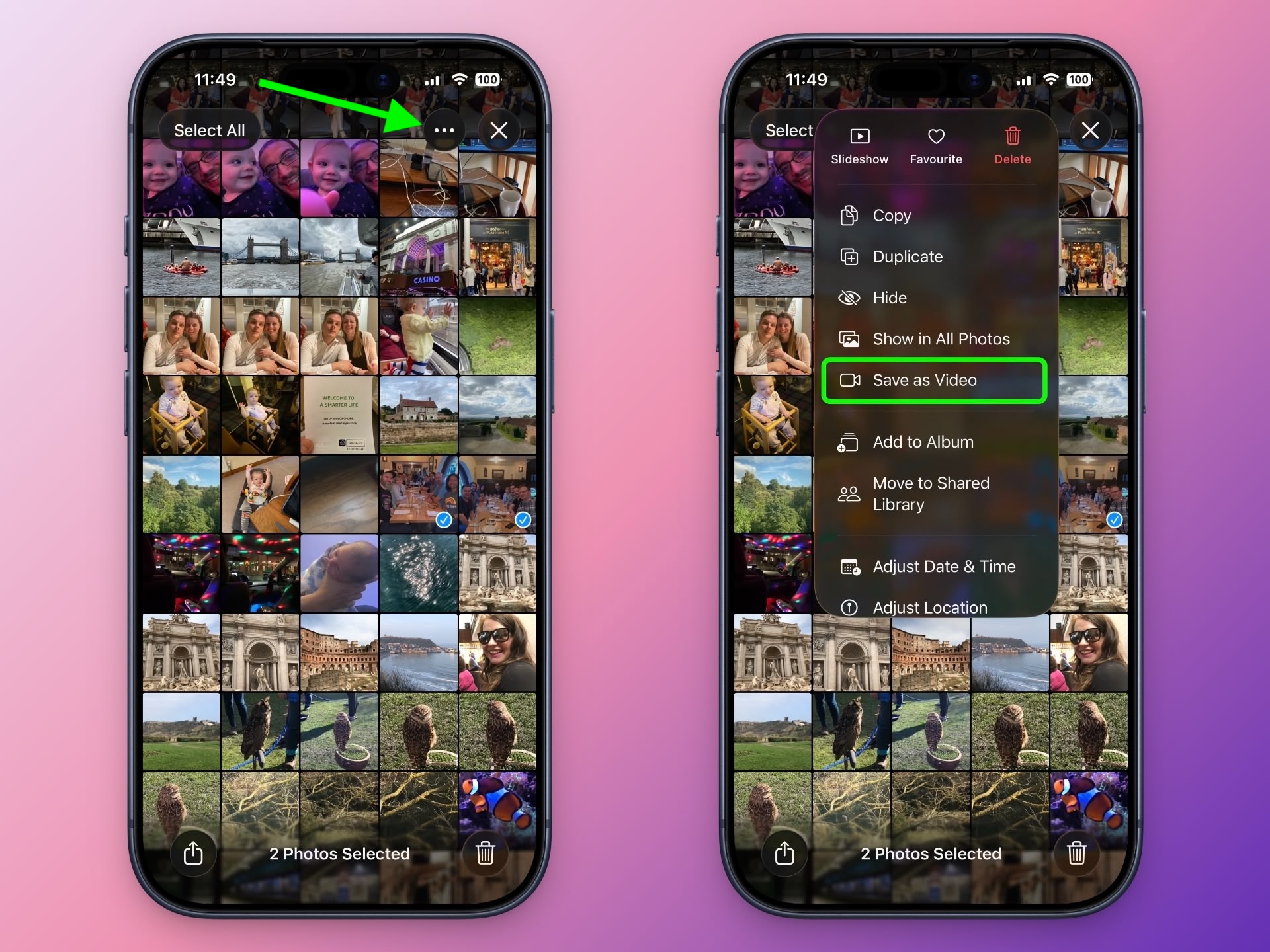
    Tap the button with three dots in the top-right corner.
    Choose Save as Video in the pop-up menu.
    1turn-live-photos-into-videos.jpeg
That's all there is to it. To watch your newly created video, return to the Library view or find it in the Videos category under Media Types.

Note that the video will be dated to when the Live Photos were originally taken, so unless you have the Sort by Recently Added option checked, they may not show as the latest video in your collection.

Article Link: Turn Several Live Photos into a Single Video on iPhone
 
Is there functionality to make a GIF out of a Live Photo?

That's something I've actually wanted (and would prefer that built in vs a different App).
 
  • Like
Reactions: jml12286
This is great and all but no matter how you select the photos it will always start the "video" with the newest pic to the oldest. So it creates a video in reverse of how you shot the photos. I cant figure out a way to reverse it.
 
They should include an app on every iPhone that turns several videos into one video. And, it should be a free app, no subscription.
And it should be called Photos.

Seriously, why they haven’t included even basic iMovie-like editing directly in Photos is beyond. I mean, yeah, here is this master collection of billions of photos and movies
I captured. Sitting there. Doing nothing. Why not give us tools to do something with these assets, to create - you know, like you used to. We can still have iMovie. But adding basic editing features directly in Photos isn’t the worst idea.
 
And it should be called Photos.

Seriously, why they haven’t included even basic iMovie-like editing directly in Photos is beyond. I mean, yeah, here is this master collection of billions of photos and movies
I captured. Sitting there. Doing nothing. Why not give us tools to do something with these assets, to create - you know, like you used to. We can still have iMovie. But adding basic editing features directly in Photos isn’t the worst idea.
Fully agree. And while they're at it, let me reverse play a vid.
 
Just tried but the video was in reverse of chronological order, even as I selected each live photo in my preferred sequence
 
I don't have the "Save as Video" item in my menu. iOS 26.2. Old phone (12 Pro)? Some other config I need to set? Thx.
 
Last edited:
Is there functionality to make a GIF out of a Live Photo?

That's something I've actually wanted (and would prefer that built in vs a different App).
Agreed. Live Photos seem like the perfect format for a gif.

There are several shortcuts that can do this (I think they might be build in just have to be activated) Just google Live Photo to gif shortcuts. Alternatively you can change the image from live to bounce or loop - at least with iMessage it feels a bit like a gif.
 
  • Like
Reactions: Skylar.
Nice to have this feature though I don't think I will have much use for it. On a separate note, would like future iOS versions to support dual photo capture.
 
  • Like
Reactions: mganu
And it should be called Photos.

Seriously, why they haven’t included even basic iMovie-like editing directly in Photos is beyond. I mean, yeah, here is this master collection of billions of photos and movies
I captured. Sitting there. Doing nothing. Why not give us tools to do something with these assets, to create - you know, like you used to. We can still have iMovie. But adding basic editing features directly in Photos isn’t the worst idea.
Totally agree. They seem to want to do everything for us by creating Memories. I want to like them, but they’re terrible. They regularly choose bad shots and melancholy music. But you can stop the auto-generated Memories unless you turn off the self-created Memories too.

But yes, more editing would be great!
 
  • Like
Reactions: lazyrighteye
Register on MacRumors! This sidebar will go away, and you'll see fewer ads.