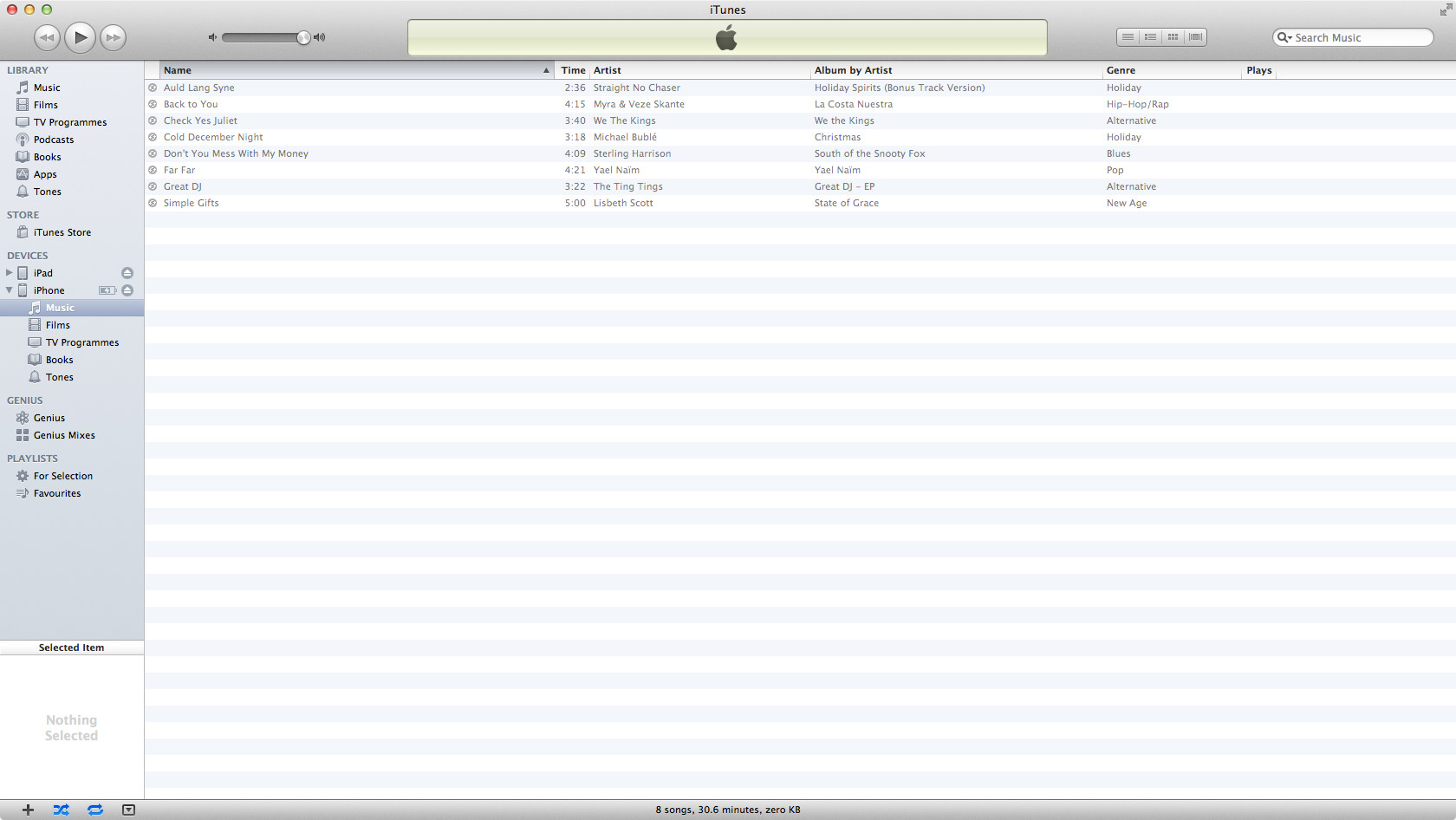
R reddevil0728 macrumors 6502 Original poster Oct 24, 2012 #1 I have checked the option not to sync any music, and inside my iphone there are no music. However, when I clicked on the "music" in my iphone. I can see this. Is there anyway to remove it? Last edited by a moderator: Oct 24, 2012
I have checked the option not to sync any music, and inside my iphone there are no music. However, when I clicked on the "music" in my iphone. I can see this. Is there anyway to remove it?
DoctorCrap macrumors regular Oct 30, 2012 #3 Either delete what you see right there or on your iPhone or complete a syncing process again to make sure. Relaunch iTunes. Maybe restore your device and do something about it.
Either delete what you see right there or on your iPhone or complete a syncing process again to make sure. Relaunch iTunes. Maybe restore your device and do something about it.
R reddevil0728 macrumors 6502 Original poster Oct 30, 2012 #4 DoctorCrap said: Either delete what you see right there or on your iPhone or complete a syncing process again to make sure. Relaunch iTunes. Maybe restore your device and do something about it. Click to expand... did that it happened on my iphone 4s and happen on my iphone 5 after I switched over.
DoctorCrap said: Either delete what you see right there or on your iPhone or complete a syncing process again to make sure. Relaunch iTunes. Maybe restore your device and do something about it. Click to expand... did that it happened on my iphone 4s and happen on my iphone 5 after I switched over.
DoctorCrap macrumors regular Oct 30, 2012 #5 reddevil0728 said: did that it happened on my iphone 4s and happen on my iphone 5 after I switched over. Click to expand... And on another device? Are you absolutely sure you did not sync anything from your computer. Make sure you uncheck sync for music. I don't know what your situation is right now...
reddevil0728 said: did that it happened on my iphone 4s and happen on my iphone 5 after I switched over. Click to expand... And on another device? Are you absolutely sure you did not sync anything from your computer. Make sure you uncheck sync for music. I don't know what your situation is right now...