
Is there a program to unzip multiple files into one file/folder? Unarchiver unzipes each file in different folder.

Is there a program to unzip multiple files into one file/folder? Unarchiver unzipes each file in different folder.
Thanks for the info; very useful but how do I navigate to the required directory in terminal?
Here is a list of common commands:
ls
list files and directories
cd
change directory
mkdir
create a new directory
cp
copy files or directories
mv
move (rename) files or directories
rm
remove files or directories
You can see the rest of how to navigate through the terminal with this guide.
Hope this helps,
- Kyle
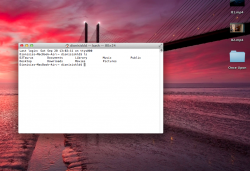
Sorry for asking again.
I typed ls. As you can see below there is a folder "Once Upon" in the Desktop.... what do i exactly type on terminal in order to get in?
View attachment 436835
Anyone reading this many years after the post... in terminal type cd[space] then drag the folder onto terminal followed by return to navigate to the folder.Here is a list of common commands:
ls
list files and directories
cd
change directory
mkdir
create a new directory
cp
copy files or directories
mv
move (rename) files or directories
rm
remove files or directories
You can see the rest of how to navigate through the terminal with this guide.
Hope this helps,
- Kyle

I registered with this website just to say thank you for this very useful post. It works great with the terminal command you gave. Thank you!With OSX you can run a simple terminal command and extracted all the files into the same directory without the need of a third party application.
Example: you have these files
HypotheticalFILE1.zip
HypotheticalFILE2.zip
HypotheticalFILE3.zip
HypotheticalFILE4.zip
HypotheticalFILE5.zip
Rather than double-clicking each *.zip file (which most of the time creates folders for each file extracted) you can run a command from the Terminal which will extract all the files in to the same directory.
Open Terminal and navigate to the directory where all the zip files are stored.
Once your in that directory you just need to type this:
unzip \*.zip [Return]
You will then be presented (if there are any duplicate files being uncompressed with the following:
replace duplicatefile.mp4? [y]es, [n]o, [A]ll, [N]one, [r]ename:
Just type either y, n, A, N, or r and hit [Return]

I registered with this website just to say thank you for this very useful post. It works great with the terminal command you gave. Thank you!
Anyone reading this many years after the post... in terminal type cd[space] then drag the folder onto terminal followed by return to navigate to the folder.
Anyone reading this many years after the post... in terminal type cd[space] then drag the folder onto terminal followed by return to navigate to the folder.
I registered just to thank you. I was googling how to navigate to the terminal directory and your way made it 1,000x easier. THANK YOU!
Stumbled here from the future to thank you for posting this!Anyone reading this many years after the post... in terminal type cd[space] then drag the folder onto terminal followed by return to navigate to the folder.
Short summary:
1. Open Terminal
2. Type 'cd' followed by [space], ( 'cd ' )
3. Drag the folder into Terminal, then press [return]
4. Paste 'unzip \*.zip' then press [return]
Thank you so so much for the guide! And for BlackDuke07 for making it so much easier!
