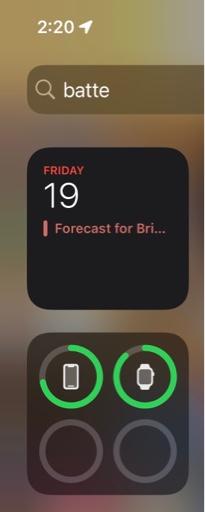
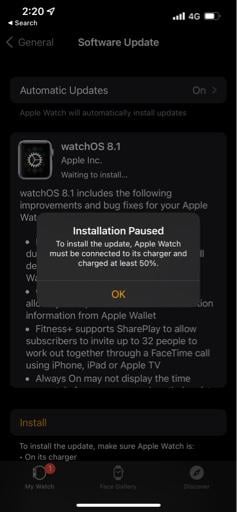
Globug macrumors 6502a Original poster Nov 18, 2021 #1 It says that it’s not enough power but it is. Help!
Globug macrumors 6502a Original poster Nov 18, 2021 #3 Yes. It’s on the charger and almost fully charged. I even tried turning the phone on and off. Wasn’t able to do the same for watch. iPhone 13pro and watch 6
Yes. It’s on the charger and almost fully charged. I even tried turning the phone on and off. Wasn’t able to do the same for watch. iPhone 13pro and watch 6
bricktop_at macrumors 68000 Nov 18, 2021 #5 haruhiko said: Are you sure the watch is charging? Click to expand... The icon doesn’t show it charging, that’s why I asked 😉
haruhiko said: Are you sure the watch is charging? Click to expand... The icon doesn’t show it charging, that’s why I asked 😉
bricktop_at macrumors 68000 Nov 18, 2021 #6 Globug said: Yes. It’s on the charger and almost fully charged. I even tried turning the phone on and off. Wasn’t able to do the same for watch. iPhone 13pro and watch 6 Click to expand... You can hard reboot the watch by holding down both crown and side button until the screen turns black and the Apple logo appears
Globug said: Yes. It’s on the charger and almost fully charged. I even tried turning the phone on and off. Wasn’t able to do the same for watch. iPhone 13pro and watch 6 Click to expand... You can hard reboot the watch by holding down both crown and side button until the screen turns black and the Apple logo appears
Globug macrumors 6502a Original poster Nov 19, 2021 #8 That’s what I needed up doing , restarting watch and phone. It worked. So weird. Reactions: haruhiko