Hi,
I've just noticed that the Upgrading MacBook Hard Disks guide,
http://guides.macrumors.com/Upgrading_MacBook_Hard_Disks
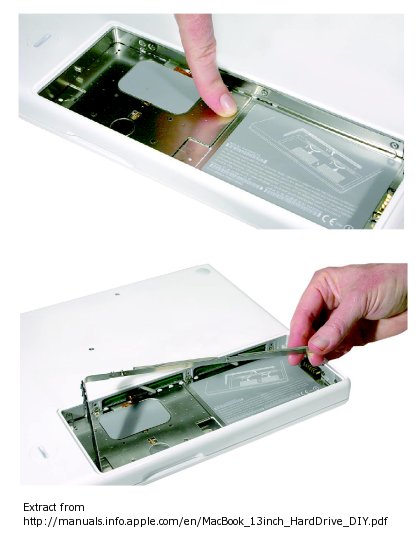
appears to be incomplete - it does not mention removing the L-shaped metal strip covering the hard drive bay and memory slots as described in the Apple guide,
http://manuals.info.apple.com/en/MacBook_13inch_HardDrive_DIY.pdf
I considered editing it myself but I cannot supply the necessary photos at present (and I'm sure someone should have ones which fit in with the existing ones). If no one else can do it I'll have a go at some point but not sure when I'll get around to it.
Just thought I'd point it out,
Alec
I've just noticed that the Upgrading MacBook Hard Disks guide,
http://guides.macrumors.com/Upgrading_MacBook_Hard_Disks
appears to be incomplete - it does not mention removing the L-shaped metal strip covering the hard drive bay and memory slots as described in the Apple guide,
http://manuals.info.apple.com/en/MacBook_13inch_HardDrive_DIY.pdf
I considered editing it myself but I cannot supply the necessary photos at present (and I'm sure someone should have ones which fit in with the existing ones). If no one else can do it I'll have a go at some point but not sure when I'll get around to it.
Just thought I'd point it out,
Alec