

Hi guys,
I'm planning to upgrade my early 2011 MBP with 16gb of RAM, a SSD and a new battery.
Would just like some advice on the following things - it's the first time I've attempted something like this!
- Are these fairly decent pieces to use (links below)? I can be flexible with budget so if you know of any alternatives please feel free to share.
- What tools do I need to have (types of screwdriver etc)?
- Do I need to worry about enabling TRIM or anything else with the SSD? I heard snow leopard added a feature that automatically had it on.
- Should I upgrade anything else? I'm mainly doing this because of sluggish performance and the mac heating up a bit even when just on youtube etc...I mainly use this machine for ableton and photoshop so would it be worth changing the processor or graphics? Or the fans?
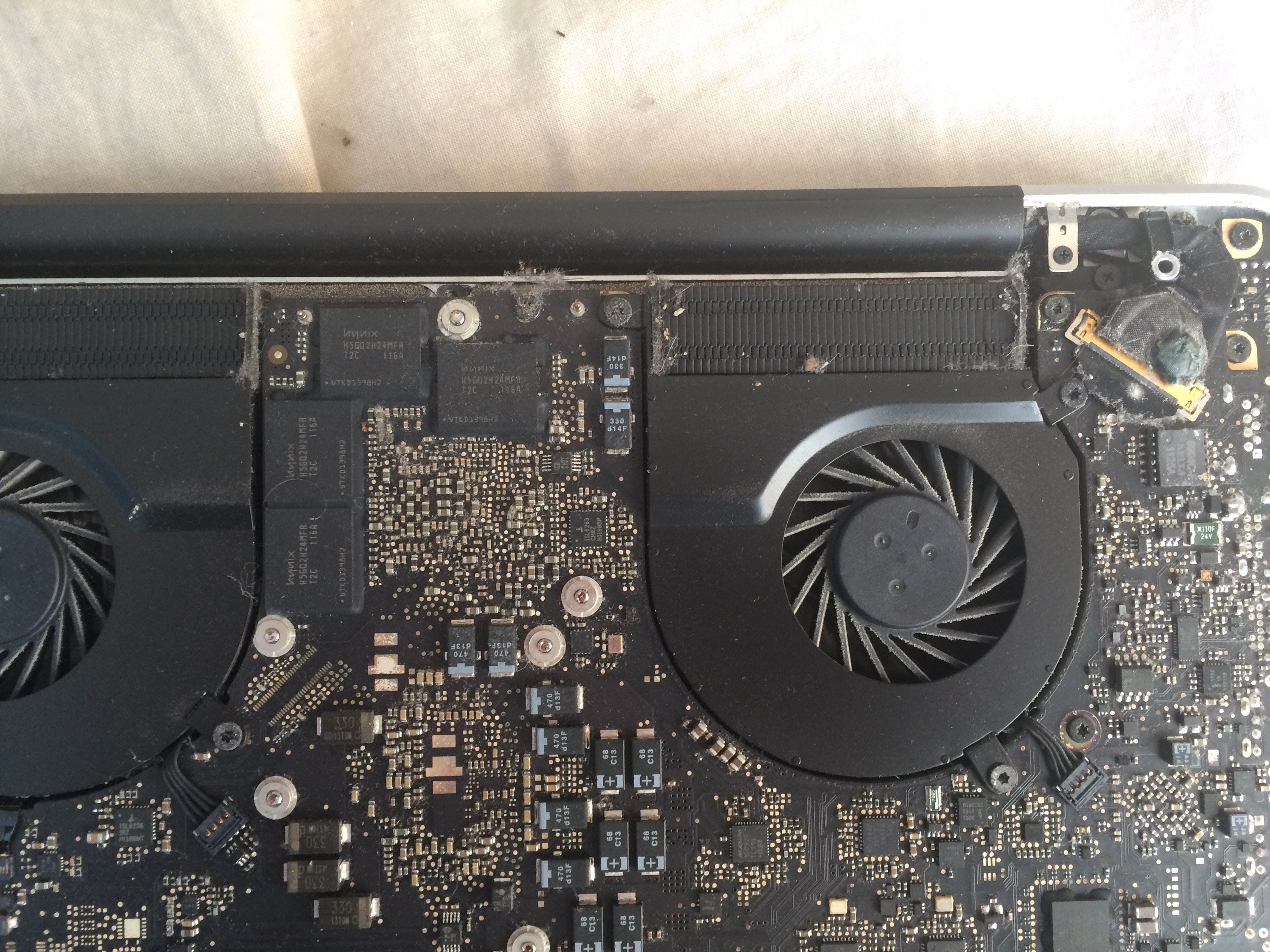
- If you take a look at the picture below, on the gold bar at the far right there's a black circle - this is from where one of the feet has fallen off and whatever that is has squeezed through it slightly...is this something to worry about or should a replacement foot be ok on top?
- Lastly (I hope I got everything) what order should I do the RAM and SSD in?
Current system:
OSX El Capitan 10.11.6
15" Early 2011 model
2.2GHz Intel Core i7
4GB 1333 MHz DDR3
Intel HD Graphics 3000 384MB
750GB HDD
New bits:
SSD - https://www.amazon.co.uk/Crucial-MX...UTF8&qid=1476533926&sr=8-1&keywords=ssd+750gb
Battery - https://www.amazon.co.uk/HzTech-Rep...spons&keywords=2011+macbook+pro+battery&psc=1
RAM - https://www.amazon.co.uk/memory-upg...76532931&sr=8-1&keywords=2011+macbook+pro+ram
I'm planning to upgrade my early 2011 MBP with 16gb of RAM, a SSD and a new battery.
Would just like some advice on the following things - it's the first time I've attempted something like this!
- Are these fairly decent pieces to use (links below)? I can be flexible with budget so if you know of any alternatives please feel free to share.
- What tools do I need to have (types of screwdriver etc)?
- Do I need to worry about enabling TRIM or anything else with the SSD? I heard snow leopard added a feature that automatically had it on.
- Should I upgrade anything else? I'm mainly doing this because of sluggish performance and the mac heating up a bit even when just on youtube etc...I mainly use this machine for ableton and photoshop so would it be worth changing the processor or graphics? Or the fans?
- If you take a look at the picture below, on the gold bar at the far right there's a black circle - this is from where one of the feet has fallen off and whatever that is has squeezed through it slightly...is this something to worry about or should a replacement foot be ok on top?
- Lastly (I hope I got everything) what order should I do the RAM and SSD in?
Current system:
OSX El Capitan 10.11.6
15" Early 2011 model
2.2GHz Intel Core i7
4GB 1333 MHz DDR3
Intel HD Graphics 3000 384MB
750GB HDD
New bits:
SSD - https://www.amazon.co.uk/Crucial-MX...UTF8&qid=1476533926&sr=8-1&keywords=ssd+750gb
Battery - https://www.amazon.co.uk/HzTech-Rep...spons&keywords=2011+macbook+pro+battery&psc=1
RAM - https://www.amazon.co.uk/memory-upg...76532931&sr=8-1&keywords=2011+macbook+pro+ram
As an Amazon Associate, MacRumors earns a commission from qualifying purchases made through links in this post.
