I misspoke earlier, the bottom two slots (one normally hosting the video card) are 16-lane PCIe 2.0 slots, the remaining slots are only 4-lane PCIe 1.0a slots. That is one of the big differences between the 2008 and 2009+ machines to me ... lack of full PCIe 2.0 slots in all locations.
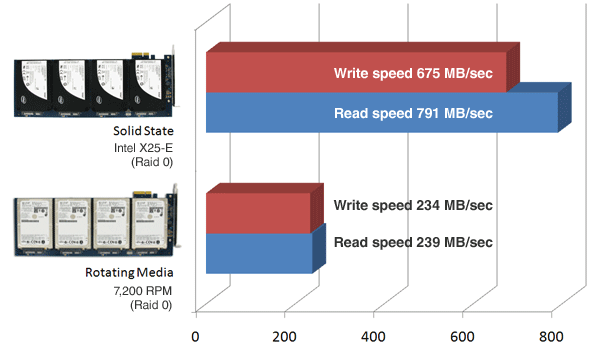
You will not see the high performance of the Velocity x2 card if it is plugged into a non-PCIe 2.0 slot, which the topmost slot is defined as PCIe 1.0.
If you are using the lower two PCIe 2.0 slots for dual video cards, you will not get the full potential from your Velocity x2 card in a 2008 Mac Pro. Regarding the BootCamp issue ... I believe I read here that you could not partition the disk on a Velocity x2 card for dual operating systems, so in mine I have a separate SSD for Windows on one of the drive sleds. I use Sled-1 for Windows because it is sensitive to additional drives (partitions) in the search path and may not boot in other positions. The Windows issues may also have to do with the fact that the PCIe based drives are considered "external" drives, which also seems to cause them to be the last boot devices to be recognized, causing a delay prior to actual boot activity.
From the 2008 Mac Pro Developer Notes:
PCI Express Architecture
The Mac Pro has four internal PCI Express (PCIe) links connected to the North Bridge IC and South Bridge
IC. Two of the links provide 4-lane expansion slots supporting the PCIe 1.0a standard at 2.5 GHz. The
other two links provide 16-lane 5.0 GHz PCIe 2.0 interfaces: one double-wide graphics slot and one
expansion slot.
Slot ---- Type ----- Bandwidth
4 --- PCI Express 1.1 ---- 4-lane
3 --- PCI Express 1.1 ---- 4-lane
2 --- PCI Express 2.0 ---- 16-lane
1 --- PCI Express 2.0 ---- 16-lane (double wide)
-howard