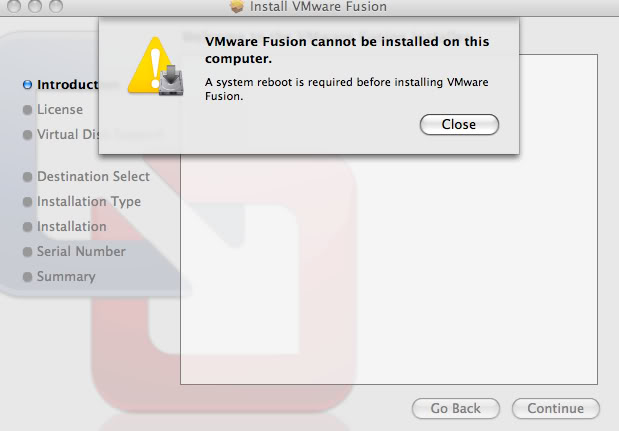
I iBunny macrumors 65816 Original poster Oct 20, 2008 #1 I have no Idea why? This is the error I get always. Now, Yes, I have tried the Obvious, I have rebooted, Shut Down, Repaired Permission, you name it. Any help??
I have no Idea why? This is the error I get always. Now, Yes, I have tried the Obvious, I have rebooted, Shut Down, Repaired Permission, you name it. Any help??
I iBunny macrumors 65816 Original poster Oct 20, 2008 #4 costabunny said: Which version of Fusion and what ver of Mac OS (10.5.x ?) Click to expand... The latest VMWare? Just came out, and 10.5.5 that came with this MBP.
costabunny said: Which version of Fusion and what ver of Mac OS (10.5.x ?) Click to expand... The latest VMWare? Just came out, and 10.5.5 that came with this MBP.
W watergun macrumors regular Oct 20, 2008 #5 I just installed Fusion 2.0 on my new MacBook (late 2008) and running Windows XP successfully. Hm, that is a one strange error. Probably start from scratch, i.e. installing Leopard from the recovery CD...
I just installed Fusion 2.0 on my new MacBook (late 2008) and running Windows XP successfully. Hm, that is a one strange error. Probably start from scratch, i.e. installing Leopard from the recovery CD...
M mdamaso macrumors newbie Oct 21, 2008 #6 VMWare workaround I had the same error on several MacBook Pros here at work. Install VMWare 1.x and then install 2.
VMWare workaround I had the same error on several MacBook Pros here at work. Install VMWare 1.x and then install 2.