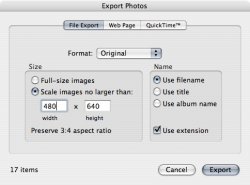
I've got a bunch of high res. digital photos that I need to resize so I can copy them onto a digital frame.
I've been using adobe photoshop 7.0 to resize them individually but that takes way too much time to do individually. So I check to see if it can do a batch but I guess PS doesn't offer resize as one of its actions.
Does anyone know or use an app that will resize an entire file at once?
Thanks in advance
I've been using adobe photoshop 7.0 to resize them individually but that takes way too much time to do individually. So I check to see if it can do a batch but I guess PS doesn't offer resize as one of its actions.
Does anyone know or use an app that will resize an entire file at once?
Thanks in advance