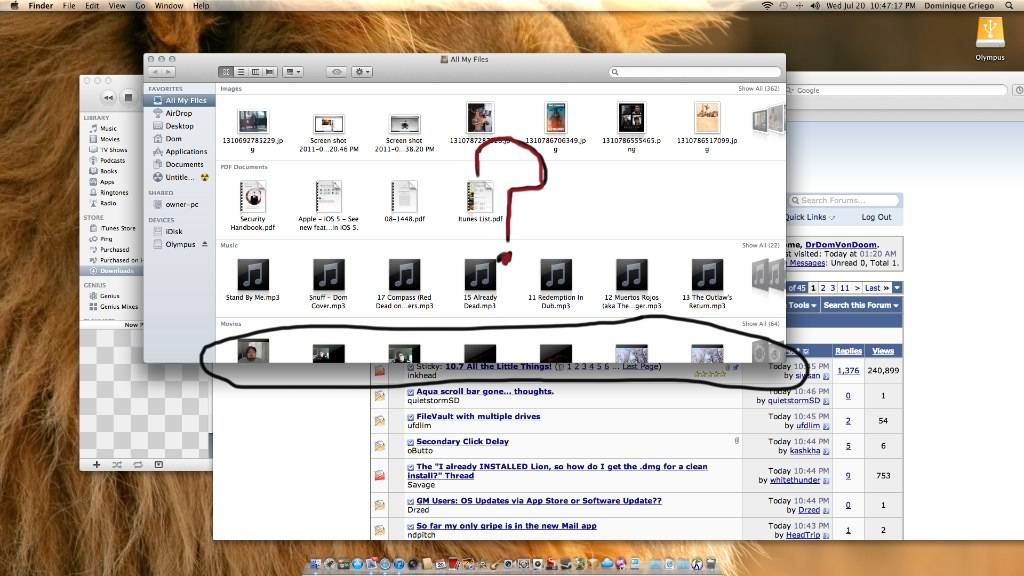
DrDomVonDoom macrumors 6502 Original poster Jul 20, 2011 #1 The bar that used to be at the bottom of the finder, where is it? Can I turn it back on? I liked knowing how many files were in the finder, and how much space I had left on my computer at a glance.
The bar that used to be at the bottom of the finder, where is it? Can I turn it back on? I liked knowing how many files were in the finder, and how much space I had left on my computer at a glance.
EricNau Moderator emeritus Jul 20, 2011 #4 With Finder active, click on "View" in the menu bar and select "Show sidebar." Is this what you're referring to?
With Finder active, click on "View" in the menu bar and select "Show sidebar." Is this what you're referring to?
Steve.P.JobsFan macrumors 65816 Jul 20, 2011 #6 Open a Finder window, click View in the menubar, and select 'Show Status Bar' in the drop-down menu.
T trent0n macrumors newbie Jul 21, 2011 #8 open finder, click view , check "show Status Bar" ......🙄 (how many forum member does it take to answer a question? All you guys got ninja'd by Watabou)
open finder, click view , check "show Status Bar" ......🙄 (how many forum member does it take to answer a question? All you guys got ninja'd by Watabou)